
Key Mapper
Tools
2026-10-26
15.84MB
4.5.0
Android
299
Screenshots
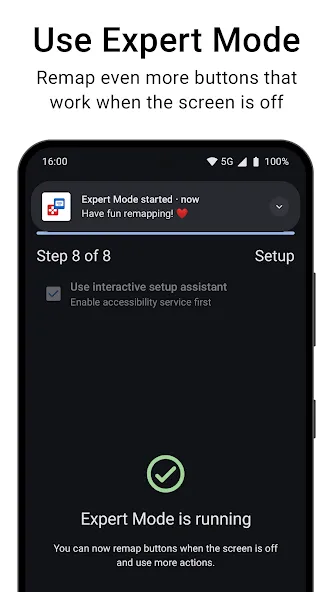
Introduction
Key Mapper is a powerful Android tool that allows users to remap most of the hardware buttons on their Android devices. The app can detect input signals from various hardware components, including volume buttons, side keys, and fingerprint sensors. Users can map these physical buttons to specific actions and flexibly adjust their functions to suit different scenarios. With a wide range of customization options, the app enables users to tailor button layouts, making device operation more convenient and efficient.
Features:
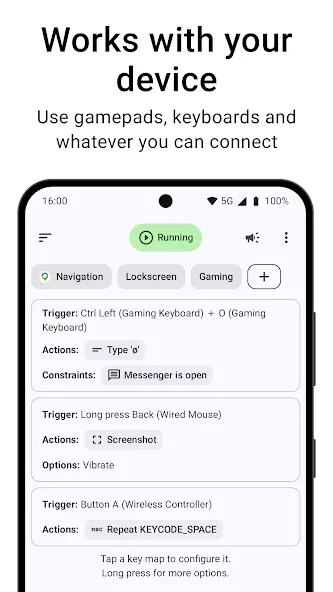
Remap hardware and accessory inputsKey Mapper can listen to inputs from volume keys, side keys, external keyboards, game controllers, headsets, and the fingerprint sensor on many devices. You map these inputs to actions that run exactly when pressed. This lets you change what a button does across different apps or in specific contexts.
Floating buttons and custom layoutsYou can design on-screen floating buttons and place them anywhere. Key Mapper treats these buttons like real keys, so they can trigger the same actions and shortcuts inside other apps. This makes it straightforward to build touch-based controls where physical keys are not available.
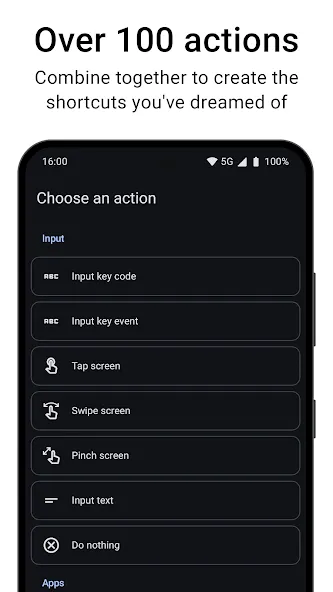
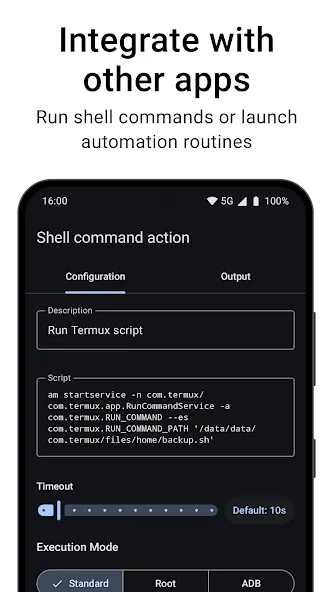
Macros with many action typesKey Mapper supports building macros from over one hundred actions. Common options include taps, swipes, gestures, keyboard input, app launches, media controls, and sending intents to other apps. You can chain actions together so several steps run in a single press.
Flexible triggers and timingYou choose how a mapping is triggered. Options include long press, double press, multi press, and multi key combos across devices, plus on-screen buttons. You can add delays and repeats to automate workflows that need careful timing.
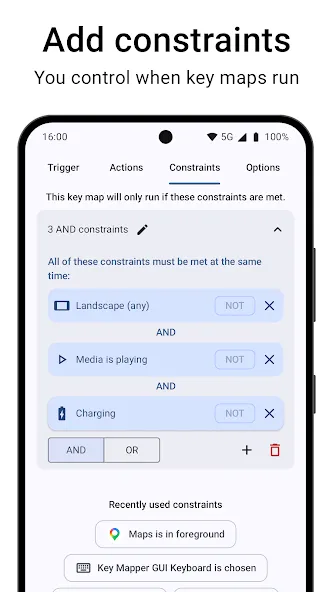
Context rules and privacy controlsMappings can be constrained to run only in selected apps, when media is playing, or on the lock screen. Key Mapper uses the Accessibility API to adapt key presses and draw overlays. It collects no data and shares none, and it is free and open source.
Usage:
First you have to give it permissions
For Key Mapper to work correctly, the first thing you have to do is grant it a series of permissions. First, you will need to grant it access to the Accessibility Service so it can alter the operation of your device's buttons even when you're outside the app. Secondly, you have to disable the Battery Optimization option. To complete this second step, it's recommended to take a look at the online guide offered by the app during this process.
Start mapping your buttons
Once you've finished the first phase of configuration, you will be able to map all the buttons on your Android device. The process is simple. First, choose which button you want to map (for example, the volume up button). Then, choose whether you want to activate your macro with a short press, a long press, or a double press. Below, you will be able to choose which actions you want to carry out. For this step, you will have dozens of options to choose from: you can open an app, open a URL, mute your device, decrease the screen brightness, and much more. And finally, you can add restrictions. These restrictions define the situations in which you don't want your new macro to work.
Pros and Cons:
Pros
Highly flexible triggers with support for key combinations, sequences, and multiple actions
Wide support for hardware buttons, including volume, power, assistant, keyboards, fingerprint gestures, and DPAD controls
Different behaviors for short, long, and double presses give fine grained control
Constraints and profiles help limit remaps to specific situations
Clear explanation of permissions and what each one enables
Useful for practical shortcuts such as flashlight toggles and media controls
Cons
No support for mouse buttons, thumb sticks, or controller triggers
Key maps stop working when the screen is off due to Android limitations
Initial setup can be confusing, especially when preserving original key behavior
FAQs:
Q: Can I remap any hardware key on my device with the app?
A: It allows you to remap most hardware keys on your device, but effectiveness may vary based on your device's manufacturer.
Q: Does the app support fingerprint gestures?
A: The app supports fingerprint gestures on devices with this capability.
Q: Can I use the app to control games?
A: It is not designed for gaming and may not work with game controls.
Q: Is the app open-source?
A: It is an open-source application that allows users to modify and improve it.
Conclusion:
In summary, Key Mapper is a simple yet robust tool that lets you do all kinds of things with your device's physical buttons. It's intuitive to use, supports various actions, and can even work with connected external devices. Just be aware of the noted considerations, and you're good to go.






