
Google Installer
Tools
2026-10-21
179.51KB
5.0
Android 4.1 and up
331
Screenshots
Introduction
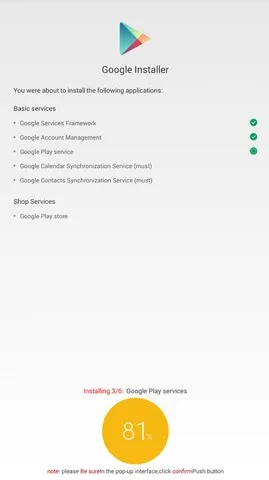
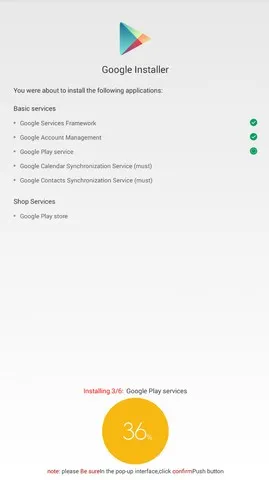
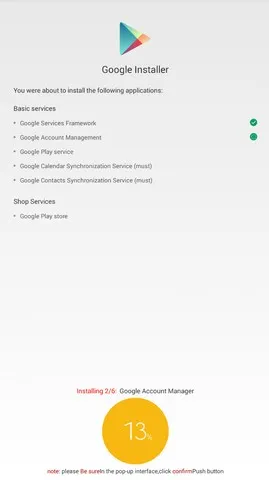
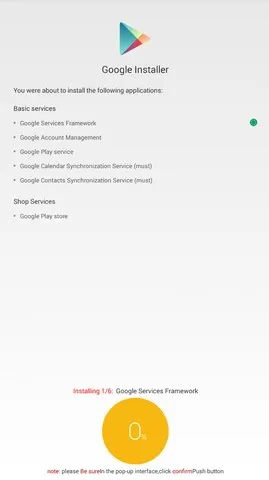
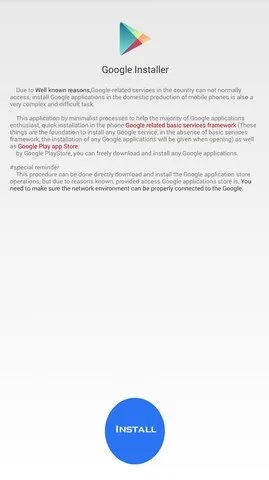
Google Installer is a highly practical Android tool designed to help users whose phones do not come with pre-installed Google services. It includes a variety of Google applications, such as Google Calendar and the Google Play Store. The tool is extremely easy to use: with just a single tap, it automatically installs all the necessary Google service components. It features a guided, on-demand installation process, allowing users to track the installation status at any time. Furthermore, should the installation process be interrupted, it can be resumed precisely from the point where it left off.
Features:
Automated setup in one tap
Google Installer handles the entire sequence for you. You simply start the process and follow on-screen prompts, and the app fetches and installs each required component in order.
Installs core GMS components
Google Services Framework
Google Account Manager
Google Play services
Google Calendar Sync
Optimized for Xiaomi and MIUI devices
Google Installer is widely used on Xiaomi phones where Google apps are not preloaded. It also works on many other Android devices that lack GMS, depending on the vendor and ROM.
Guided, sequential installation
Each component installs in a clear order with progress feedback. Therefore, you can see what is happening and which step to retry if something interrupts the process.
Clean install guidance
Google Installer helps you avoid conflicts. If partial Google components already exist, uninstalling duplicates first often leads to a smoother setup and fewer errors.
Lightweight and straightforward
The app has a small download size and a simple interface. Also, there is no need to root your phone for standard use, which keeps the process accessible.
Highlights:
Compatible with Chinese Devices
The Google Installer app is primarily design for Chinese devices not supporting Google services, including Huawei, Xiaomi, Oppo, Vivo, Doogee, and many more Chinese smartphones.
No Root Required
There is no need of root in your device to run the Google Installer app. The Google Installer app is not a process to install any Gapps file. You can run all Google apps on your device by installing the app directly.
Google Services App Support
With the help of Google Service Installer, you can now run all Google apps on your device. Including leading apps like Google Calendar, Google Play Store, Google Contacts, and Google Accounts Sync.
Pros and Cons:
Access to millions of apps via Google Play Store.
Seamless syncing for Gmail, Contacts, and Calendar.
Use of premium Google features like Maps, Drive, and YouTube.
Hassle-free app updates through Google’s ecosystem.
Works even on phones that previously blocked GMS.
FAQs:
How does the Google Installer app help?
It offers an automatic process for getting the apps. That will give you access to the online service menu for smartphones and tablets.
Can we download the Framework data with this app?
The app lets you comfortably download and install these apps. Like Google Services Framework, Google Account Management, Google Play Services, and Google Calendar Synchronization.
What kind of permissions does this app need to work?
It will only request relevant permissions for installing apps and, one by one, the apps will be installed. Once all these apps have been installed, you can install and start using the Google Play Store.
How can I use the Google Installer apk?
If the installation does not start then you need to enable unknown sources from your Android settings.
Conclusion:
Google Installer APK is more than just an app. It acts as a bridge to a better Android experience. For users with phones that do not have Google Mobile Services, it offers an easy, safe, and reliable way to restore full access to Google features. Whether you’re setting up a Huawei device, a Xiaomi model, or any other GMS-blocked phone, this tool ensures you never miss out on the convenience and connectivity that make Android so powerful.






