Gaming Mode
Tools
2026-10-08
55.47MB
2.0.7
Android
422
Screenshots
Introduction
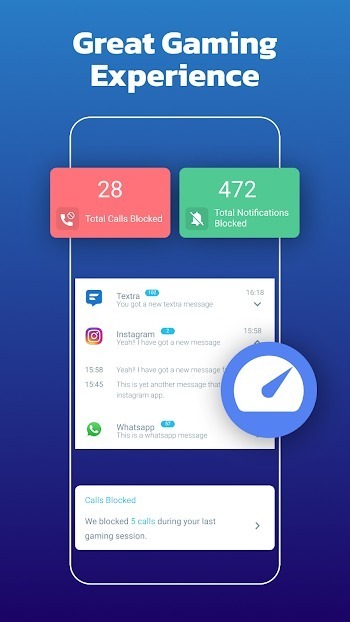
Gaming Mode is a highly practical gaming utility designed to significantly enhance your gaming experience. With just one tap, it clears background processes and closes unnecessary applications, optimizing resource management for smoother gameplay. It also manages network connections to ensure game stability and allows you to customize settings based on your usage habits to further improve performance. Additionally, the app blocks incoming messages and calls while you play, ensuring you remain undisturbed by outside interruptions.
Features:
Auto Reject Calls: Block incoming calls during gameplay for zero interruptions.
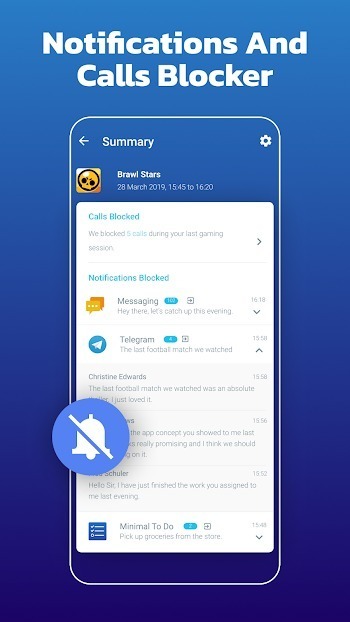
Auto Notifications Block: Mute annoying pop-ups so you stay focused.
Clear Background Apps: Frees up RAM by closing unnecessary apps.
Boost Game Launch Speed: Opens games faster than usual with optimized resources.
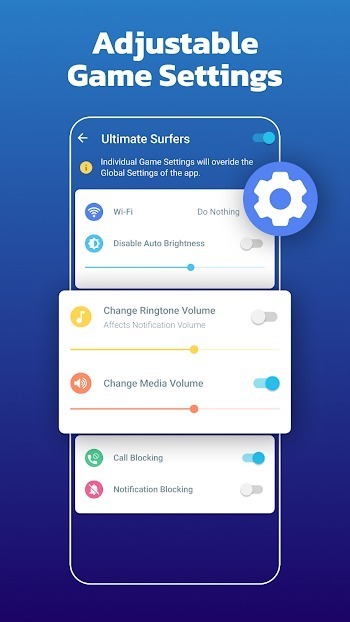
Custom Game Mode Settings: Set unique settings for each game, like brightness and volume.
Wi-Fi and Mobile Data Controls: Manage your internet connectivity for a smoother gaming experience.
Lag Fix Options: Reduces lag and improves touch response instantly.
Game Timer: Know how long you’ve been playing and set time limits.
Lightweight and Fast: It’s small in size and works quickly on any phone.
Tips and Tricks:
Automatic game profiles
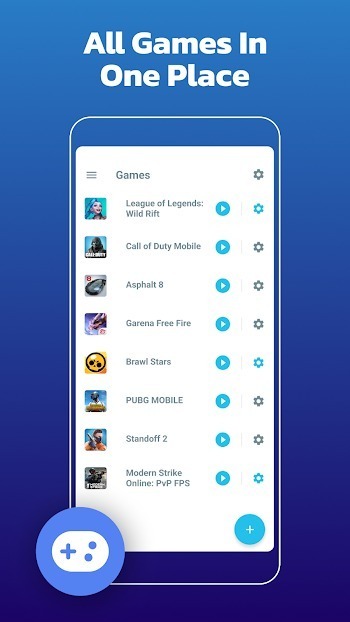
First, when you download Gaming Mode and open it, you can set a global profile or per game rules. Gaming Mode applies them at launch and restores your device state afterward. This reduces manual changes between sessions.
Call and notification control
Next, you can auto reject incoming calls and block or silence notifications while a game is active. This avoids pop ups and accidental interruptions during play.
Display and sound tuning
After that, set a fixed brightness by disabling auto brightness and choosing the level you prefer. You can also adjust ringtone and media volume to predefined values before gameplay starts.
Network control and quick launch
Finally, include network options in a profile by toggling WiFi as needed. To reduce distractions, an optional local VPN can block internet access for selected games and keeps all data on the device. For faster access, add a home screen widget that launches your chosen titles directly.
Pros and Cons:
Pros
Restores previous device settings after play
Supports global and per-game profiles
Blocks calls and notifications automatically
Creates home-screen game shortcuts
Cons
Performance gains are not guaranteed
Requires broad permissions to change settings
FAQs:
What is Gaming Mode?
Gaming Mode is a utility app that helps optimize your phone for gaming by blocking calls, managing settings, and improving overall game performance.
How does Gaming Mode improve gameplay on mobile?
It controls brightness, blocks notifications, limits interruptions, and manages WiFi to make gaming smoother and more focused.
Is Gaming Mode APK free to use?
Yes, the basic version is free with core features. Some advanced tools may require a Pro subscription.
Can I set up custom settings for different games?
Absolutely. You can create game-specific profiles to auto-adjust brightness, sound, and other settings depending on the title you're playing.
Does Gaming Mode drain battery faster?
Actually, no. It includes a battery saver mode that limits power usage and extends your gaming time without sacrificing performance.
Conclusion:
Gaming Mode is perfect for mobile gamers who want a smooth and distraction-free gaming experience. It boosts your phone’s speed, blocks annoying calls and notifications, and gives you complete control over your gameplay environment. If you value performance and want to enjoy every second of your gaming session without interruptions, this app is worth installing.
-
Latest Updates
-
Featured Apps