FX File Explorer
Productivity
2026-08-03
12.11MB
9.1.0.8
Android
273
Screenshots
Introduction
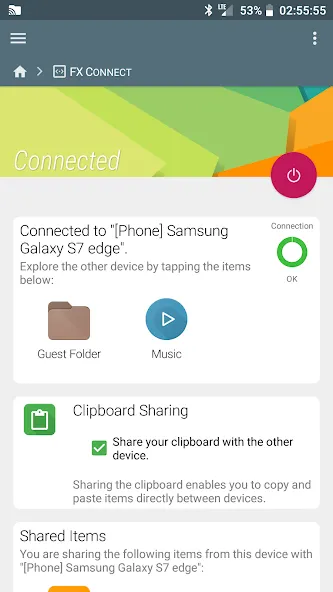
FX File Explorer is a file management tool for Android devices, helping users effectively control their Android device's storage system. This application prioritizes user privacy, not tracking any user activity and only requesting the necessary access permissions to perform tasks, ensuring safe and worry-free use. Furthermore, this powerful application allows users to access their phone's storage space via web browser on their computer, making operation even more convenient. You can also use the sharing function to transfer files between different devices quickly and without a network connection.
Features:
Private by design and ad-free
FX File Explorer puts privacy first. There are no ads and no tracking, and all proprietary code is developed in-house by NextApp. Permission prompts are clear, and FX File Explorer only requests access that is needed for the task you choose to perform.
Fast device-to-device transfers
Share photos, videos, and folders between phones over WiFi Direct, with optional NFC tap to pair on supported devices. Transfers happen locally, so you do not need mobile data or an internet connection for phone-to-phone sharing. Batch operations help you move large sets of files quickly.
Manage files from your computer with Web Access
Turn on Web Access to reach your phone's storage from any desktop browser on the same WiFi network. You can drag and drop files both ways, rename, delete, and organize right from your computer. This gives you a desktop-friendly view without cables or extra software.
Efficient workflow with multi-window and dual view
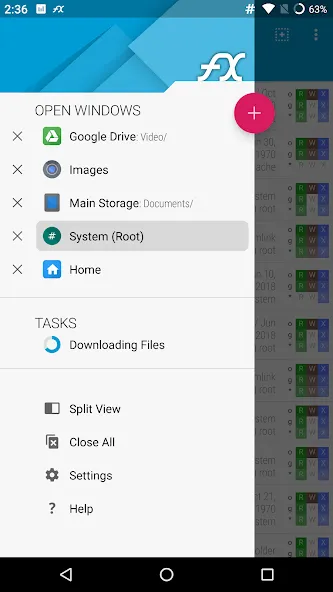
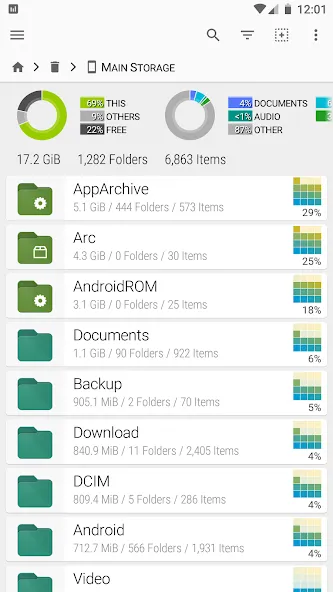
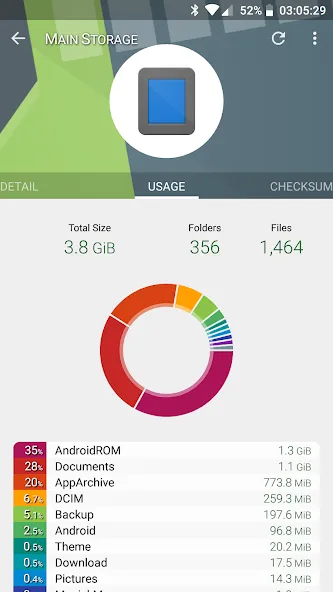
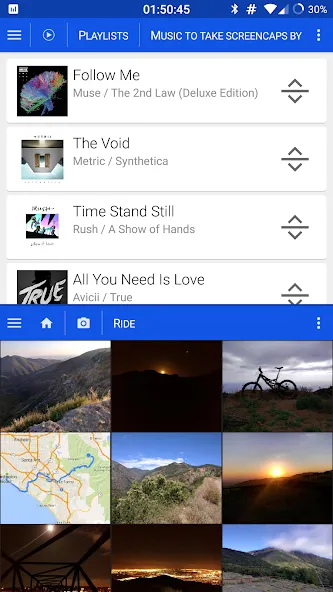
FX File Explorer supports multi-window and dual-view panels, so you can open two folders side by side and move items with fewer taps. The Usage View helps you visualize folder sizes and storage composition while you browse. This makes it easier to find large items and clean up space.
Network and cloud access with the FX+ add-on
Upgrade with FX+ to connect to SMB1 or SMB2 Windows shares, FTP or SSH FTP servers, WebDAV, and cloud drives such as Google Drive, Dropbox, Box, OneDrive, SugarSync, and OwnCloud. FX+ is the official add-on, so you can expand features while keeping the same privacy-focused design. Account credentials can be saved securely.
Archive tools and utilities
FX File Explorer can create and extract ZIP, TAR, GZip, BZip2, and 7z files, and it can extract RAR. You can also make encrypted ZIPs with AES 256 or AES 128 and store passwords in an encrypted keyring. In addition, FX File Explorer includes a text editor with undo and redo, a hex viewer, an image viewer, a media player with pop-up audio, an app manager that lets you browse apps by permissions, a music playlist organizer, and direct photo or video folder browsing.
Highlights:
Clear Storage View: This application provides you with the best cleaning tools for your phone. These tools allow you to easily monitor and observe the progress of your phone cleaning without the hassle of accessing them. Moreover, the system also stores your cleaning history so you can track and know your phone cleaning schedule in the easiest way.
No AI Guessing: The application provides an intuitive and user-friendly interface with no AI guessing, making it very easy and quick to use throughout the application without spending a lot of time on tedious and unnecessary guessing.
Quick Access to Recently Downloaded Files: If you want to see your recently downloaded files but don't know where they are, don't worry. The application will quickly find your downloaded files and bring them to you. Searching takes too much time, and it's annoying.
Powerful File Search: Searching is also much easier as the application automatically sorts all your files by date, format, and name. This feature allows you to search the entire application and find your missing files instantly.
Pros and Cons:
Pros
Easy to use
Access to all units
Shows used and free space
Two window split screen
Image preview
File decompressor
Cons
Doesn't include application or process manager
Only two add-ons available
FAQs:
Is FX File Explorer safe to use?
Yes, it is highly secure because it contains no advertisements and does not track user activity. This privacy-first approach ensures that your personal data and file structures remain completely confidential.
Can I access cloud storage?
Absolutely, this tool supports various cloud services like Google Drive, Dropbox, and OneDrive. You can manage your cloud-based files alongside your local data within a single, unified interface.
Does FX File Explorer support root access?
While the standard version handles normal tasks, FX File Explorer includes an optional root explorer for advanced users. This allows for the modification of system-level files on rooted devices with full safety prompts.
Conclusion:
In conclusion, if you're looking for a reliable file manager that offers plenty of useful features then FX File Explorer should be at the top of your list. Its user-friendly interface coupled with its extensive capabilities make it an excellent choice for anyone seeking greater control over their Android device's storage system.
-
Latest Updates
-
Featured Apps