
FakeCall
Tools
2026-10-26
74.53MB
1.9.6
Android
403
Screenshots
Introduction
FakeCall is an incredibly entertaining app designed for pranking friends and family with simulated incoming calls. You can record your own voice to make the calls sound more authentic, and use a timer to schedule these prank calls for a specific time. The app offers a variety of caller personas—such as a girlfriend, boyfriend, mom, or dad—to choose from. It also includes numerous customization options, allowing you to set your own ringtones and themes, ensuring an even more enjoyable experience.
Features:
Prank call set up: Choose a local character for the prank call such as a Girlfriend, Boyfriend, Dad, and Mom
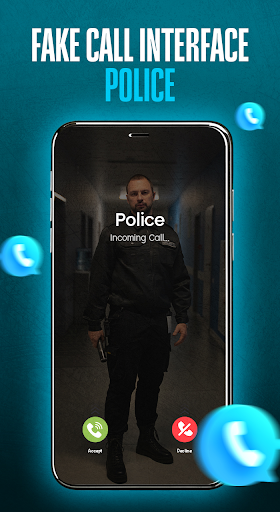
Realistic Fake call: You can set up a fake call and receive it as a real one
This fake call app works without the internet
Can prank calls background and foreground
Record your voice for a prank call, which can be played when you pick up the fake call
Customize fake caller name and number, fake call duration, and talk time
Set up Fake call ringtone, caller theme, call timer of your choice
Customize caller details like dummy caller details for prank call
Select characters like girlfriend, police, boyfriend, father & mom for fake incoming call
Highlights:
With FakeCall, personalizing your escape has never been easier. Users have the freedom to select any caller ID from their phone contacts or even input a new contact number. This feature is particularly useful for adding a touch of realism to your pretext. Schedule calls for the desired time, ensuring a timely intervention for various social predicaments.
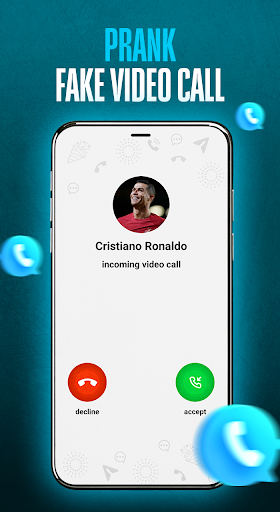
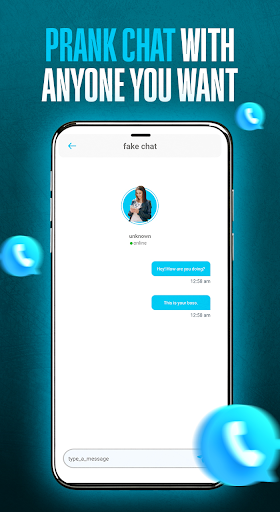
Craving a bit of mischief? It also allows you to orchestrate prank calls, choosing from characters like family members, friends, or even celebrities. This can be an entertaining way to surprise friends and family, adding a playful twist to your interactions.
The interface of this application is designed to be user-friendly, enabling quick and effortless operation. Immediate escape is only a tap away with the option to receive a fake call instantly. Furthermore, users can customize their experience with options such as setting the caller's name, phone number, and even the caller’s photo for a realistic look and feel. Enjoy additional features like choosing ringtones, incorporating vibration, and even pre-recording your voice to play during the call, enhancing the believability of your fake calls.
Pros and Cons:
Pros
Custom caller name, number, photo, and voice
Supports quick and scheduled fake calls
Speaker playback helps sell the conversation
Cons
Answering can lag at a critical moment
Isolated report of a startup failure
Calling screen may not match the device
FAQs:
Q: Is the app free to use?
A: Yes, the app is 100% free and offers all features without any charges.
Q: Can I schedule a fake call?
A: Yes, you can set a timer to schedule a prank call at any time you like.
Q: Does the app require an internet connection?
A: No, it works perfectly offline once installed.
Q: Can I record my voice for the fake call?
A: Yes, you can record and use your voice to make the call more realistic.
Q: What characters can I choose for prank calls?
A: You can choose from several options like girlfriend, boyfriend, mom, dad, Desi Bhabi, and celebrities.
Conclusion:
FakeCall is a light-hearted and amusing app that allows you to trick your friends and family with realistic fake calls. Whether you want to create fun moments or pull a prank, this app has all the features to make it perfect. With custom call settings, no internet requirement, and an intuitive interface, it offers a smooth user experience. Try it out and make everyone laugh with your creativity in fake calling scenarios.





-
Latest Updates
-
Featured Apps






