Extreme Emulator
Tools
2026-10-20
8.15MB
6.2
Android 5.0 and up
245
Screenshots
Introduction
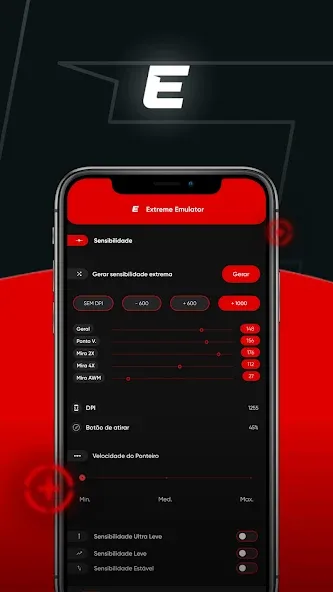
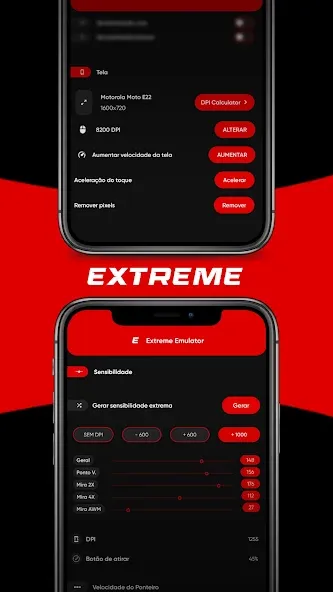
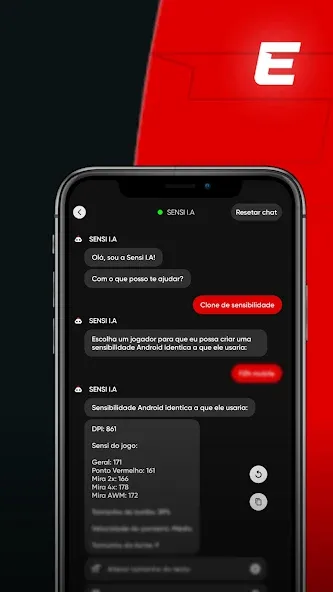
Extreme Emulator is an emulator tool designed for Android devices. It helps players quickly adjust sensitivity settings, enabling more precise aiming and control during gameplay. The emulator supports the import of various arcade game formats, allowing users to play them through emulation. It also supports external controllers connected via Bluetooth or USB. Featuring a simple interface, it is easy to get started with and is compatible with most Android devices. You can use it to play *Free Fire*, run multiple game instances simultaneously, and customize settings according to your personal preferences.
Features
Improved Sensitivity: The app helps you adjust the sensitivity settings, making it easier to aim and control your character in games.
Lag Reduction: Say goodbye to annoying lags. The emulator optimizes your device’s performance for smoother gameplay.
Bigger Screen Experience: If you love playing on a larger screen, this emulator allows you to do just that by supporting external displays.
User-Friendly Interface: The app is easy to navigate, even for beginners, with a simple and intuitive design.
Compatibility: Works with a wide range of Android devices, ensuring that most users can benefit from its features.
How to use
Open Extreme Emulator and grant the permissions requested on the first launch so the floating panel can display properly.
Next, enable the floating panel inside the app and choose its on-screen position for easy reach.
Then start your game or app, and tap the floating icon to reveal the control panel when you need to adjust settings.
After that, refine aim and display scale step by step, apply the changes, and test movement until it feels consistent.
Finally, turn on discreet mode if you want the icon disguised on your device, and close the panel to continue playing.
FAQS
What is Extreme Emulator?
Extreme Emulator is an Android emulator that allows you to play a wide variety of mobile games on your PC, offering superior performance, enhanced graphics, and the ability to use a keyboard and mouse for control.
What is the experience like when playing *Free Fire* on Extreme Emulator?
It’s excellent! Many *Free Fire* players use it because it provides more precise control and smoother visuals compared to playing on a mobile device.
Can I run multiple games simultaneously using Extreme Emulator?
Yes. With the "multi-instance" feature, you can run different games at the same time or play using multiple accounts within the same emulator.
Summarize
Extreme Emulator is an Android utility designed to optimize touch sensitivity and simulate screen resolutions, catering to competitive mobile gamers. This app allows users to adjust sensitivity profiles beyond standard settings and manipulate how touch inputs correspond to movement on-screen. Ideal for battle royale players, it aims to enhance aim precision and reduce perceived input lag, making it a useful tool for those engaged in high-paced matches.
-
Latest Updates
-
Featured Apps