Ex File
Tools
2026-10-29
54.93MB
1.6.2
Android
398
Screenshots
Introduction
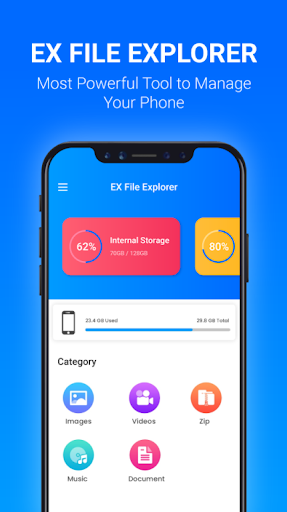
Ex File is a powerful file management tool that allows users to browse various storage spaces on their mobile devices. It consolidates all files into a single manager, making them easy to organize. The app also identifies large files, helping users quickly locate items that consume significant storage space so they can be cleared out promptly. Furthermore, Ex File supports file compression and decompression, enabling the creation of archives in various formats. It also offers robust security, utilizing 128-bit encryption to protect files and ensure the safety of user data.
Features:
Unified access to all storage
EX File lets you browse internal storage, SD card, and OTG USB drives. You can also sign in to popular clouds like Google Drive, Dropbox, OneDrive, Yandex, Mega, and Nextcloud to keep everything in one file explorer.
LAN and remote connections
Moreover, you can connect to FTP, FTPS, SFTP, WebDAV, SMB 2.0, NAS, CIFS, and HTTP servers. EX File makes moving files across your phone and your home or office network straightforward, so transfers feel like local operations.
Storage analysis to free space
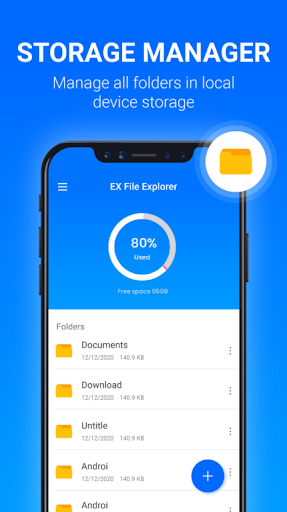
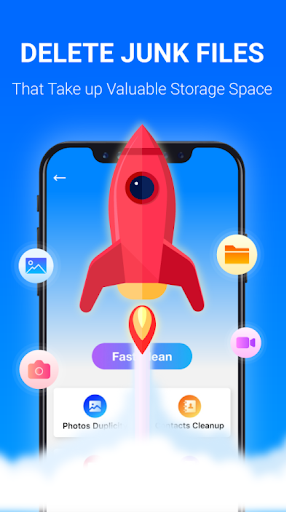
In addition, Disk Analysis highlights large files, recent items, and folder sizes so you can quickly find what is taking space. You get clear categories and actionable lists that make cleanup faster without digging through every folder.
Archive creation and extraction
Next, EX File handles ZIP, RAR, 7Z, and OBB, and you can browse ZIP like a normal folder. You can also open an APK as ZIP to inspect its contents before installing or sharing it.
Security and easy sharing
Furthermore, you can encrypt files with 128 bit protection for safer storage or transfer. Sharing is available via Bluetooth, email, and any supported app on your device, so sending files is quick and consistent.
Built in viewers and fast search
Finally, EX File shows thumbnails and includes a PDF reader and book reader for EPUB, PDF, MOBI, AZW, and TXT. Global search and favorites help you jump to files and folders without navigating long paths.
Highlights:
Through EX File you will be able to easily manage all your files and folders using multiple selection which will help you to execute the same task on several items at the same time. Basic functions included in the tool include copy, paste, cut, move, create or delete. It also has an advanced search engine that will allow you to find any element you are looking for by name, creation date or size.
What's more, this comprehensive tool offers a hard disk analysis function that will give you essential information about space usage, large files, categories, folder sizes or recent files. It can also compress and decompress Zip, Rar, 7Zip and obb, create bookmarks and thumbnails for images and encrypt files.
Another of the most outstanding features of EX File is that it offers access to Google Drive, Dropbox and OneDrive, among others, so that you can work with your files in the cloud, as well as share items via Bluetooth or mail.
Pros and Cons:
Pros
Manages local, cloud, network, SD card, and USB storage
Strong archive and storage-analysis tools
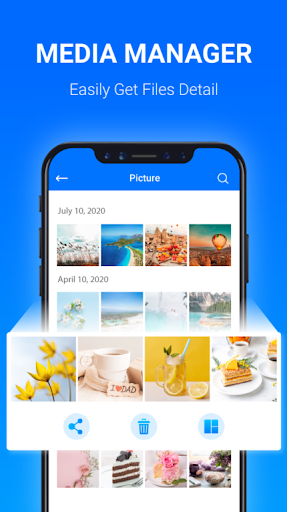
Built-in document, ebook, image, audio, and video viewers
Text editor includes syntax highlighting and regular-expression search
Cons
User feedback reports intrusive advertising and slow startup
An isolated report describes serious file loss after a folder operation
The large feature set may be excessive for basic file browsing
Advantages:
Desktop-like Operations: The system helps you easily manage files with familiar operations. The interaction process is also diverse and focuses on convenience like on PC.
Efficient Organization: Instead of having to move through folders, users can take advantage of in-depth search. Specifically, try marking important files to find them faster.
Instant Overview: As soon as you open the application, you will see an overview of the number of files. Of course, it can make you feel surprised by what is appearing and taking up your space.
Diverse Cloud Integration: The system not only manages files on your device but also on online platforms. In particular, its features are well adapted to Google Drive, Dropbox, OneDrive and Yandex.
Network Storage Support: Some file storage platforms through networks are also the target of the application. Of course, this shows the strength it possesses.
PC File Access: Once you have linked to files on your PC, accessing them is never difficult for you. Any user can take advantage of this feature because sometimes they forget a file.
Conclusion:
The application also extends its functionality to cloud storage management, allowing users to organize files stored in various online services alongside local device storage. Upon launching the app, users can quickly view the total number of files and applications on their device, providing a clear overview of their storage. With its straightforward interface and comprehensive toolset, Ex File caters to both casual users and those requiring more advanced file management solutions.
-
Latest Updates
-
Featured Apps