
Dr.Fone
Tools
2026-08-27
197.42MB
5.3.10.1050
Android
365
Screenshots
Introduction
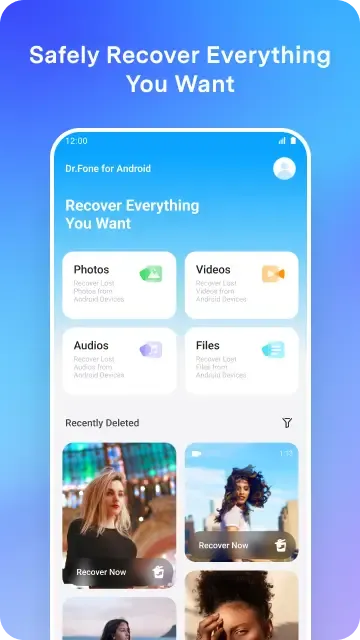
Dr.Fone is a utility for Android devices that helps users recover deleted files from their Android devices and SD cards. It helps users retrieve lost files. This application can also help users recover contacts, ensuring users don't lose touch with important contacts. Before recovering files, users can preview them using the application's preview function, ensuring that only the data they need is recovered. The recovery process is very safe and reliable, and will not damage user data, allowing users to use it with confidence.
Features:
Recover Deleted Photos Effortlessly
Dr.Fone excels at recovering deleted photos from your Android device’s internal storage and SD card. The app utilizes advanced scanning algorithms to locate and restore lost images, even after accidental deletion or formatting. This feature is invaluable for preserving cherished memories and important visual data.
Retrieve Lost Contacts with Ease
Beyond photos, Dr.Fone effectively recovers lost contacts, ensuring you don’t lose touch with important connections. The app scans your device for deleted contact information, including names, phone numbers, and email addresses, allowing you to restore them quickly and efficiently.
Rescue Data from Various Situations
Dr.Fone isn’t limited to simple deletions; it can also recover data lost due to system crashes, rooting errors, or SD card issues. This comprehensive recovery capability makes it a versatile tool for addressing a wide range of data loss scenarios, providing a safety net for unexpected events.
Preview Files Before Final Recovery
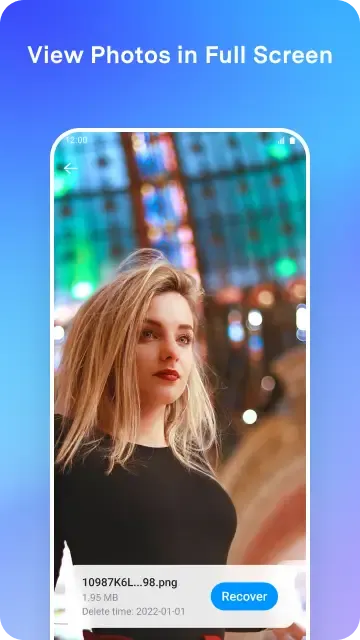
Before committing to the recovery process, Dr.Fone allows you to preview the recoverable files. This feature ensures you only restore the data you need, saving time and storage space. The preview function also helps confirm the integrity of the recovered files.
Safe and Secure Recovery Process
Dr.Fone prioritizes the safety and security of your data throughout the recovery process. The app operates in a read-only mode, ensuring no further damage or overwriting of your existing files. This commitment to data integrity provides a secure and reliable recovery experience.
Highlights:
Move photos, videos, apps, music, contacts, and files from one phone to another with guided steps.
Switch to a new device or upgrade to the latest model with less hassle.
Create a phone clone so your new device keeps the key content from your old one.
Enjoy fast wireless file transfer over local Wi-Fi for large files (including videos) between phones and between phone and PC.
A smarter alternative to slow Bluetooth transfers.
Pros and Cons:
Pros
Ability to recover photos and videos
Additional features for contact and text message recovery in PRO version
Efficient filtering system to focus on desired content
Cons
Recovery process can be slow
Full recovery feature only available in PRO version
Varied performance depending on specific circumstances
FAQs:
Q: Is it safe to use?
A: This is developed by Wondershare, a reputable software company known for its reliable and secure products. Your data privacy and security are their top priorities.
Q: Can I recover files that were deleted a long time ago?
A: Dr.Fone can recover files deleted months or years ago if new files haven't overwritten the data.
Conclusion:
Bad things happen from time to time, and it's good to know that Dr.Fone exists when they do. Feel secure in the knowledge that even if your data appears to be gone, that this app can uncover deleted files and restore them. In addition perform cleaning tasks to improve performance, even set them to run on a schedule. This is one useful application before and after you lose information on your phone. Download and try it for free today!









