Cute CUT
Entertainment
2026-09-30
108.31MB
2.12.0
Android
377
Screenshots
Introduction
Cute CUT is a video editing tool designed for Android. It allows users to customize their videos by adding special effects, editing images, inserting text, and more. Featuring a user-friendly interface, the app enables users to get up and running quickly. It also includes various tutorials and full video guides to help users—even beginners—achieve professional-quality results. The exported videos boast high clarity and resolution. Highly compatible with a wide range of Android devices, the app supports diverse video and image formats. It offers features such as real-time subtitles and music integration, providing a creative space for users to bring their ideas to life. Overall, it is a highly practical and feature-rich editing tool.
Features:
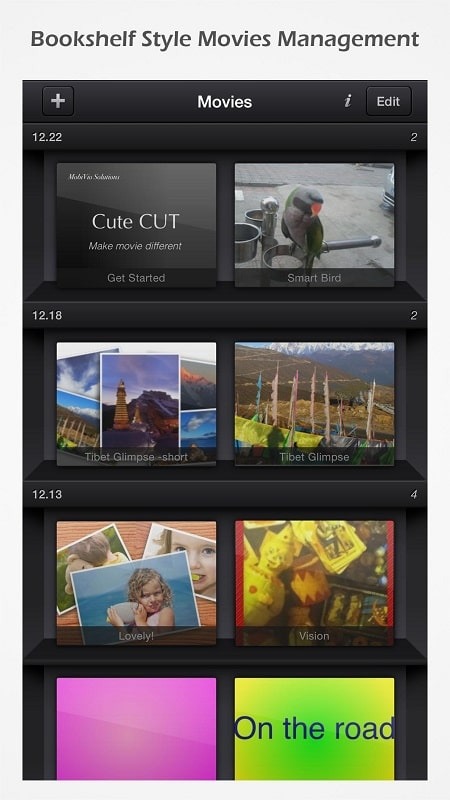
User-Friendly UI: Easily drag and drop media segments with a sleek bookshelf-style organizer for your movies. Supports both portrait and landscape modes.
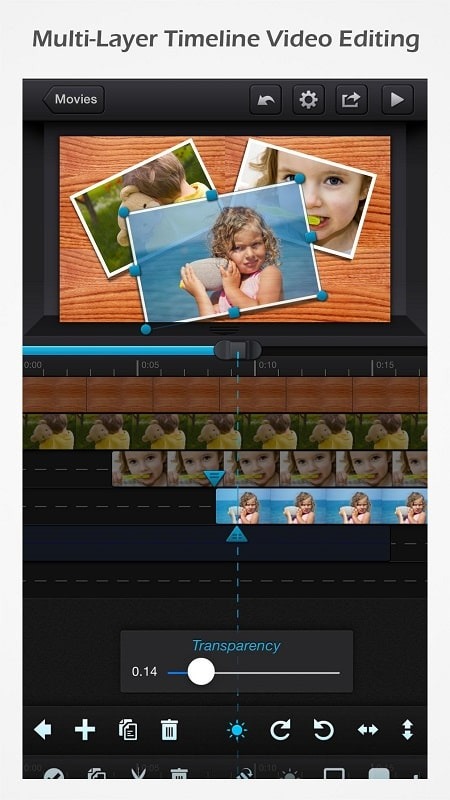
Make DIFFERENT Movies: You can simultaneously add up to six media types, including videos, photos, self-drawn content, text, music, and voiceovers.
Supports Various Resolutions: For your projects, choose from HD (16:9), SD (4:3), Square (1:1), or Portrait Mode.
Picture-In-Picture (PIP) Creation: Easily overlay one video on another, with independent resizing of each segment.
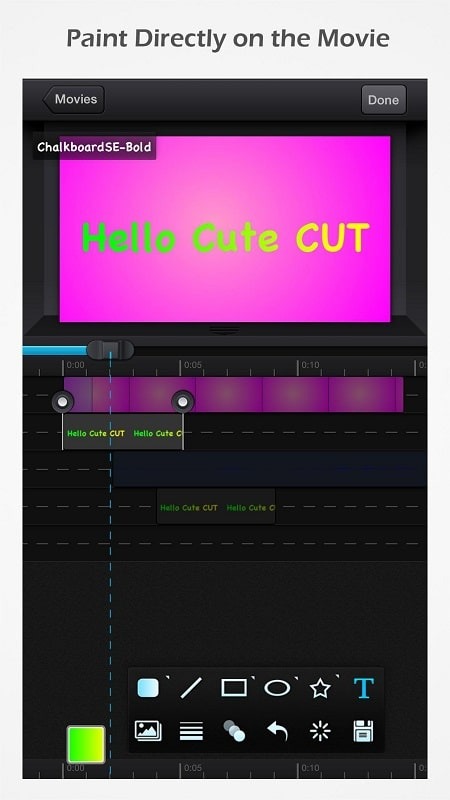
Draw Directly on Movie: Utilize 30+ drawing tools to create unique designs directly on your videos.
Advanced Brushes: Three professional brushes available: Texture, Linear Gradient, and Radial Gradient, all with editable gradients.
Highly Customizable Transitions: Tailor your transitions with 20+ pre-defined options, including Transparency, Border, Corner, Shadow, Transform, and Sound Volume.
Export and Share: You can easily save and share your projects on social media platforms, ensuring your creativity reaches a wider audience.
Highlights:
User-friendly interface.
Easily arrange media segments with simple drag-and-drop functionality.
A clean, bookshelf-style organizer to showcase your movies perfectly.
Supports both portrait and landscape modes.
Create unique movies!
Add up to six different types of media to your project simultaneously: video, photos (from the album or camera), hand-drawn elements, text, music, and voiceovers.
Supports various resolutions and aspect ratios, including HD (16:9, 19.5:9, and 21:9), SD (4:3 and 5:4), square (1:1), and even portrait mode!
Creating Picture-in-Picture (PIP) movies is a breeze—simply overlay one video on top of another; Cute CUT even allows you to resize each video segment independently!
Draw directly onto the movie.
A wide range of drawing tools.
Three advanced brush types for professional results: texture, linear gradient, and radial gradient—all fully editable.
Highly customizable transitions.
Over 20 predefined transition effects.
Transparency, borders, corners, shadows, transformations, and volume—everything is customizable!
Multiple tutorials and full video demonstrations are available for easy access.
FAQs:
What is Cute CUT?
It is a video editing app that allows you to create movies by combining various multimedia elements (images, text, music, and, of course, video).
Is Cute CUT free to use?
Yes, you can download and use it for free.
Is it safe to download and install Cute CUT?
You must download it from a trusted source, such as this website.
Advantages and disadvantages:
Pros
Direct drawing with more than 30 tools
Layered timeline supports six media types
Multiple aspect ratios for social video
Cons
Free exports reportedly stop at 30 seconds
Conclusion:
Combining drawing capabilities, advanced editing tools, and a user-friendly design, Cute CUT is an ideal choice for video creators on Android. Whether users wish to create simple home videos or more complex projects, the app provides the necessary tools to bring their creative visions to life. With its unique features and comprehensive editing options, Cute CUT empowers users to produce distinctive and engaging video content.