CPU Throttling Test
Tools
2026-09-28
4.62MB
1.3.4
Android
391
Screenshots
Introduction
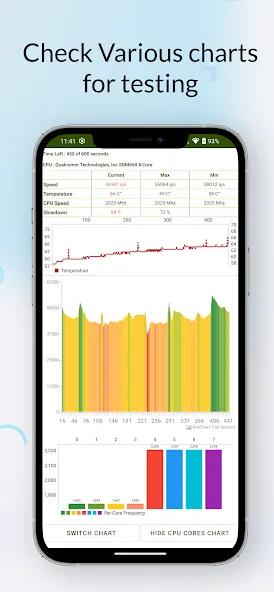
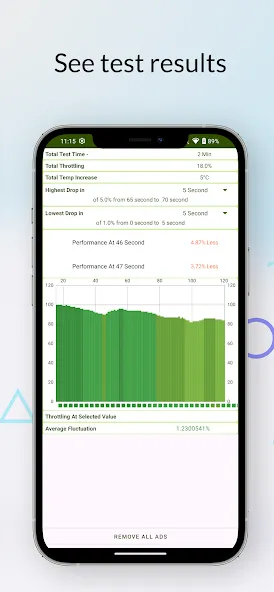
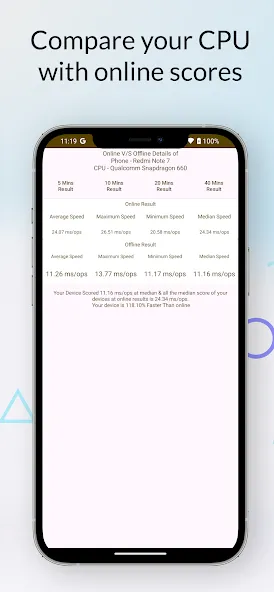
CPU Throttling Test is a throttling test tool designed for Android phones. It enables users to monitor instruction throughput and performance fluctuations in real-time, providing precise tracking based on clock speed. Users can configure testing intervals to suit their scheduling needs. The app features a clean, user-friendly interface that makes it easy to get started, helping users save time and boost efficiency while delivering clear, professional analysis results. By combining real-time metrics with easy-to-read charts, the app offers an intuitive way to understand various performance parameters—making it a powerful and effective tool.
Features:
Detailed Performance Analysis: Automatically analyze your device’s architecture and processing power with precision. Get accurate data down to the last decimal point without needing professional lab equipment.
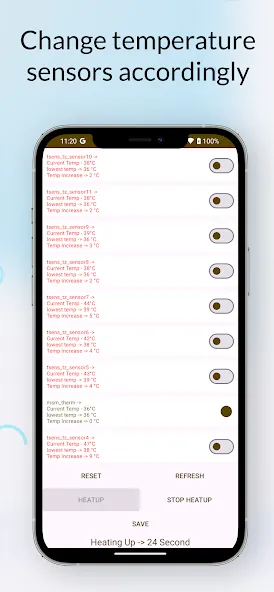
Real-Time Thermal Monitoring: Track temperature fluctuations every second. Our advanced sensors alert you the moment heat levels threaten your device’s longevity or performance.
Advanced Stress Testing: Choose from a variety of long-test options to see how your phone handles sustained workloads. This is perfect for testing the stability of new devices or checking battery health.
Graphical Insights: View your performance through intuitive, high-resolution charts. See the exact moment your CPU frequency drops due to thermal limits (throttling).
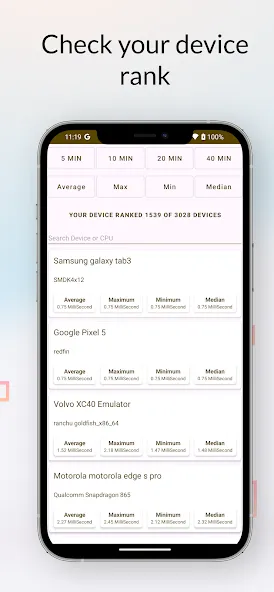
Benchmarking & Comparisons: Use historical data to track how your device ages over time or how different software updates affect your overall processing speed.
Optimization Tools: Identify background bottlenecks and learn how to keep your phone running cooler and faster, even when running heavy applications.
Highlights:
enchmarks Included The app has built-in tests for Java and native C programming to check both single and multi-threaded performance.
Monitor Your CPU You can see real-time updates on your CPU’s speed, temperature, and how much of it is being used. Keep in mind that some features might not be available on newer Android versions.
Customize Your Test
Choose how many threads to use.
Set the test to end after a certain time.
Change how often the app updates the monitor and manages memory.
Tips for Getting Reliable Results
Let Your Phone Cool Down Before you start testing, give your phone at least 10 minutes to cool down and make sure all other apps are closed.
Battery and Phone Care Remember that testing for a long time can drain your battery and wear out your phone faster.
FAQs:
What is the CPU Throttling Test, and why is it important?
The CPU Throttling Test measures the number of instructions a CPU executes per second (GIPS—Giga-Instructions Per Second). Tracking GIPS values over time reveals whether CPU performance drops during sustained high-load operation.
How long should the test run?
For the most accurate analysis, perform the recommended 20-minute test. Shorter tests (5 or 10 minutes) offer quick insights, while a 40-minute test reveals long-term behavior.
Will this test damage my device?
No; while the app utilizes CPU resources, it operates within normal limits. It may cause the device to heat up and accelerate battery drain, so please follow the preparation tips and stop the test immediately if the temperature feels unsafe.
Advantages and disadvantages:
Pros
Has a help option
Performance over time is displayed in graph form
Provides results on CPU’s maximum, minimum, and average GIPS
Cons
Technical jargon can confuse users
Conclusion:
Monitor your phone's CPU status in real-time to ensure optimal performance, and adjust settings based on your usage habits. Download the CPU Throttling Test APK to view and understand your phone's CPU and GPU specifications and configuration.
-
Latest Updates
-
Featured Apps