
CapCut Pro
Entertainment
2026-09-14
201.84MB
9.0.0
Android 8.0+
598
Other versions

Screenshots
Introduction
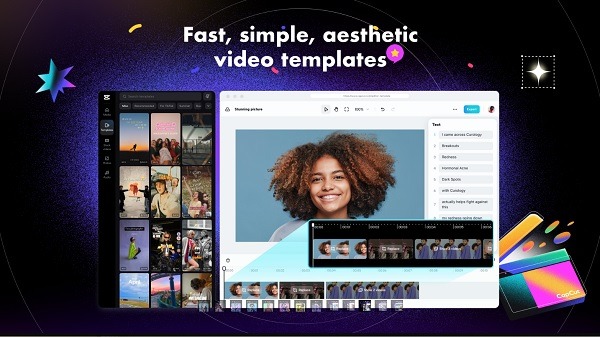
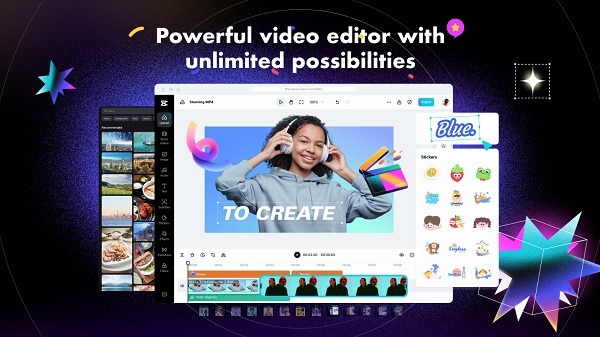
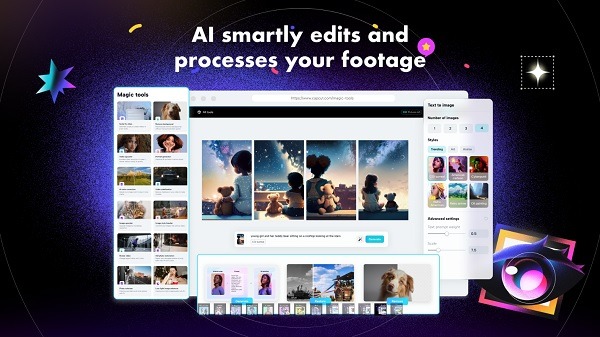
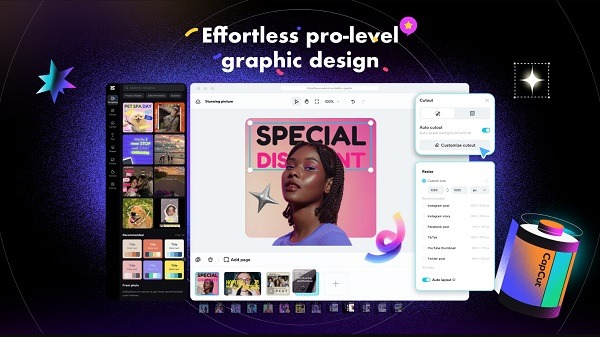
CapCut Pro 9.0 is a powerful video editing application for Android. Users can use this software to organize footage into timelines, trim, split, and merge, as well as utilize AI-assisted video and text tools for automated scene creation. The automatic recomposition tool is particularly useful when simultaneously presenting vertical social videos with other aspect ratios. Users can also customize numerous visual effects, transitions, filters, and special effects. A wide range of music can be added from the library. Because all advanced tools are unlocked, exports are watermark-free, facilitating sharing and providing a better user experience.
Features
Timeline Editing, Speed, and Layer Controls
The timeline provides the main workspace for arranging footage. Clips can be trimmed, split, merged, reversed, or frozen at a chosen frame. Speed controls support both straightforward playback changes and speed curves, allowing creators to build slow-motion sequences, quick cuts, or changing playback speeds within the same project.
Keyframe animation provides additional control over movement and visual properties. Picture-in-Picture tools can place video or photo layers above the main footage, while chroma key controls help remove selected colors from a clip. Together, these functions make it possible to create layered edits without moving the project to a desktop editor.
AI-Assisted Video and Text Tools
CapCut includes several tools designed to automate common production tasks. Auto captions use speech recognition to generate subtitles from spoken audio, which is helpful for tutorials, interviews, Reels, Shorts, and videos designed for viewers who may watch with the sound turned off.
Background removal can isolate a person or subject without requiring manual frame-by-frame masking. Stabilization helps smooth footage recorded while walking or holding a phone by hand. Text-to-speech can turn written scripts into narration, while motion tracking can keep compatible elements associated with moving subjects.
Auto reframe and related resizing tools can also help adapt footage for different screen formats. This is particularly useful when the same project needs to work as a vertical social video and in other aspect ratios.
Effects, Filters, Text, and Audio
Visual customization includes transitions, filters, text styles, stickers, and effects. Color controls can adjust properties such as brightness and contrast, giving creators a way to correct footage or establish a consistent appearance across several clips.
Audio can be added from music and sound-effect resources or extracted from existing videos. CapCut also provides tools for reducing unwanted background noise and improving spoken audio in supported workflows. These controls are useful when editing footage recorded in environments with traffic, wind, room noise, or other distracting sounds.
Highlights
No watermark export
All premium filters unlocked
Pro-only transitions and effects
Advanced color grading tools
Usage
Build the Project on the Timeline
A typical project starts by importing video or image files and placing them on the timeline. The unwanted sections can then be removed with trim and split controls before arranging the remaining clips into the intended sequence.
Once the basic structure is ready, users can change clip speed, add transitions, insert overlays, animate elements with keyframes, or create freeze and reverse effects. Keeping these adjustments until after the rough cut makes it easier to maintain the overall pacing of the video.
Add Captions, Audio, and Visual Elements
Text, captions, effects, filters, stickers, music, and additional video layers can then be added according to the type of content being produced. Auto captions are especially practical for dialogue-heavy videos because they reduce the amount of manual transcription required.
For footage with a distracting background, background removal or chroma key tools provide ways to separate the subject. Stabilization can be applied to shaky clips, while audio controls can help make voice recordings clearer before the final export.
Prepare the Final Video
Before exporting, creators can review the complete timeline for abrupt cuts, caption timing, audio levels, framing, and unnecessary effects. CapCut provides configurable output options, and supported workflows can produce high-resolution video, including 4K output on compatible hardware.
The required export settings depend on the destination. A vertical project is generally more appropriate for short-form social platforms, while other layouts may be preferable for standard video players or wider displays. Auto reframe can reduce the manual work involved when adapting existing footage to another format.
FAQs
What is CapCut Pro 9.0.0 APK?
CapCut Pro 9.0.0 APK is a mobile video editing app with timeline editing, effects, filters, text, audio controls, captions, stabilization, and other creation tools.
What video editing tools are available in CapCut Pro 9.0.0 APK?
It supports trimming, splitting, merging, reversing, freeze frames, speed adjustments, transitions, keyframes, Picture-in-Picture layers, chroma key, filters, and effects.
Does CapCut Pro 9.0.0 APK support automatic captions?
Yes. CapCut includes auto captions that use speech recognition to generate subtitles from spoken content, reducing the need for manual transcription.
Conclusion
CapCut Pro Version 9.0.0 APK continues to attract massive interest due to CapCut’s powerful editing tools and AI features. While unofficial APKs promise premium access, they come with serious security and legal concerns.For long-term content creation, branding, and monetization, using the official CapCut version is always the safest and smartest choice. You get stable updates, cloud features, AI tools, and peace of mind — all essential for professional creators in 2026.





-
Latest Updates
-
Featured Apps






