Call Log Monitor
Tools
2026-09-19
3.45MB
3.1.1
Android 6.0+
242
Screenshots
Introduction
Call Log Monitor is a practical utility for Android devices that helps users manage their call history. The app stores incoming call details in the call log and allows users to back up and restore these records, ensuring data is preserved when switching phones or resetting the device. With this app, users won't miss any call details. Additionally, parents can use it to help ensure their children's communication safety, providing an extra layer of security when dealing with calls from strangers.
Features:
Fast call history management
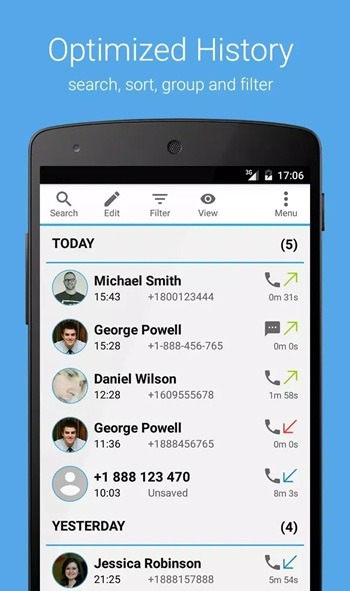
Browse large histories with quick loading and instant search.
Group entries by contact, date, or call direction and expand or collapse groups.
Sort by contact, date, or direction to scan records the way you prefer.
Filter by voice calls or texts, date ranges, and call direction.
Delete single entries or remove an entire group to keep the log clean.
In the Call Log Monitor latest version, switching between views remains smooth while keeping results organized.
Dialer, contacts, and favorites in one place
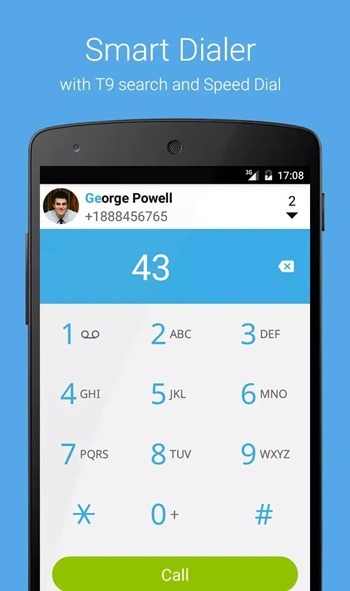
You get a dialer with T9 name search and speed dial for quick calling. Contacts and favorites are easy to scan, with quick actions available from contact photos. Moving between dialer, history, contacts, and favorites is fast, so you can place a call or check recent activity without extra taps.
Automatic deletion rules
Delete calls or texts immediately after a call ends when needed.
Create rules for specific contacts, groups, or unsaved numbers.
Optionally keep removed items in a dedicated vault for reference.
Extra tools and controls
Insert fake calls into history with custom number, date, type, and duration.
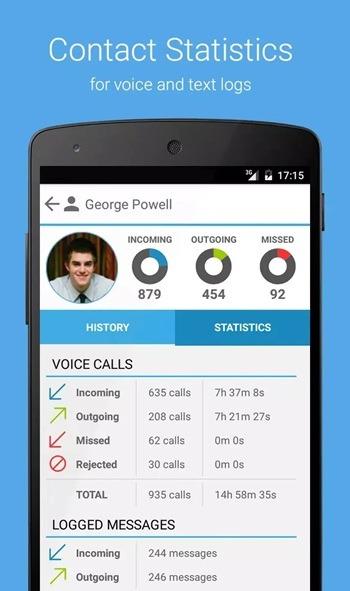
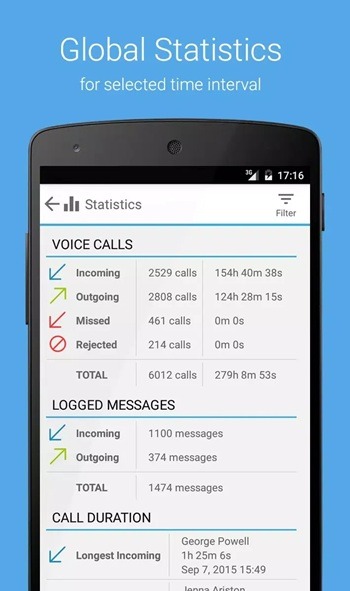
View statistics per contact and across the entire log.
Export records to CSV or XML for external review.
Protect sensitive settings with a password or hide the app icon if required.
An optional upgrade enables extended history and backup and restore.
Highlights:
Never Miss a Detail:
Remembering who called and when can be tricky. With Call Log Monitor, you’ll always have a complete history at your fingertips.
Business Records:
For freelancers, business owners, and professionals, keeping a call log can be essential for managing clients, billing hours, or tracking customer communication.
Parental Monitoring:
Parents can use this tool to ensure their children are communicating safely, especially in a world full of unknown callers.
Backup Security:
Losing your call history due to a factory reset or a new phone setup can be frustrating. This app ensures your logs are safely stored and restorable anytime.
Peace of Mind:
Whether it’s verifying a missed business call or tracking suspicious numbers, the app brings comfort through clarity.
Changelog:
Version 3.1:
Fake SMS features now available (enable feature in Settings)
Smart T9 Dialer improvements
Speed improvements
Bug fixing
Version 3.0:
Launched the best Call Management app.
FAQs:
What is Call Log Monitor APK used for?
Call Log Monitor APK is used to record and organize incoming, outgoing, and missed calls so users can review call details quickly.
Does Call Log Monitor APK save call duration and time?
Yes, it usually stores key details like contact name, phone number, call type, date, time, and call duration in one log.
Can Call Log Monitor APK back up call history?
Many versions include backup and restore tools, which help users keep their call records when switching phones or resetting a device.
Is Call Log Monitor APK useful for work?
Yes, it can help freelancers, shop owners, and other professionals keep track of client calls, follow-ups, and communication records.
Conclusion:
Call Log Monitor APK suits Android users who want better call records without a complicated setup. It fits people handling frequent phone calls, users who need a backup of their call history, and anyone who prefers order over chaos. It is most useful in situations where call details matter later, like work follow-ups, family monitoring, or checking unknown numbers after the phone stops ringing.
-
Latest Updates
-
Featured Apps