Assistive Volume Button Premium
Entertainment
2026-09-09
18.07MB
3.1.7
Android
483
Screenshots
Introduction
Assistive Volume Button Premium is an assistive utility app for Android. It features a user-friendly, clean, and simple interface that makes it easy to get started. Users can customize volume levels and power functions, allowing for quick and convenient control of audio settings and screen brightness—helping to reduce eye strain. This highly practical app simplifies daily tasks and is completely free of charge. It enables more efficient use of the phone and minimizes screen clutter, making it a truly useful tool for Android users.
Function:
Virtual Hardware Controls: Access volume up, volume down, and power button functions directly from your touchscreen. This is the perfect solution for devices with broken or sticky physical keys.
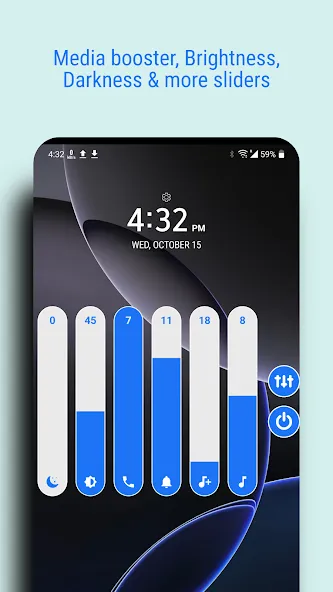
Advanced Audio Booster: Experience an audio revolution. Our built-in booster allows you to amplify media sounds beyond standard system limits, ensuring you never miss a beat during high-stakes gaming or movie sessions.
Ultra-Low Brightness Slider: Take control of your visual health. This feature allows you to dim your screen below the factory minimum, making it ideal for reading or browsing in total darkness without eye strain.
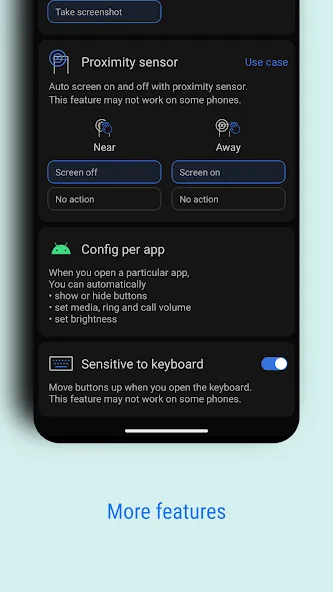
Proximity Sensor Integration: Experience true automation. Use your device’s proximity sensor to wake the screen or put it to sleep without ever touching a button.
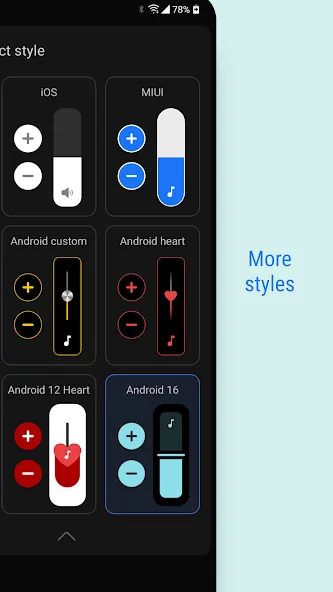
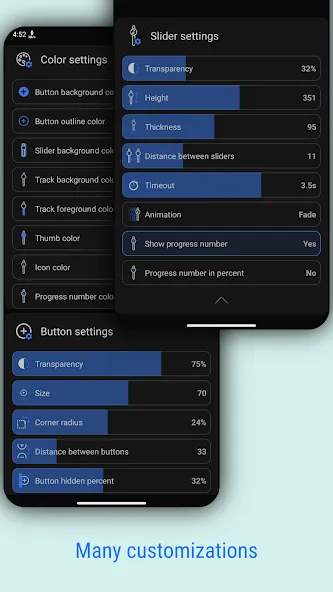
Total Aesthetic Customization: Personalize your interface. Modify button sizes, transparency levels, and color schemes. Choose from various stylish themes to match your device’s wallpaper or UI.
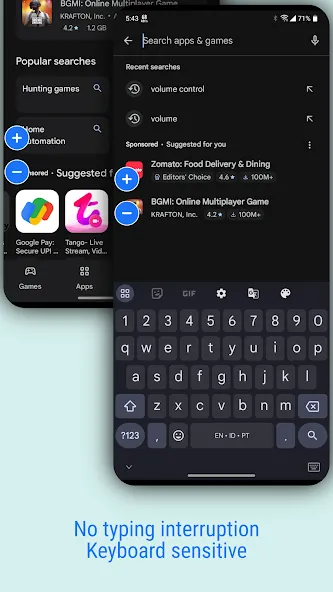
Floating Interface: The ergonomic design allows you to snap the virtual buttons to any edge of your screen, ensuring they are always within reach but never in the way.
Highlights:
Easily control your device with an assistive volume button
On-screen buttons
Fully customizable
Screen on/off
Audio enhancement
Lower brightness
Per-app settings
Advantages and disadvantages:
Pros
Movable volume controls work over other apps
Per-app volume, brightness, and visibility settings
Virtual power button for Android 9 and later
Single-button mode reduces screen clutter
Premium tools can be accessed by watching an ad
Cons
It runs unstably on low-performance phones.
User comments:
The Assistive Volume Button has completely transformed my daily smartphone experience! Its ability to customize volume controls for different scenarios—such as calls versus media playback—makes it indispensable. I particularly appreciate its seamless integration with other apps and the convenient access to features it provides. The developers have done a fantastic job creating such a user-friendly and practical tool!
I recently started using the Assistive Volume Button and find it very helpful for managing the volume on my Android device. The interface is clean and intuitive, making it easy to adjust settings. However, I would like to know how to check the version of the app installed on my phone. Could you guide me through that? Thanks!
Conclusion:
If you are looking for a more convenient way to control the volume on your Android device, we recommend downloading the Assistive Volume Button Premium APK. This app allows you to adjust the volume quickly and easily, without the hassle of digging through settings or fumbling for physical volume buttons. Plus, it’s free! So, if you want a simple way to manage your volume, be sure to download the Assistive Volume Button Premium APK today.





-
Latest Updates
-
Featured Apps