Anime Box
Entertainment
2026-11-08
28.40MB
1.0.7
Android
503
Screenshots
Introduction
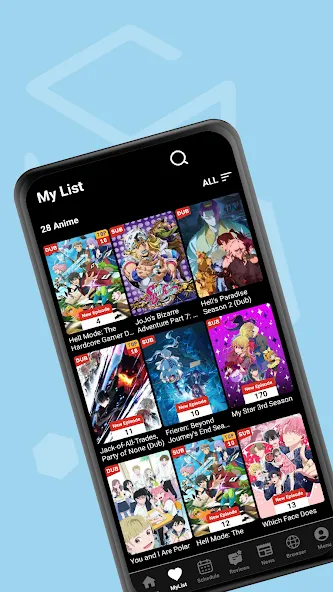
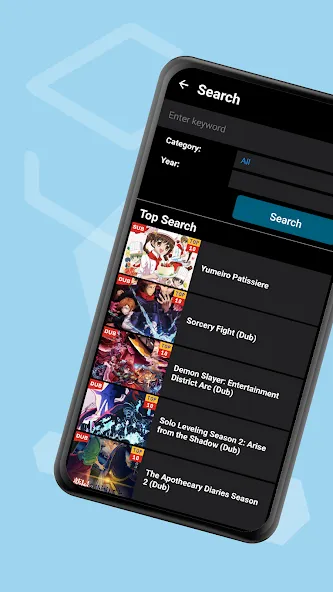
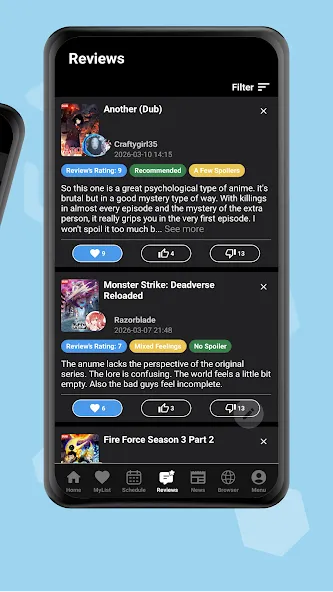
Anime Box is a feature-rich streaming application offering an extensive library of film and television content, ranging from timeless classics to the latest trending hits. The app boasts a clean, minimalist interface where titles are logically categorized by genre; users can also utilize a search bar to quickly locate specific works. It delivers a high-quality visual experience with crisp, high-definition playback. With robust customization options, users can adjust video resolution and manage their subscriptions. The platform supports multiple languages and provides real-time subtitles, catering to a diverse user base. Additionally, Anime Box offers personalized recommendations based on individual preferences, and users can save their favorite titles to their collection or download them for offline viewing.
Features:
Control your video quality
You can manually select the video quality that best suits your internet speed. Whether you want to save data or enjoy full HD resolution, the choice is yours.
Easy-to-use video player
Pause, rewind, or fast-forward with a simple tap or swipe. Need to adjust the brightness or volume without leaving the screen? No problem. You can even customize your subtitles—tweak the size, brightness, or color to suit your personal preference.
Smart auto-save feature
The app automatically saves your viewing progress and keeps it front and center in a dedicated section. Next time you open the app, you can pick up right where you left off—no need to waste time searching.
Personalized recommendations
Based on your viewing history, the app suggests similar anime tailored to your tastes—from action and romance to dark psychological thrillers. It’s like having a personal anime assistant to help you discover hidden gems.
Clean and organized interface
The interface is sleek, intuitive, and incredibly easy to use. Whether you’re a newcomer or a seasoned fan, the well-organized layout and powerful search function make it a breeze to find exactly what you’re looking for.
Highlights:
Efficient search functionality with tags
Tag autocomplete for quick and convenient searching
Share option to easily share images with others
Ability to save and view favorite images offline
Configurable server list for personalized browsing
Customizable home screen to pin searches and organize them into folders
Flexible blacklist rules for tailored content filtering
Search history log to keep track of your browsing activity
Passcode lock for added privacy and security
Convenient slideshow mode for hands-free browsing
Save images directly to your Photos or Files App
Backup and restore local data to ensure data integrity
Support for Pools, making it easier to find related content
Compatibility with animated gifs for an enhanced viewing experience
Customizable gestures and themes to personalize your interface
Advantages and disadvantages:
Pros
Dedicated to anime fans with a focused, single-box experience
All favorites centralized for quick access
Smooth, easy-to-use browsing and streaming
Free to download and use with a clear entertainment focus
Cons
Contains advertisements
Conclusion:
With its exquisite interface—which blends modern aesthetics with a comfortable atmosphere—Anime Box makes it easy and enjoyable for users to discover and watch anime. The platform features smart recommendations that adapt to individual viewing habits, ensuring a personalized experience as users explore new content. Additionally, it allows users to track their favorite series and stay up to date with the latest episode releases.





-
Latest Updates
-
Featured Apps