LibreTorrent
Entertainment
2026-11-07
25.18MB
4.0.1
Android
277
Screenshots
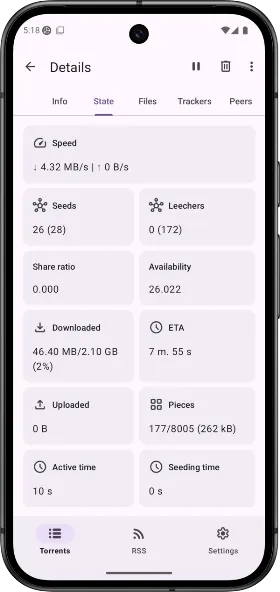
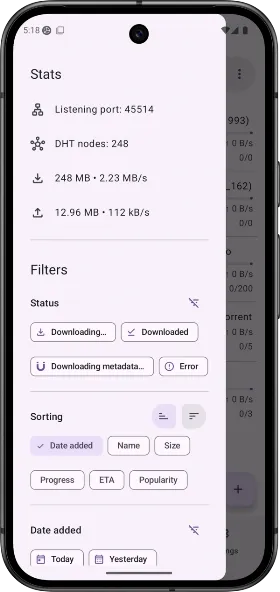
Introduction
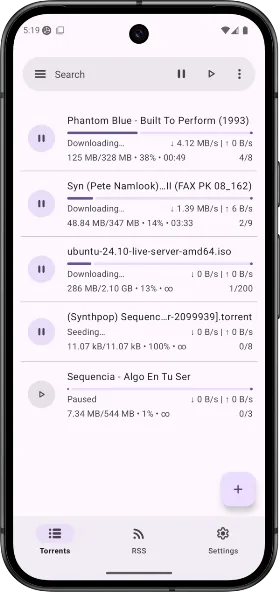
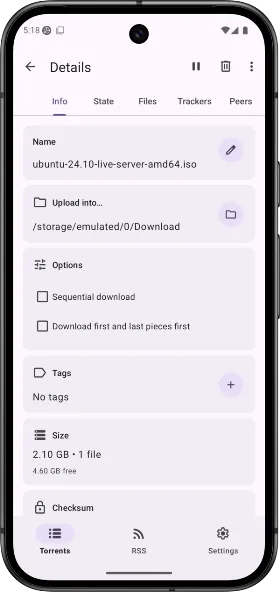
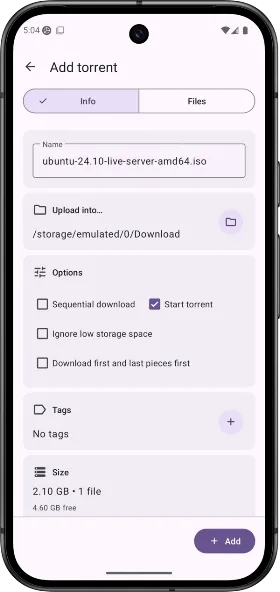
LibreTorrent is an application designed for the Android operating system. It features a clean, minimalist interface, allowing users to get started quickly and easily. The app enables users to download, modify, and distribute files, with options to customize settings and specify storage locations. It offers excellent compatibility, supporting a wide range of Android devices, including Android TV. Users can choose between two themes—dark and black—to enhance their experience. Furthermore, the app prioritizes security, utilizing integrated encryption to protect data. It also supports multiple languages to cater to a diverse user base and facilitates highly efficient task management.
Features:
Licensed GPLv3+. Use, see, change and share; with all.
Select which files to download.
Move files while downloading.
Auto-move downloaded files to another folder or external drive.
Stream files, with sequential downloads.
Android TV.
Material design, dark and black theme, and tablet UI.
Customisable network, battery, and UI settings, etc.
35+ translations.
Scheduling.
Auto-downloading, with Atom/RSS manager.
Create torrents, with many and big files.
HTTPS and magnet links.
DHT, PeX, encryption, LSD, UPnP, NAT*PMP, µTP.
IP filtering (eMule dat and PeerGuardian).
Supports proxy for trackers and peers.
Based on libtorrent4j.
And more.
Permissions:
View network connections
Allows the app to view information about network connections, such as which networks exist and are currently connected.
View Wi-Fi connections
Allows the app to view information about Wi-Fi networks, such as whether Wi-Fi is enabled and the names of connected Wi-Fi devices.
Connect and disconnect from Wi-Fi networks
Allows the app to connect to and disconnect from Wi-Fi access points, and to modify device configurations for Wi-Fi networks.
Run foreground services
Allows the app to use foreground services.
Run foreground services of type dataSync
Allows the app to use foreground services of the dataSync type.
Run foreground services of type specialUse
Allows the app to use foreground services of the specialUse type.
Full network access
Allows the app to create network sockets and use custom network protocols. Since browsers and other applications already provide means to send data to the internet, this permission is not required for that purpose.
android.permission.MANAGE_EXTERNAL_STORAGE
Show notifications
Allows the app to display notifications.
android.permission.QUICKBOOT_POWERON
Read the contents of your shared storage
Allows the app to read the contents of your shared storage.
Run at startup
Allows the app to launch as soon as the system finishes booting. This may increase startup time and, by remaining active, could slow down the overall performance of your device.
Schedule precise-time operations
The app can schedule tasks to be executed at specific times in the future. This means the app may run even when you are not actively using the device.
Control vibration
Allows the app to control the vibration motor.
Prevent the device from sleeping
Allows the app to keep the device from entering sleep mode.
Modify or delete the contents of your shared storage
Allows the app to write to your shared storage.
Install shortcuts
Allows the app to add shortcuts to the home screen.
FAQS:
What features does LibreTorrent offer?
LibreTorrent provides features such as sequential downloading, RSS feed support, and multiple concurrent downloads.
Which platforms does LibreTorrent support?
LibreTorrent is designed specifically for Android devices.
Can I customize settings in LibreTorrent?
Yes, users can customize various settings, such as download locations, bandwidth limits, and peer connections.
Is there a community for support or discussion regarding LibreTorrent?
Yes, users can discuss LibreTorrent's features and receive support through forums and community groups.
Advantages and disadvantages:
Pros
Clean interface
Fully featured
Good compatibility
Cons
Contains ads
Conclusion:
LibreTorrent allows you to download and manage content anytime, anywhere. Whether you are using torrent files or magnet links, you can bring your ideas to life with ease and without limits—all while ensuring that no data is collected or tracked. If you’re ready to make your device truly stand out, download LibreTorrent today.




-
Latest Updates
-
Featured Apps