
Adobe Firefly
Tools
2026-10-27
16.92MB
26.05.05
Android 7.0+
222
Screenshots


Introduction
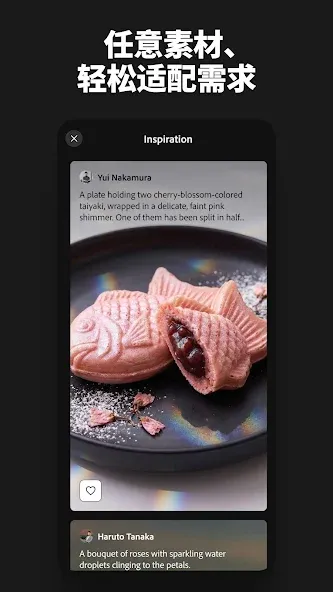
Adobe Firefly is a video editing tool designed for Android devices. Within the app, you can simply enter text prompts to generate corresponding videos and images. It also allows you to transform static images into videos, as well as enhance old photographs by removing imperfections and adding color. The interface has been optimized to ensure a quick learning curve, with an AI assistant on hand to guide you. You don’t need any professional expertise to get started, making it an effective way to significantly boost your productivity.
Function
Generate video from text: turn a text prompt into a video clip right from your phone. Choose from a range of resolutions and aspect ratios to meet your creative needs.
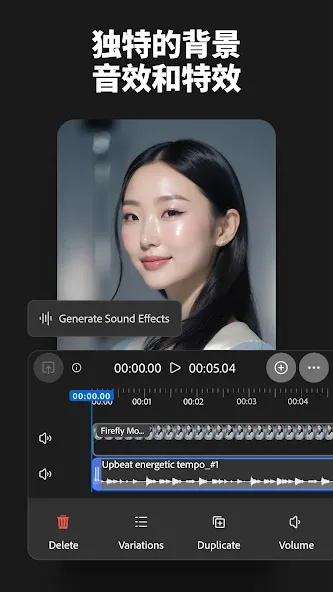
Convert AI-generated images into video: add seamless motion and cinematic transitions when you edit and create videos.
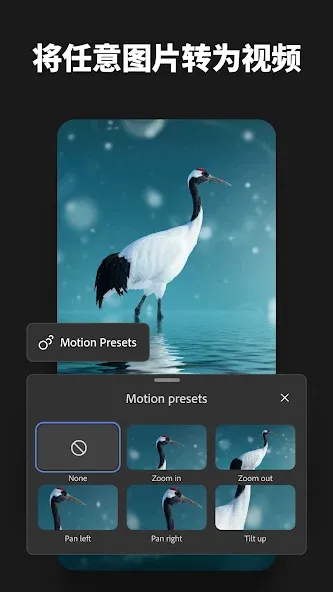
Image to video: animate your own still images with dynamic motion and edits.
AI video editing: remove distractions, enhance colors, and adjust details in seconds. You can even upload a video as reference to guide your composition.
Update Log
Powerful AI tools now deliver results with more speed and precision.
Interface tweaks make navigating and creating easier.
Stabililty upgrades give you reliable AI tools you can count on.
Background improvements and bug fixes help your artistic process stay frustration-free.
Advantages and disadvantages
Pros
Let you create designs with the help of AI
Speeds up designing for you
Produces high-quality visuals
Has guided prompts and templates for beginners
Cons
Limited free use and credit system
User comments
Honestly, I love this app; it makes things much easier when I need to continue working on my projects remotely. However, I would appreciate it if the initial loading process could be improved—sometimes it won’t open when I’m using mobile data, and I have to wait until I reach a place with Wi-Fi to keep working.
To be honest, I’ve tried several AI tools, and every single one of them has gotten rid of their free credit allowance. Then I found this one, which provides enough credits to create a couple of videos a day—with a bit of patience, I was able to finish my projects. I only use AI occasionally—maybe once every three months—to create stories, so it doesn’t make sense for me to pay for a full year’s subscription. A free option like this is perfect for me, and Adobe Firefly has really helped. THANK YOU—THANK YOU SO MUCH for considering people like me; I really hope you don’t change!
I’ve always used AI for image editing—it’s something I do when I’m bored—but most tools (even ChatGPT) tend to make quite a few mistakes. When I first tried this app—which was recommended to me—I assumed it would just be another run-of-the-mill tool. Instead, I discovered that it’s actually excellent, comprehensive, and highly competitive—it outperforms many other editors. Truly great work and development! (I’m definitely going to recommend it to everyone—I’m an influencer, after all.)
Summarize
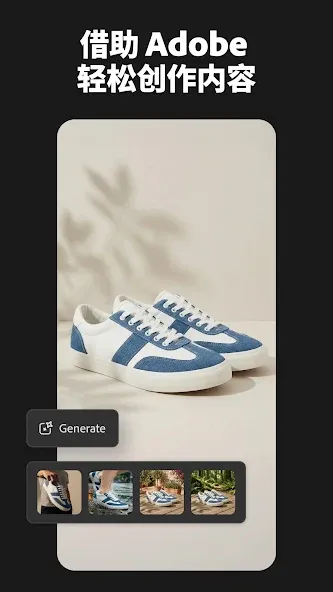
Adobe Firefly is the official app of Adobe's revolutionary AI-powered creative generation engine. This tool is designed for artists, designers, content creators and any user with a spark of creativity. You can use it to generate images, visual effects, typography and complete compositions from text or interactive tools. What's more, the high level of quality and precision that characterize the Adobe ecosystem offer incredible results.





-
Latest Updates
-
Featured Apps






