
Activity Launcher
Tools
2026-08-22
67.21MB
2.4.1
Android
364
Screenshots
Introduction
Activity Launcher is an Android launcher that helps users unlock hidden apps and create shortcuts. This app scans the apps installed on your phone and displays them in a list, giving you a clear overview of all your applications. It also allows users to pin apps to their favorites and view recently opened items for easier access. Furthermore, users can quickly send shortcut links to other users, providing great convenience.
Features:
Browse activities in installed apps
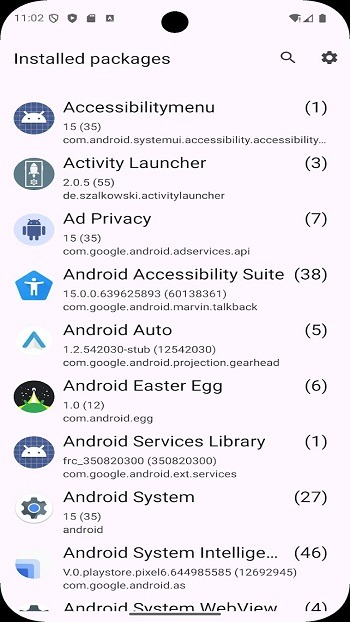
Activity Launcher scans installed apps and displays their available activities in a readable list. An activity is usually a specific screen or function within an app, such as a settings page or tool. This lets you look beyond the main app icon and find screens that are not always shown in normal menus.
Open hard to reach screens
You can select an activity and try opening it directly from the list. This can be useful for reaching deeply nested system panels or app settings without going through several pages first. However, some hidden activities may be restricted by Android or by the app that contains them.
Create home screen shortcuts
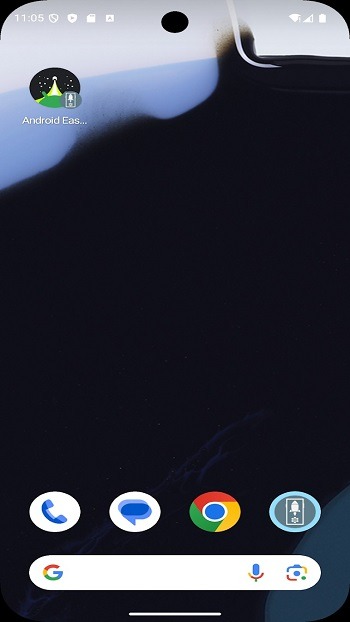
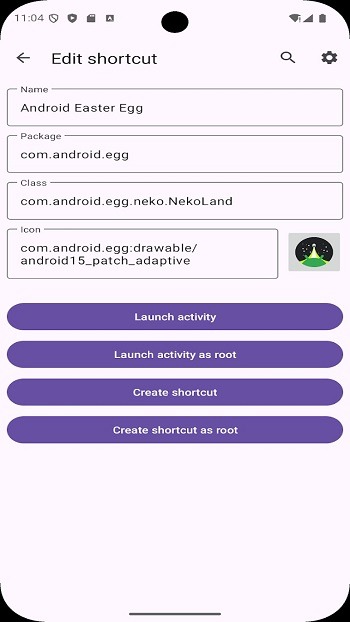
Activity Launcher can create a home screen shortcut for a chosen activity. You can use these app shortcuts for settings pages, internal tools, or other screens you need repeatedly. Once placed by your device launcher, the shortcut opens the selected destination with one tap.
Search, favorites, and recent entries
You can search by app name or screen name when the activity list is long. Activity Launcher also lets you pin favorites and review recently opened entries, which helps when you return to the same destinations. As a result, commonly used screens are easier to locate without searching again.
Share shortcut links
You can share shortcut links with other users when several people need access to the same settings page or app screen. This can help a team standardize access to a particular internal destination. The receiving device must still have the relevant app and activity available for the link to work.
Highlights:
Launch Hidden Activities: Easily access hidden activities within your installed apps.
Create Home Screen Shortcuts: Create shortcuts for specific activities on your home screen.
User-Friendly Interface: Simple and intuitive interface for easy navigation.
App Testing: Ideal for developers and power users to test different app components.
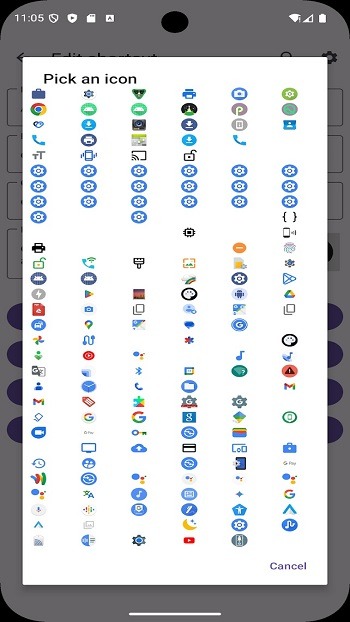
Customization: Customize the appearance and behavior of shortcuts.
Lightweight: The app is lightweight and does not consume significant system resources.
Open-Source: Open-source project inviting contributions for improvements.
No Ads: Enjoy an ad-free experience with the MOD version.
Pros and Cons:
Pros
Creates home screen shortcuts
Opens hidden activities
Simple setup process
Cons
Best for technical users
FAQs:
What is Activity Launcher used for?
It is used to open hidden app screens and create shortcuts to specific features on Android devices.
Is Activity Launcher safe to use?
Yes, it is generally safe, especially since it is based on an open-source project, but some features may not work as expected.
Can I create shortcuts with Activity Launcher?
Yes, you can place shortcuts on your home screen that open specific parts of apps directly.
Why do some activities not work?
Some app developers restrict access to certain internal features, which can cause crashes or errors.
Who should use Activity Launcher?
It is best suited for advanced users, developers, or anyone interested in customizing and exploring Android apps.
Conclusion:
Download the Activity Launcher APK if you want to save time when using some of the most common features within your favorite apps. Thanks to this app you can create fully customized shortcuts for your most frequent activities. You can even customize the shortcut icon and change its name to hide or obscure its presence on your Android device.









