Textoon – 3D Text on photo Text over photo
Tools
2026-10-08
24.76MB
24.0
Android
200
Screenshots
Introduction
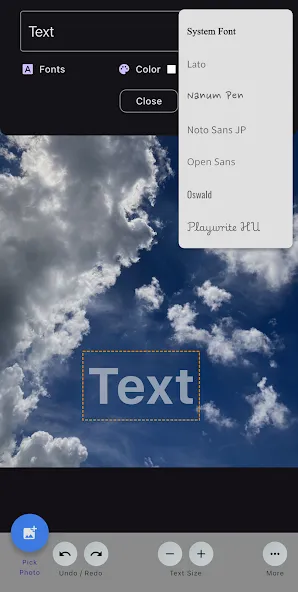
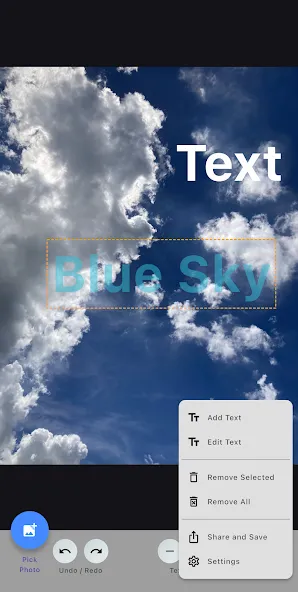
Textoon is a powerful photo editing tool that allows you to add and overlay text onto your photos. You can add and edit text—using plain text mode—and place it directly onto your chosen photo templates. The app features a 3D text and font generator for creating 3D characters and lettering, enabling you to produce stunning text effects and impressive visuals. It also offers background replacement and erasure capabilities, allowing you to remove or edit parts of the photo background. Additionally, the software can be used to design logos.
Features
Plain Text
Add and edit unlimited text of your choice with multiple text editing features to create stylish text pics.
3D Text / 3D Font
With 3D Text generator or 3D font generator create so called 3D letters or 3D alphabet with less effort and rotate it 360 degree accordingly to look like real 3D text on photo.
Stunning Text Pictures Effects
Create a simple text and give it a magnificent look by gorgeous text effects like shadow, curve, circular, reflection, Stroke, Emboss, Mask layout and image layers. save your own text style to use it later.
Text Color Selection
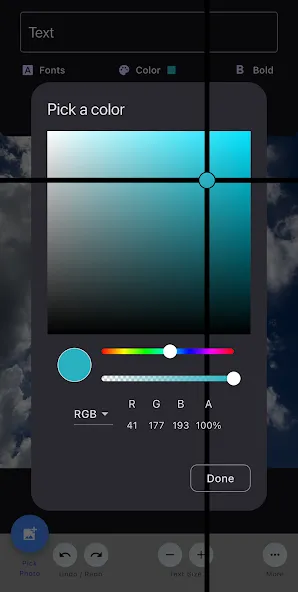
You can fill plain color of your choice as well as gradient colors with customization like linear, texture, neon colors, radial colors.
Function
Fonts
Choose from variety of fonts provided in app. Additional option available to select and add your own fonts.
Stickers
Add multiple stickers, emojis and shapes from wide collection or you can create on your own.
Thumbnail Creator
Ultimate Thumbnail Maker lets you generate thumbnail for YouTube or any social media post with pro image editing tools.
Image Editor, Create meme, Add background, 360 Degree Rotation
Import multiple images from gallery to compose them into one for unique creation. Apply color, shadow, do crop, copy cut and paste image, rotate 360 degree, create layers for multiple images, add backgrounds, apply overlays and blend images.Meme generator and meme creator.
Background Changer or Eraser
Change or Add background from gallery or choose from default. You can also remove background as a whole or select a color from background to erase.
Logo Designer | Poster Maker
With highly advanced photo editing tools you can create 3D logos and enhance it with different photo effects like hue, saturation, temperature, contrast, stripes, vignette, brightness, sharpness, etc. Create social media post banner in 1 minute.
Advantages and disadvantages
Pros
Premade graphic cards remain fully editable
Calligraphy, effects, and animation give text visual range
Supports photos, drawing, stickers, shapes, and direct social sharing
Cons
The Quotes section can load slowly
How to Use
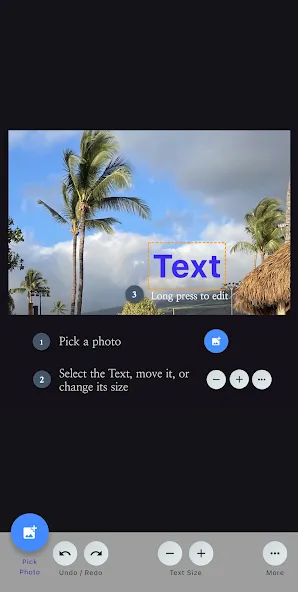
Select a Photo: Choose a photo from your gallery.
Add Text: Tap the 'Text' button to enter your desired text.
Free Editing: Use your fingers to move the text and the edit menu to change its size, opacity, and color.
Save & Share: Tap the 'Share & Save' button to save the photo with text to your gallery, or tap the 'Share' button to share it directly on SNS, etc.
Summarize
Textoon – 3D Text on photo Text over photo is a versatile, free photo editing application designed for Android devices that facilitates the addition of text and quotes to images. With a user-friendly interface, Textoon allows users to create customized graphics such as quote cards, posters, and thumbnails with ease. The application features a wide array of calligraphy tools and text effects, enabling users to enhance their images and make them visually appealing. Additionally, it supports direct sharing to various social media platforms, making it a convenient choice for users looking to create engaging content quickly.