Game Booster 4X Faster Pro
Tools
2026-09-18
14.73MB
2.0.5
Android
247
Related Apps

Screenshots


Introduction
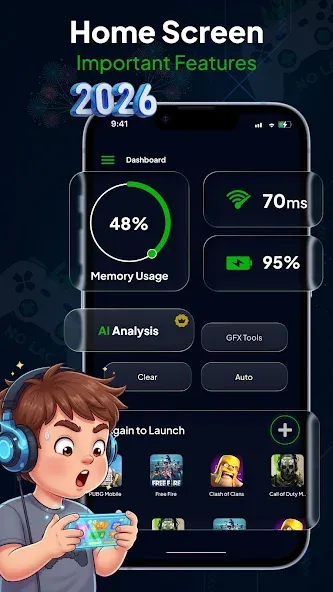
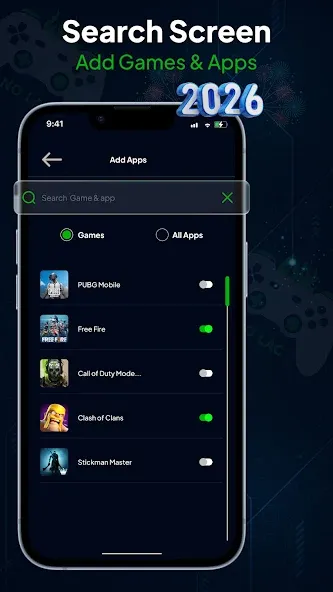
Game Booster 4X Faster Pro is a powerful device optimization tool. It allows for one-tap optimization of your device and intelligently clears unnecessary background processes. You can add games to a centralized list for quick access. The app monitors device performance, including memory and CPU usage, and manages background activity. It also enables the deletion of temporary files. With a user-friendly interface and intuitive navigation, it is easy to get started. Additionally, it features a built-in game dashboard that lets you quickly launch your favorite games while applying optimization and speed boosts.
Features
One-Tap Game Optimization
Quickly optimize your device before launching games.
Smart Memory Cleaner
Free available RAM by managing unnecessary background processes.
Dedicated Game Launcher
Organize your installed games in one convenient location.
Performance Monitoring
View device information including memory usage and system performance.
Background App Management
Reduce resource usage from non-essential apps while gaming.
Storage Cleanup Tools
Remove temporary files to help free storage space.
Device Information Dashboard
Monitor important hardware and software details.
User-Friendly Interface
Simple controls with fast navigation and clean design.
Lightweight Performance Utility
Designed to work efficiently without adding unnecessary overhead.
Fast Game Access
Launch your favorite games directly from the built-in gaming dashboard.
Advantages and disadvantages
Pros
Easy one-tap operation
Multiple tools available
Per-game profiles
Cons
Highly dependent on hardware and software factors
How to Use
Open the Dashboard to view a snapshot of storage, memory, and current network ping.
Tap the Boost button to perform a quick memory cleanup and free resources.
Use the GFX/graphics tool to tweak resolution, enable HDR where supported, or raise FPS caps.
Create per-app profiles when you want particular games to launch with specific settings automatically.
Choose the Ultra Boost mode if you need the maximum possible performance; it attempts to combine hardware acceleration, rendering tweaks, and GPU-focused adjustments.
User comments
As someone who is pretty picky about device performance, I’m genuinely impressed. This app doesn't just promise results; it delivers a smoother, more stable gaming experience. It’s rare to find a tool that does exactly what it says on the box. Definitely staying on my device.
this is insane app this boost my fps and make my game feel smoother like before I get 16 fps and now I get 30 fps but it is no stable like it drops into 27 or 25 fps so please fix this problem and make it more affective and noticeable and make the app size like 50 MB or 60 MB and make more powerful
I’ve been using this game booster for a while, and it genuinely makes gaming feel smoother. The app is easy to use, doesn’t feel heavy on the phone, and helps keep games running more steadily during longer sessions. Simple, clean, and useful for everyday mobile gamers.
Summarize
Game Booster 4X Faster Pro is a device performance optimization tool that pushes ordinary device hardware to its maximum limits with features like GFX, AI Turbo Boost, Zero Lag Mode and HUD Monitor. Lastly, enjoy high graphics gameplay on your mobile without any lag and latency loss.
-
Latest Updates
-
Featured Apps