Synthesia
Music
2026-10-29
31.57MB
10.10.6001
Android
477
Screenshots
Introduction
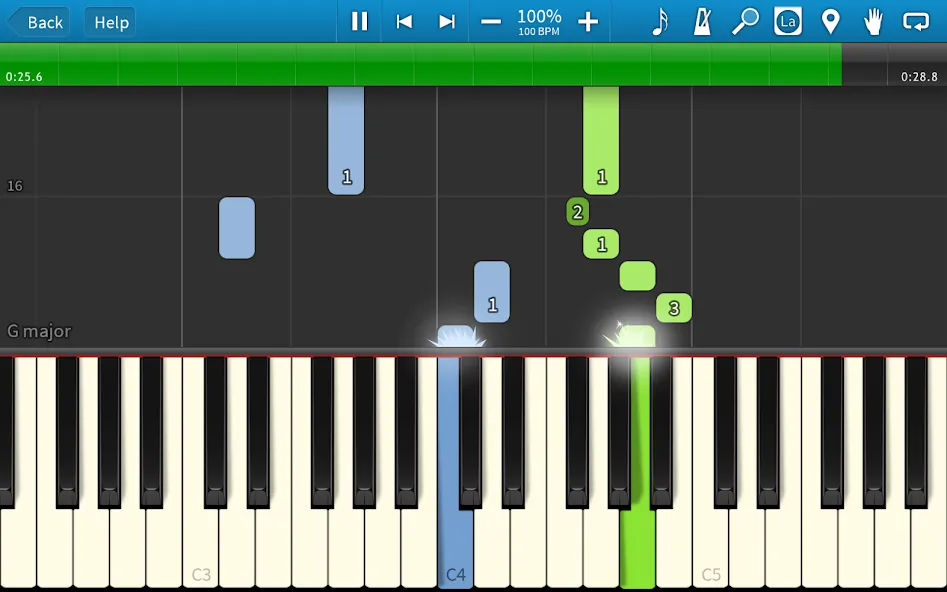
Synthesia is a piano game designed for the Android platform. Featuring a clean and minimalist interface, it allows users to get started quickly and easily. The app offers an extensive library of songs and a vast collection of musical resources, providing users with a unique way to experience traditional music. It includes excellent interactive tutorials that guide users through the process of playing songs, offering detailed, step-by-step instruction on which keys to press and when to pause. Synthesia also boasts robust customization options, allowing users to configure key mappings and connect external keyboards via USB or Bluetooth. Furthermore, it offers exceptional compatibility, running smoothly and reliably even on older Android devices, enabling users to play beautiful, melodic music in a flexible and ingenious way.
Features:
Designed specifically for beginners
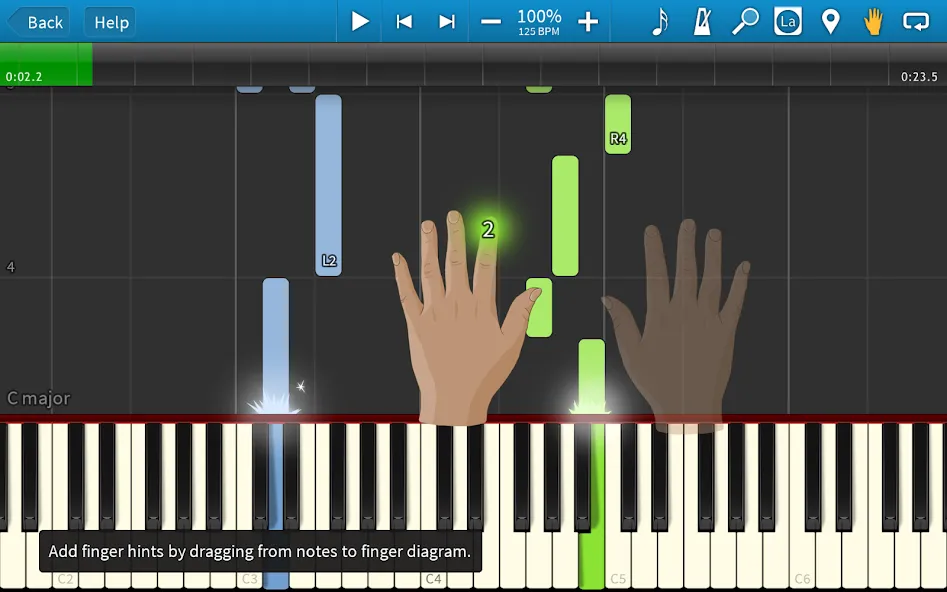
this tool guides you step-by-step through interactive lessons. It adapts to your individual needs, allowing you to learn at your own pace. As you play any song, the app shows you exactly where to place your hands and when to press each key; the music pauses until you hit the correct note, so there’s no need to worry if you can’t keep up with the tempo. With an extensive music library, you’ll never run out of things to play.
Connect your own digital piano
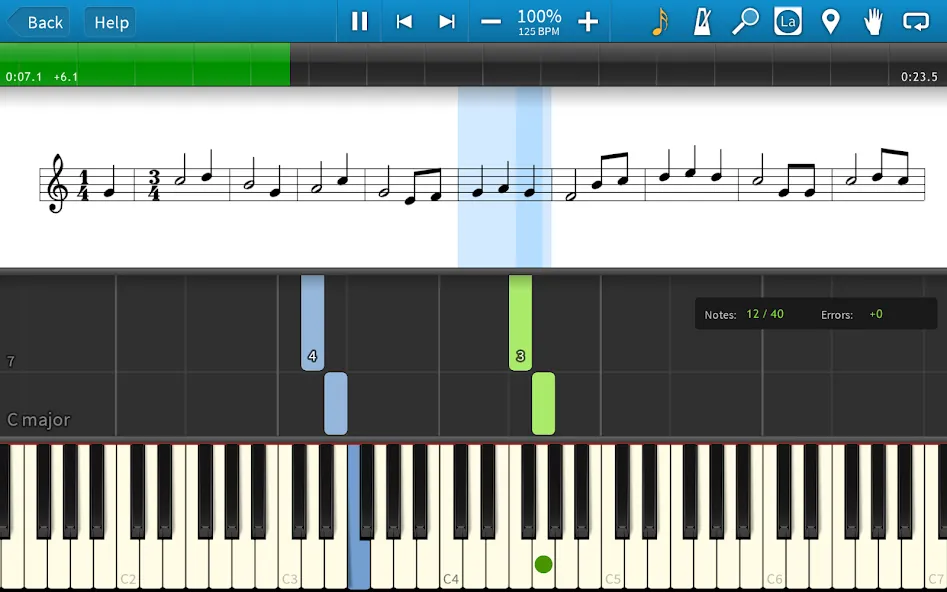
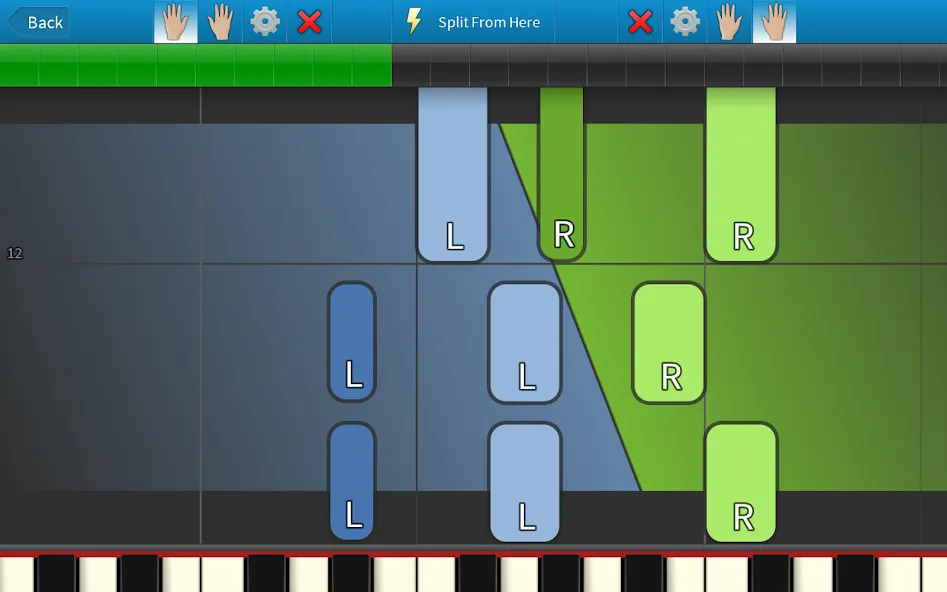
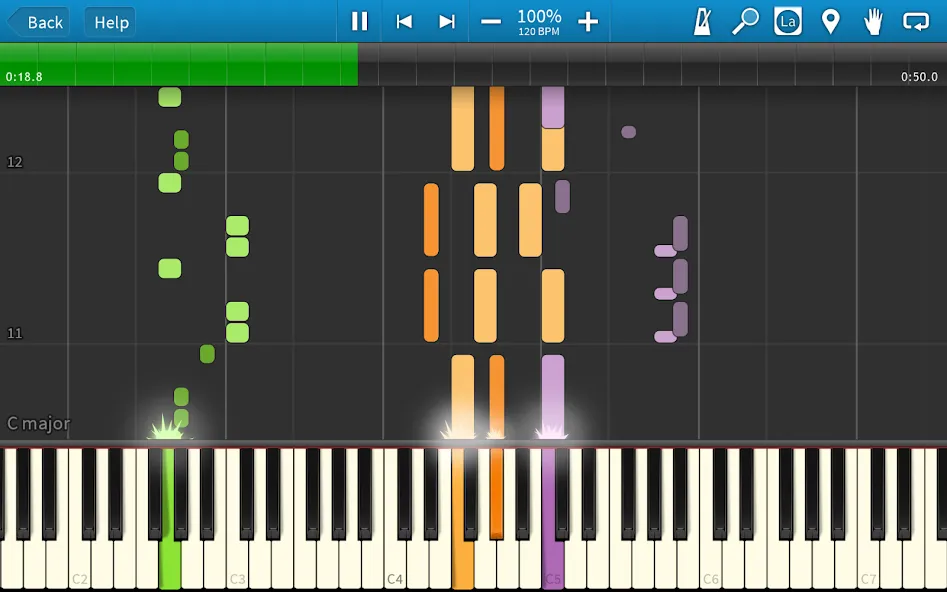
for a more hands-on learning experience. The platform is also compatible with most lighted-key keyboards, offering a unique way to play. You can choose to view your music as traditional sheet music, falling note blocks, or both simultaneously. You can also enable real-time backing tracks to help refine your technique. Additionally, a variety of useful features—such as looping, markers, and a metronome—are available whenever you need them.
Adaptive learning for all skill levels
Beyond standard piano sounds, the platform unlocks a wide range of digital instruments, supporting multi-track practice and musical exploration. A built-in scoring system tracks your progress by monitoring rhythm and note accuracy, turning your practice sessions into an engaging, game-like experience. Thanks to USB MIDI support, the platform integrates seamlessly into almost any home studio setup, making it an excellent tool for both solo practice and playing with friends or family. While it can be operated via a touchscreen, an external MIDI-compatible keyboard is recommended to fully realize the platform's educational potential.
An efficient digital learning platform
By replacing the intimidating sight of a blank musical score with responsive visual feedback, this platform offers a more intuitive entry point into learning music. It connects directly to your digital piano, providing real-time feedback and dedicated practice modes. By combining a "falling note" visual display with traditional sheet music, it delivers a comprehensive and well-rounded learning experience.
Highlights:
In practice mode, the melody "waits" for you to play the correct notes.
A system that allows you to play without needing to read sheet music.
Learning mode: supports practice with the right hand, left hand, or both hands simultaneously.
Includes over 20 songs for free, with an additional 150 songs available in the app's Pro mode.
Compatible with digital pianos.
Customizable scores.
Built-in metronome to help maintain rhythm.
Techniques for learning how to play notes correctly.
Option to add your own finger-positioning guides for songs you import.
Features sounds from over 100 different instruments.
User comments:
This is fantastic and a lot of fun. I’m progressing much faster than I did when I relied solely on tutorials. It connects easily to my keyboard via a USB MIDI interface, and the on-screen display responds instantly whenever I play.
I’ve been playing the piano for four years, and I’ve learned more songs with this app than with any other music software I’ve used. It would be a brilliant idea to include a sound-detection algorithm—using the microphone—so the app could recognize the notes played on an acoustic piano and display them on the screen in real time.
I really love this app. You can add notes and play songs that utilize a full 128-key range. Even if you can’t read sheet music, you can start playing right away. You can use the touchscreen or connect a digital keyboard to get the authentic experience of playing actual piano keys.
Advantages and disadvantages:
Pros
Wait and See mode pauses for incorrect notes
Supports MIDI keyboards through USB or Bluetooth
Offers falling notes and traditional notation
Imports custom MIDI files
Cons
Touchscreen play has limited educational value
Summarize:
In short, with its user-friendly interface, diverse modes, and support for MIDI keyboards, Synthesia offers a fun and highly interactive way to learn keyboard music. Whether you are a beginner or looking to refine your skills, this app is an excellent tool that makes learning music both educational and entertaining. Download it today and start playing your favorite songs!




-
Latest Updates
-
Featured Games