Zero Cleaner
Tools
2026-08-03
8.53MB
26.7.2
Android
468
Screenshots
Introduction
Zero Cleaner is a cache cleaner for Android devices that helps users analyze app cache and manually or automatically clear it, saving device space and making the device run more smoothly. This app allows users to quickly find junk files, saving a significant amount of time. The app's design is very streamlined, making its functions clear and easy to understand. It's also very convenient to use; users can automatically clear the cache with just a tap, bringing great convenience.
Features:
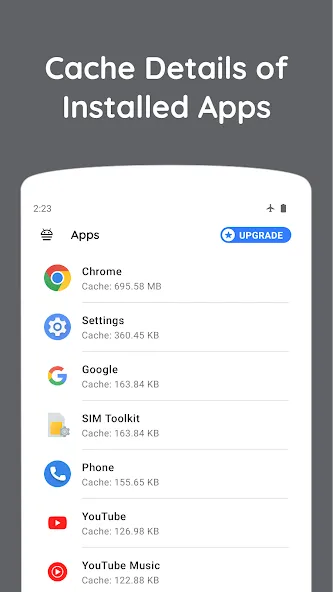
Analyze app's cache
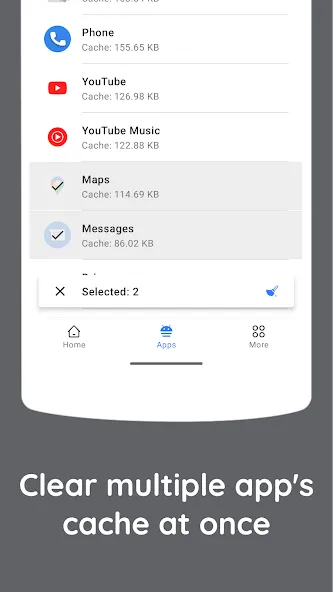
Clear cache of apps either manually or automatically
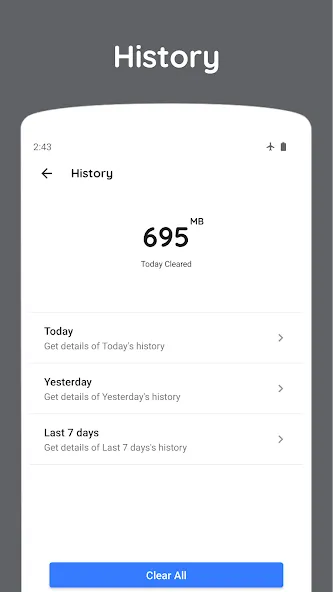
History
Detailed history
Floating dock for easy launch
Highlights:
Time Saver: The process of manually checking and filtering information stored on the device has consumed a lot of users' time. This application is developed to help users aggregate information and remove junk or unimportant content from the device. This helps you save time by clearing the cache without manual effort.
Performance Boost: Besides the advantage of solving problems quickly and saving time, the application also helps users complete automatic optimization of device performance. You will have a smoother and more optimal device experience than the previous visit.
Storage Freeing: The storage space inside the device can be affected by junk folders. They will leave users with little room to store other important content. Therefore, the application has supported users with editing operations to reduce clutter and free up valuable storage space.
Quick Access: The application is installed on the device for convenient access and use of the features it supports. Users can quickly access the cleaning tools from any screen based on the application's quick and easy launch mechanism.
Tap Convenience: Users will touch the cleaning icon to complete the automatic cleaning step of the memory storage space. The application increases the convenience with just a simple touch to clean up all the junk folders. The operations used to place commands in the application are also extremely simple and easy to remember.
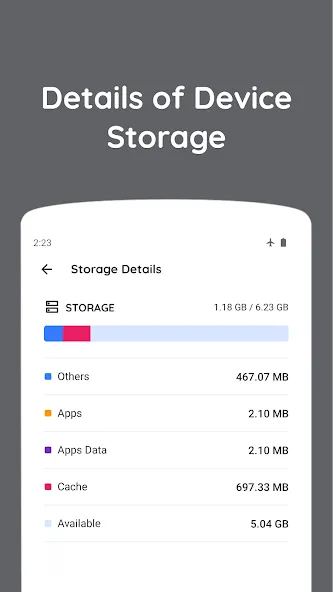
Streamlined Design: The application has a reasonable space design that helps improve the user experience and productivity. You can find a specific analysis table of the components stored in the device right after accessing the application. All storage information is provided and displayed clearly for users to easily control.
Pros and Cons:
Pros
Performance optimization
Selective cache clearing
Scheduled cache checks
User-friendly interface
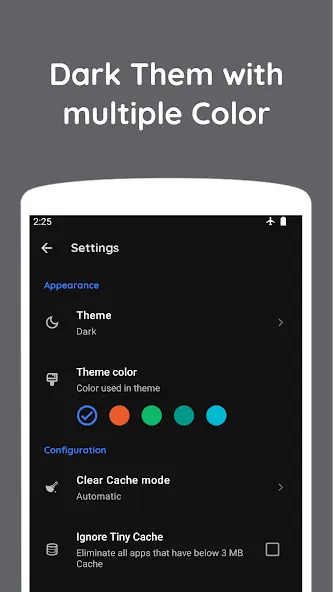
Customizable colors
Cons
Permission requirements
Limited functionality
FAQs:
Is this app good for speeding your phone?
Yes. This app is quite effective in cleaning out useless files and speeding up the phone's performance.
Is this app safe to use?
Yes. This app is a utility app and is considered very safe to use on your Android phone.
Is this app free to download?
Yes. This app is free to download and does not require you to buy the app or subscription.
Conclusion:
Overall, Zero Cleaner is a handy tool for Android users looking to optimize their device's performance by effectively managing app caches. It is worth noting that Zero Cleaner uses the Accessibility Service API to automate the clear cache function. However, the developer assures users that no data will be collected or shared through this service.
-
Latest Updates
-
Featured Apps