Whats Links
Social
2026-11-05
22.71MB
1.49
Android
500
Screenshots
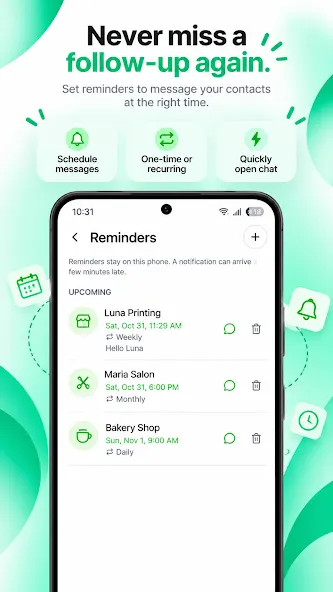
Introduction
Whats Links is a powerful social networking application. Featuring a clean and minimalist interface, it allows users to get started quickly and easily; the app enables the sharing of group chats and personal profiles. It also offers features for playing music and following your favorite celebrities. With its simple, humorous, and engaging approach, the app provides users with a unique and enjoyable experience. It boasts excellent compatibility, running smoothly across a wide range of Android devices, while supporting cross-platform sharing and hosting a vast user base. The app fosters a vibrant community culture where users can interact, express their opinions, and perhaps even find a life partner.
Features:
Enter a phone number, select a country/region, and add an optional message to start a chat instantly.
No account registration required.
Recently used numbers: reopen chats with a single tap.
Share phone numbers from any app, or select a number from a text message—Whatslynk will automatically fill it in for you.
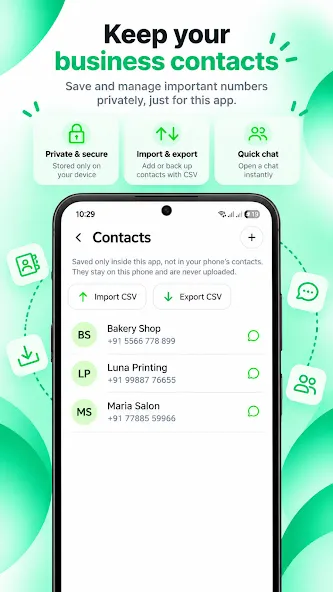
Save numbers to the app’s contact list; they remain stored locally on your phone and are never uploaded.
Use voice input to compose your messages.
Format your messages with bold, italics, and lists, and preview how they look.
Long-press the app icon to access app shortcuts, or use Quick Settings tiles.
Open a chat or the scanner with one tap—no need to launch the app first.
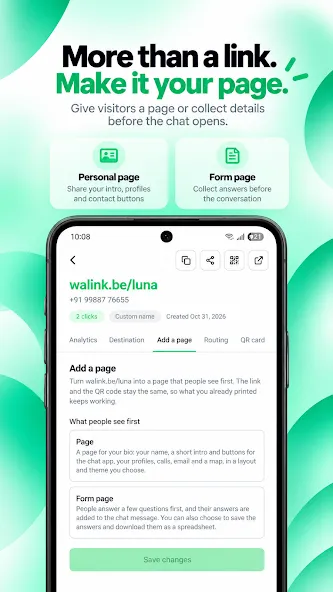
Create short links with pre-filled messages, making it easy for others to start a conversation with you.
Design custom QR code cards by choosing your own colors, patterns, and corner styles.
Generate "click-to-chat" links for your contacts—perfect for adding to your social media bio, website buttons, or email signatures.
Highlights:
Generate WhatsApp Links: With Whats Links, creating WhatsApp message links has never been easier. Simply enter the recipient's phone number and a pre-filled message to generate a link in no time! Clicking the link opens WhatsApp with your message ready to send.
Generate QR Codes: Looking for a more visual way to share your WhatsApp contact details or messages? Whats Links allows you to create QR codes for your WhatsApp number and messages. Just scan the code to connect instantly.
Download QR Codes: Want to save your QR code for future use? No problem! Whats Links lets you download QR codes directly to your device, so you can keep them handy for social events, business cards, or networking.
Share with Ease: Effortlessly share your generated WhatsApp links and QR codes with friends, family, clients, or anyone else you wish to connect with. Whats Links offers multiple sharing options, including text messages, email, social media, and more.
Streamline Communication: Whether you’re a business owner looking to enhance customer engagement or an individual wanting to simplify how you connect with others, Whats Links streamlines communication and saves you time.
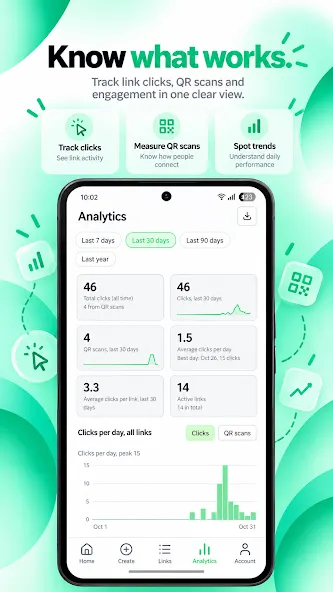
Analytics: Gain insights into the performance of your shared links and QR codes with built-in analytics. Track clicks, conversions, and engagement to optimize your communication strategy.
FAQS:
Is chat privacy protected?
The chat lock feature allows users to add a fingerprint lock.
How do I enable dark mode on Whats Links?
Simply go to Settings, select More options, choose Chat theme, and then select Dark mode.
What’s new in the latest Whats Links update?
The latest update includes several improvements, such as an optimized search bar that makes it easier for users to quickly search through their history, as well as the integration of artificial intelligence.
Advantages and disadvantages:
Pros
High compatibility
Fully featured
Community
Cons
Contains ads
Conclusion:
Join our community and start promoting your group links today! Grow your "Whats Links" with us! We enhance your social life by connecting you with high-quality links, groups, and profiles that match your interests.