LINE Lite
Social
2026-11-04
8.89MB
2.17.1
Android
496
Screenshots
Introduction
Features:
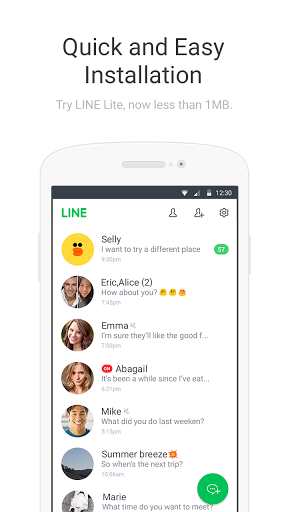
Lightweight Performance
Designed with a smaller app size and reduced data consumption, this version ensures smooth, everyday chatting—even on lower-end hardware or with a weak network connection. If your phone is running low on storage or background apps are consuming too many resources, installing the LINE Lite APK is an effective solution. This lightweight version prioritizes speed, allowing you to send messages quickly.
Core Messaging Features
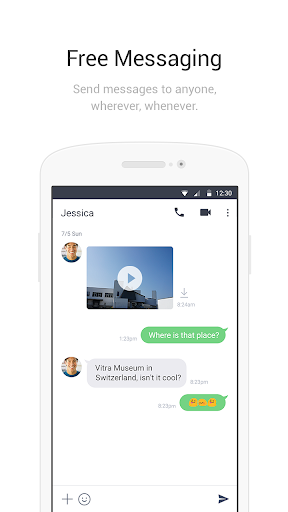
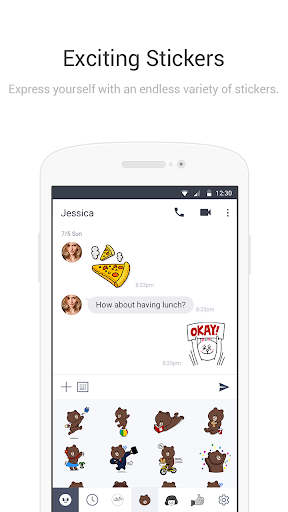
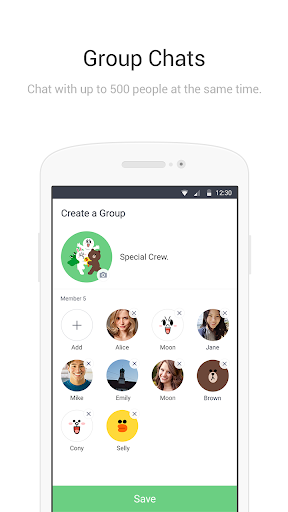
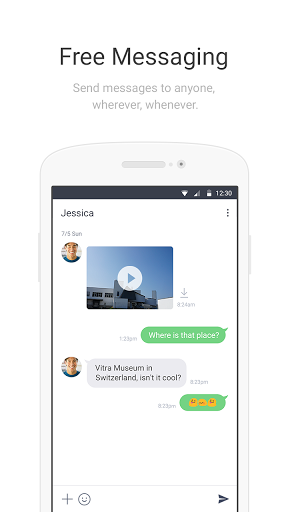
Send text and photos in one-on-one or group chats. Use stickers for quick replies without the need for typing, or record and send voice messages when you’re unable to use your hands. Stay connected with everyone.
Free Voice and Video Calls
Initiate calls or video chats directly from the chat screen. Alternatively, tap the plus (+) button in the bottom-right corner of the main screen, select a friend, and start a call. Please note that calls may incur mobile data charges; we recommend using Wi-Fi whenever possible. If your network signal is weak, consider using voice-only calls.
Easy Login and Friend Management
Log in with your existing LINE account to keep all your contacts. You can add friends by registering an email address, or via LINE ID, phone number, QR code, or by syncing your existing contacts. While some advanced features found in the full version of the app may be limited, LINE Lite is perfect for quick chats, calls, and sharing photos.
Highlights:
Super Convenient Chat Features
Easily share messages, photos, videos, stickers, voice notes, and your location with friends.
Stickers Featuring the World’s Most Popular Characters
Choose from hundreds of free, trending stickers—including those featuring globally beloved stars! Personalize your messages with a wide variety of LINE stickers.
Seamless Syncing Across Your Devices
Whether you’re using the mobile app on the go, the desktop version at home, or even the smartwatch version while exercising, your LINE chats stay automatically synced and up to date across all your devices.
Stay Informed with Convenient Updates
Add official accounts as "friends" to receive messages from your favorite celebrities, as well as notifications, alerts, and coupons from businesses.
Smartwatch Integration
On smartwatches running Wear OS, you can view messages, add contacts to tiles, and even include LINE app complications directly on your watch face.
Group Video Calls
Connect with up to 200 friends at once! Enjoy face-to-face video chats with your group with ease.
Use Polls to Quickly Gauge Opinions
From deciding where to meet to choosing what to eat, skip the endless back-and-forth—simply create a poll to reach a decision in no time.
FAQs:
What is LINE Lite?
It is a version of this popular instant messaging tool.
Can I use it for free?
What can be customized in LINE Lite?
You can customize your profile, download sticker sets (the app itself does not include stickers), chat with friends, create groups, follow other users, and more. It includes all the essential features you would expect.
Is it safe to download LINE Lite?
As long as you download it from a trusted source—like this website—it is safe and reliable.
Advantages and disadvantages:
Pros
Lightweight
Clean interface
Customizable features
Cons
Contains ads
Conclusion:
LINE Lite integrates these features into an easy-to-use application, making it an ideal choice for users seeking a reliable instant messaging platform. Its focus on user-friendliness and efficiency helps it stand out among the many available messaging apps, appealing to those who value a simple and practical way to communicate.