Tickle My Phone
Entertainment
2026-07-21
1.2MB
1.0.0
Android
600
Screenshots
Introduction
Tickle My Phone is a free tool for Android devices that allows users to remotely control their smartphones. With this app, you can execute tasks simply by sending simple commands from another device, offering great convenience. However, installing this app on someone else's phone without permission poses a security risk. Therefore, users need to set a password, which must be entered before executing commands to ensure phone security.
Features:
Functionality
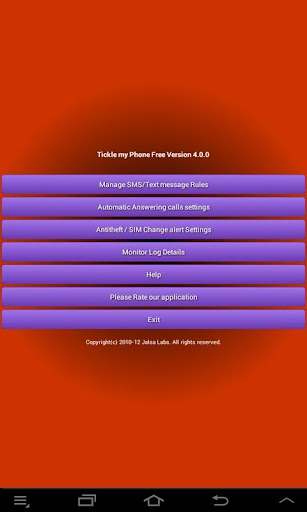
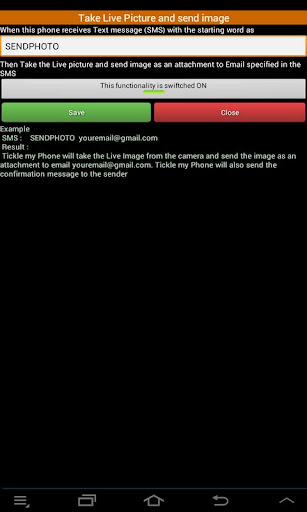
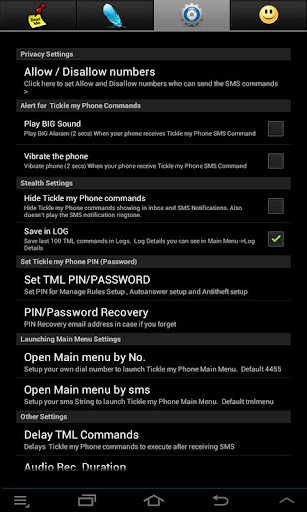
Tickle My Phone allows you to handle a multitude of tasks by sending simple text messages from another device. The set-up process, though intricate, is straightforward: download the application on the mobile device you wish to control, check the 'Hide Tickle My Phone commands' in the 'Manage SMS/Text message rules' section if you prefer not to display data every time an action is executed.
Features
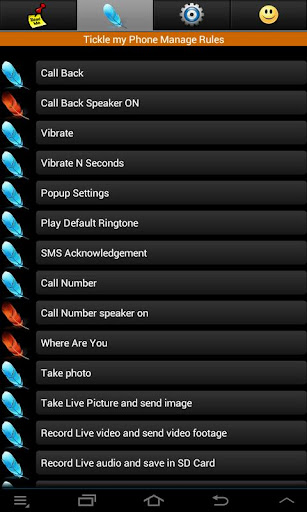
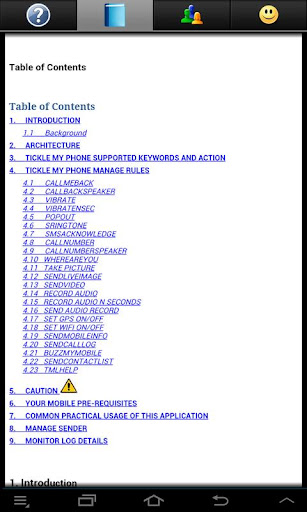
Once these steps are completed, you can start sending SMS to the device with the installed app, triggering a wide range of actions. You can capture photos, dial numbers, make the phone vibrate, connect or disconnect Bluetooth, and much more.
Implications
The capabilities of Tickle My Phone are not only interesting but also potentially hazardous. If installed on someone's phone without their knowledge, the app can be used to manipulate their smartphone in numerous ways, without arousing any suspicion.
Highlights:
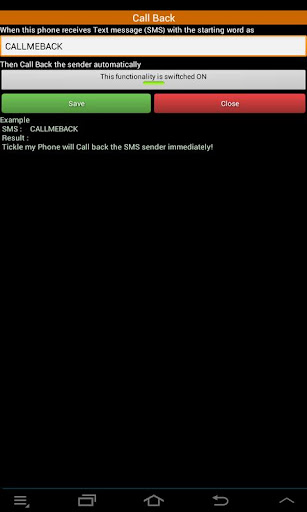
One of the key benefits of Tickle My Phone is its ease of use. Once downloaded and installed, all you need to do is set up the remote control feature by sending an SMS command from another device. From there, you can access a range of features such as making your phone ring loudly so that you can locate it easily.
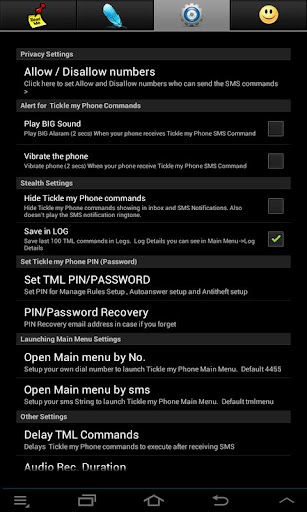
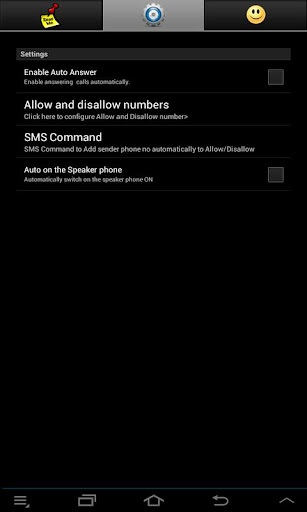
Another great feature of this app is its security settings. Users can set up a password which must be entered before any commands are executed, ensuring that only authorized individuals can access their phones remotely. Additionally, users can choose to receive alerts when certain actions are taken via remote control, providing them with peace of mind and added security.
Pros and Cons:
Pros
Allows remote control of Android smartphone via SMS
Enables a wide range of actions
Simple setup process
Cons
Possibility of misuse if installed without the user's knowledge
Complex functionality may be challenging for some users
FAQs:
Why is the Tickle My Phone app not supported on my device?
The reason could be an outdated version of Android, incompatible technical requirements, for example, if you have a device with ARM7 architecture and are trying to install an app with ARM8 or x86 architecture
Why does the Tickle My Phone app crash or not respond?
This could be due to an outdated version of the Tickle My Phone app, a full cache, lack of RAM, or a system conflict. Try updating the app, clearing the cache, or restarting the device
How much space does the Tickle My Phone app take up?
Tickle My Phone takes up about 1.2 MB of memory
Conclusion:
Tickle My Phone is a free productivity application designed for Android devices. This program allows users to remotely control their smartphones, enhancing convenience and accessibility. Its primary features include remote activation of phone functions, enabling users to manage their devices from a distance, making it particularly useful for hands-free control or when the phone is out of reach.The application is user-friendly and offers a straightforward interface, ensuring that users can easily navigate its features. Tickle My Phone is ideal for those seeking to optimize their productivity by utilizing remote capabilities. With its free license, it provides a valuable tool for anyone looking to streamline their mobile experience.