Super Status Bar
Personalization
2026-08-08
9.86MB
2.13.0
Android
146
Screenshots
Introduction
Super Status Bar is a theme customization tool for Android devices that allows users to change the style of their phone's notification bar, making it look more aesthetically pleasing. This app also provides users with various status bar gestures for quick and convenient operation. Users can adjust volume and brightness simply by swiping on the status bar. It also displays the battery level at the top of the screen, allowing users to easily monitor their phone's battery status.
Features:
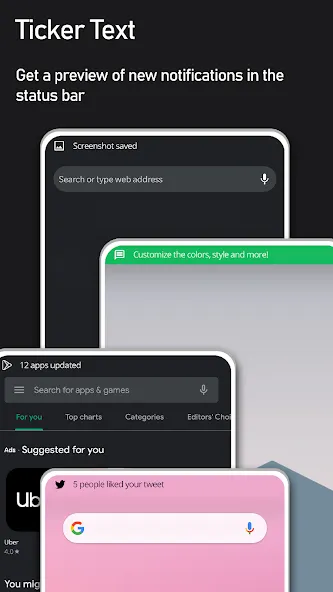
NOTIFICATION TICKER TEXT
Restore the classic scrolling notification ticker. New notifications display discreetly along your status bar — no intrusive pop-ups, no interruptions.
STATUS BAR BRIGHTNESS & VOLUME CONTROL
Swipe along the status bar to instantly adjust brightness or volume — no need to open settings or pull down the shade.
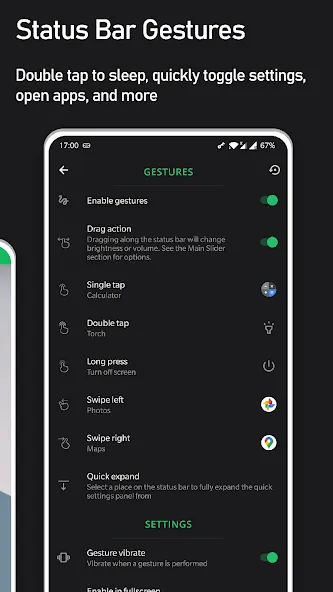
STATUS BAR GESTURES
Turn your status bar into a powerful shortcut hub. Assign any action to tap, double tap, long press, or left/right swipe.
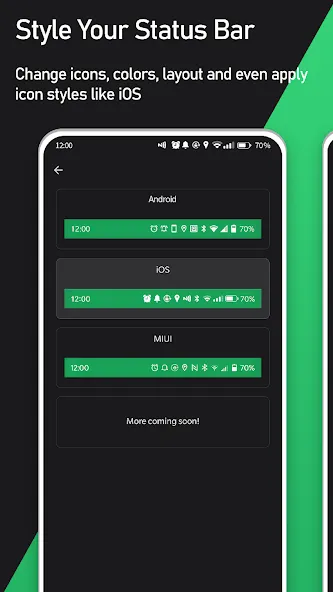
STATUS BAR ICON STYLES
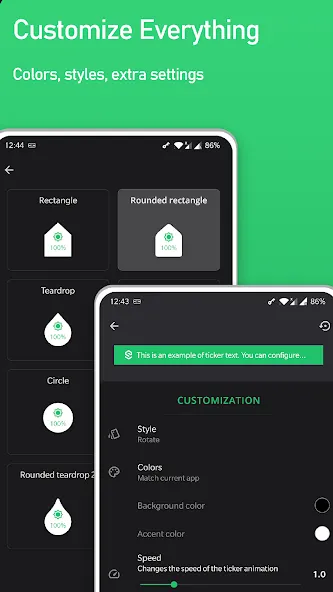
Restyle your status bar icons with a single tap.
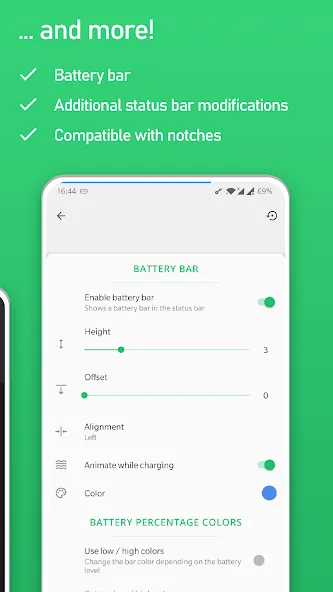
BATTERY BAR
Display your battery level as a sleek bar along the top of your screen.
Highlights:
Effortless adjustment: The app allows users to adjust screen brightness and volume easily by gliding on the status bar eliminating the hassle of accessing menus or using physical buttons, providing intuitive and time-saving controls.
Versatile volume control: In addition, this feature supports volume adjustment for many different types of sounds, such as system sound, music, calls, ensuring you always have perfect control over every audio element on the device.
Unobtrusive notifications: With the return of the “notification ticker text” feature in the status bar, the application allows new notifications to be displayed sensitively without interrupting current work.
Customizable appearance: The appearance of the notification text, including font style, color, and size, can be completely customized according to your preferences to achieve uniformity with the overall look and feel of the device.
Heads-up notification replacement: The app also provides “replace heads-up” notifications. Thus, when triggering, notifications distinctly change the appearance so they become less noisy and discretely entwined in the platform.
Changelog:
Improved translations
Added an option to disable app features when in landscape mode
Bug fixes and enhancements
FAQs:
How do I uninstall Super Status Bar?
To uninstall Super Status Bar, you need to go to your device settings and tap on Apps or Applications. Then, find and tap on Super Status Bar and select Uninstall. Alternatively, you can long-press on the Super Status Bar icon on your home screen or app drawer and drag it to the Uninstall option.
Can I use Super Status Bar with other status bar apps?
No, you cannot use Super Status Bar with other status bar apps. You need to disable or uninstall any other status bar apps before using Super Status Bar. Otherwise, you may experience some glitches or errors.
Where can I get more themes for Super Status Bar?
You can get more themes for Super Status Bar from the Theme Store option in the settings menu. You can also create your own themes by selecting the background color, gradient, image, or pattern of your status bar.
Conclusion:
Beyond changing looks, Super Status Bar focuses on productivity. It allows you to customize your device to your liking with its extremely flexible design and intelligent gesture controls. It focuses on aesthetics and utility at the same time. Whether you are a casual user or an Android fan, this is the app to get. Join thousands of consumers and change how you use your mobile device forever. Super Status Bar is a must for all interfaces.
-
Latest Updates
-
Featured Apps