Sound Assistant
Entertainment
2026-10-19
27.02MB
9.0.00.11
Android 11 and up
445
Screenshots
Introduction
Sound Assistant is an audio control tool designed for Android devices. It allows users to adjust volume levels and manage alarms via voice commands, powered by robust voice recognition technology. The app enables quick web searches and browsing, supports speech-to-text and text-to-speech conversion, and includes a built-in media player with access to streaming music services. Users can create custom audio profiles, and the app offers a simple, intuitive interface. It also allows for the adjustment of volume increment steps and supports connections to headphones and Bluetooth devices, with the ability to switch between different audio output devices.
Features
Ability to set reminders and alarms based on voice commands.
Voice recognition technology for easy access to app features.
Search the web using natural language queries with results provided in audio format or text-to-speech output.
Automated responses when asked simple questions about weather, news etc.
Play music streaming services such as Spotify, Pandora etc., directly from within the app interface.
Create shopping lists by speaking into your phone instead of typing it out manually every time you need something new at home/workplace.
Control compatible smart devices like lights & thermostats through voice command integration with IFTTT (If This Then That) platform support built right into Sound Assistant App’s core functionality.
Pros and Cons
Pros
Intuitive app-specific volume control enhances user experience.
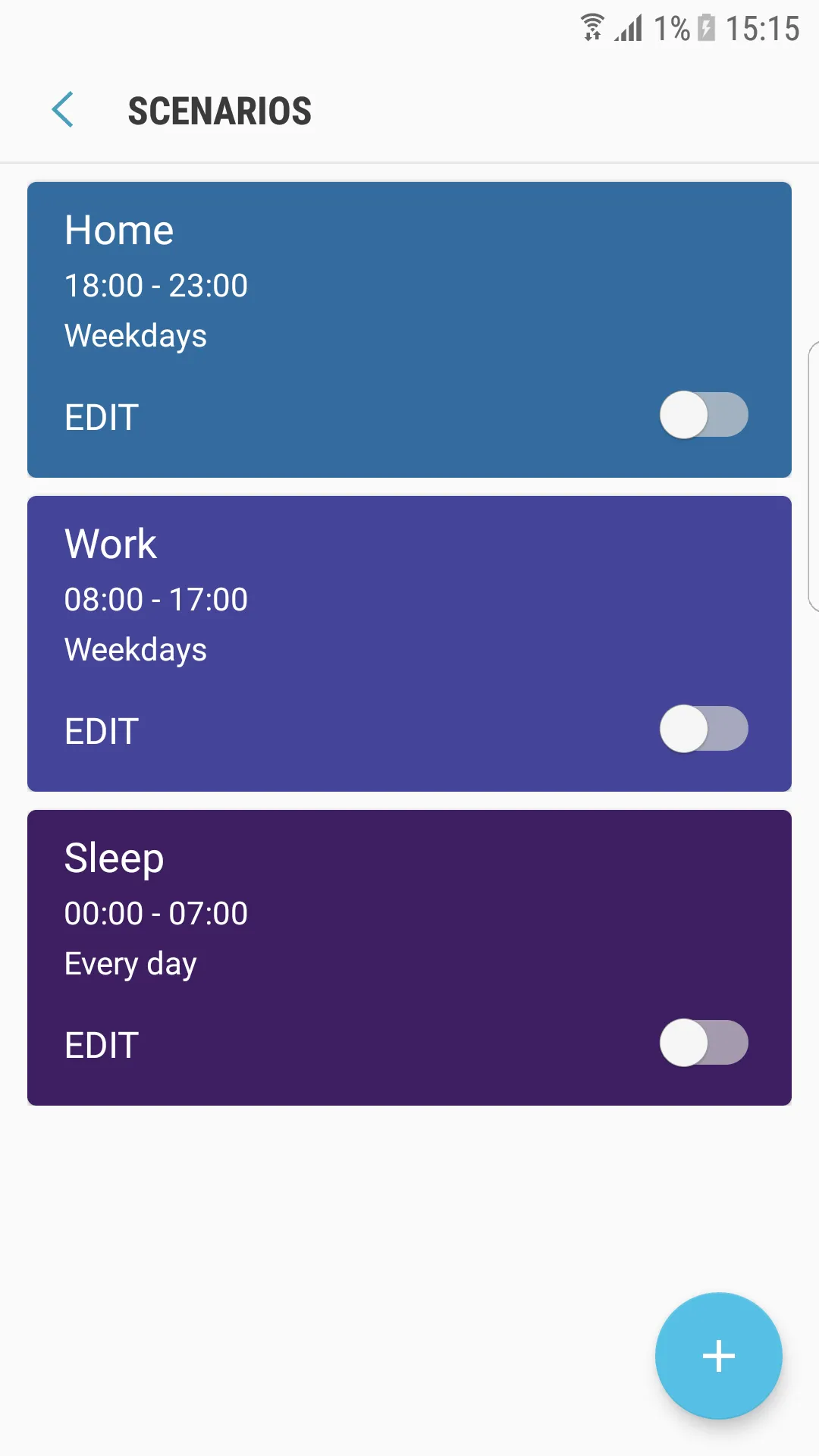
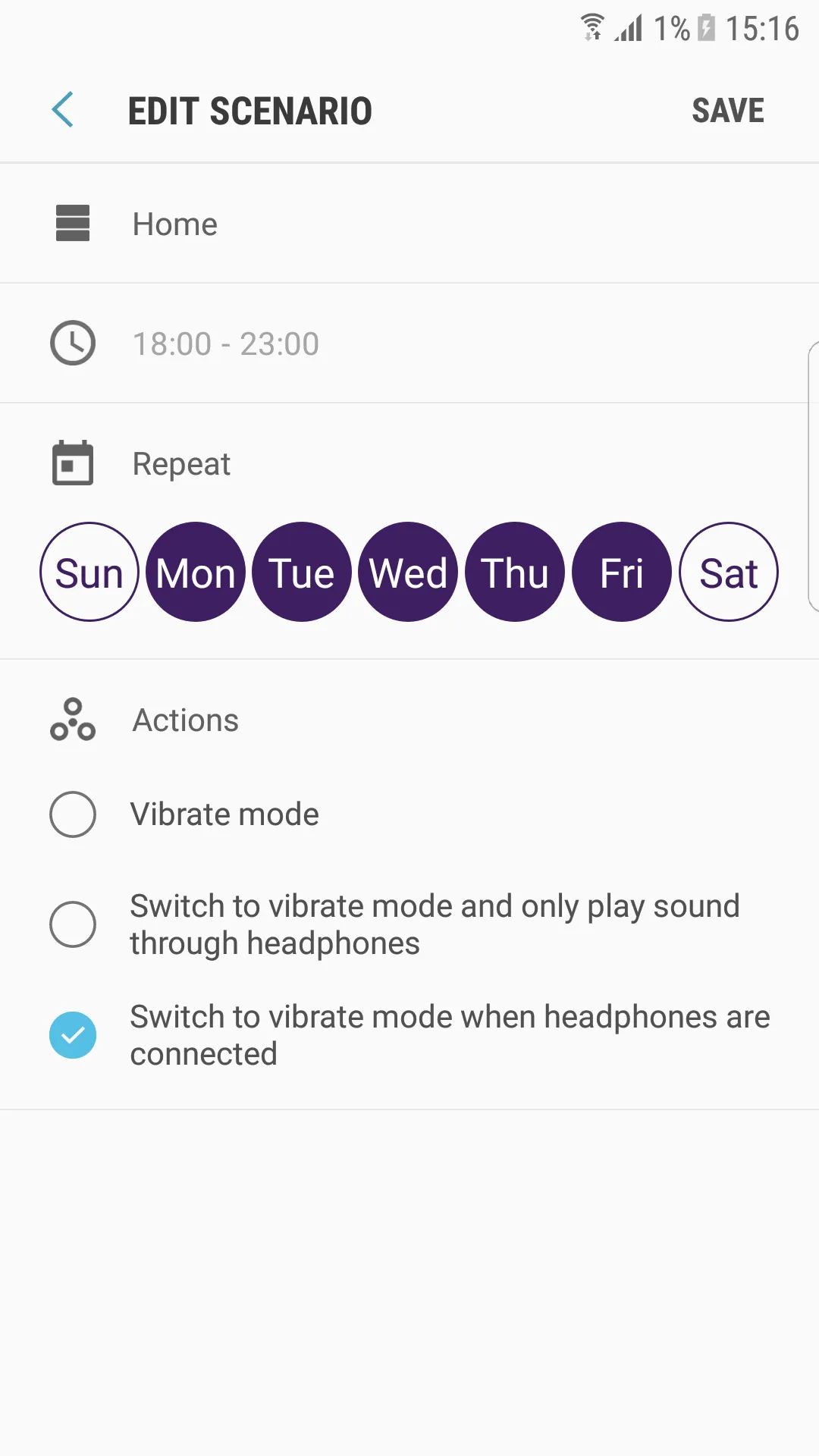
Customizable sound profiles provide flexibility for different scenarios.
Quick access via floating button improves usability.
Effective management of vibration settings according to user-defined times.
Cons
Customization options may require a learning curve for new users.
Dependent on app compatibility for all features to function optimally.
How to Use
Open Sound Assistant, go to Menu followed by About to confirm supported features on your device, and watch the help video if available.
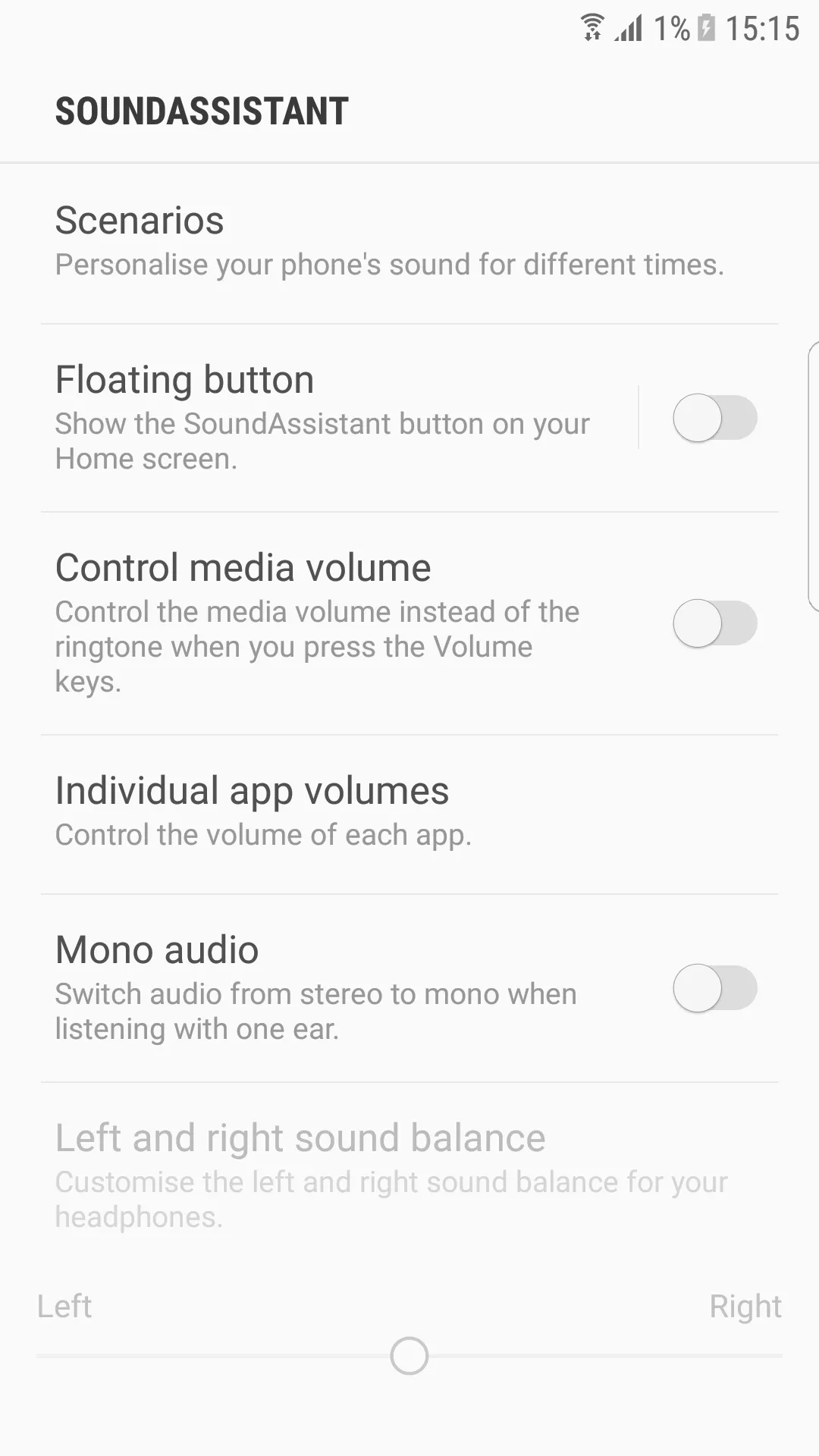
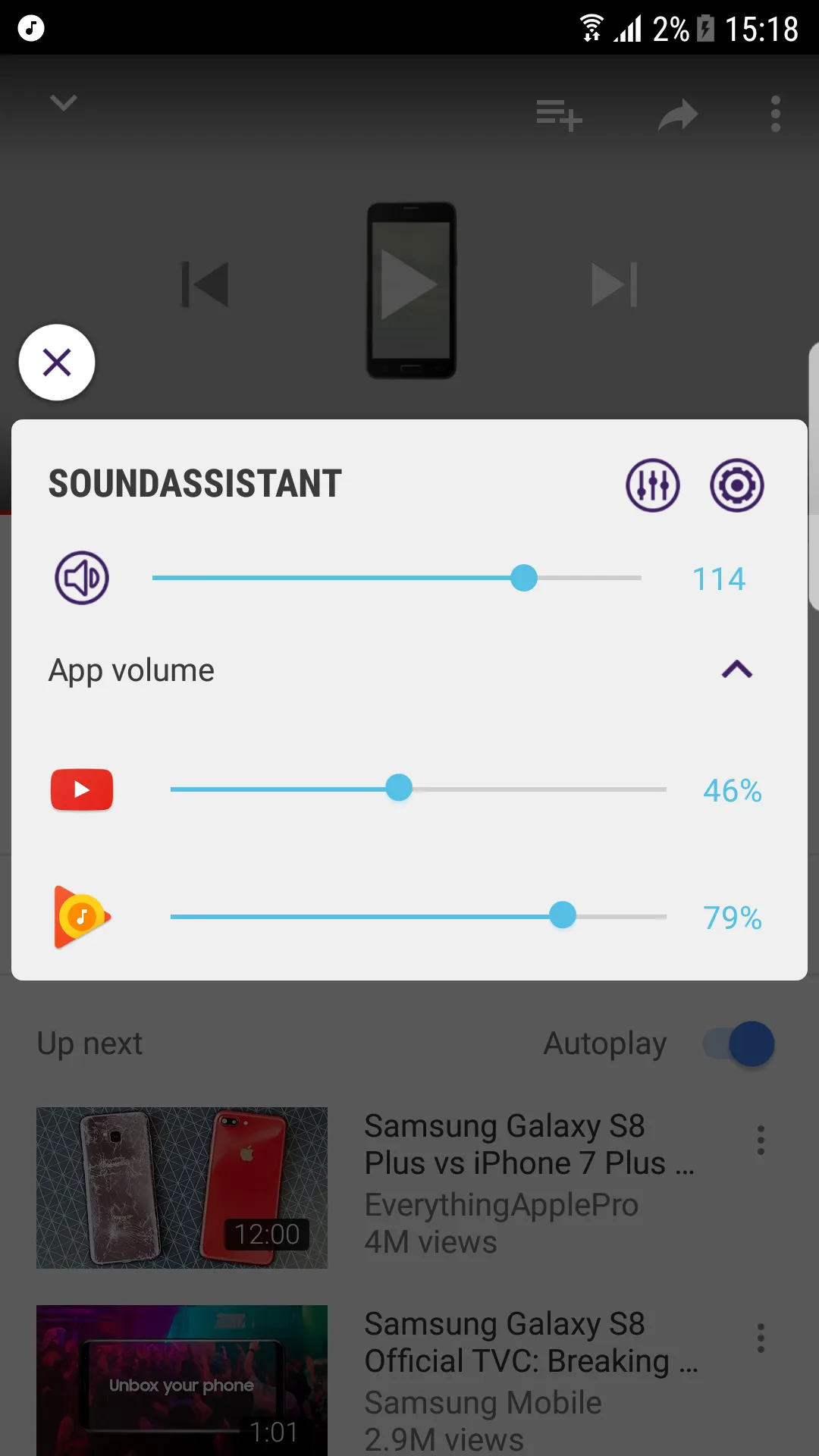
Set media as the default for hardware volume keys, then adjust per app volume so games, music, and calls keep their own levels. Change volume step size if you want finer or larger increments.
Enable Flux Volume UI and Dual App Volume View in settings to use the floating panel. Try mute, play, and pause, and long press items to enter the app for detailed options.
Connect headphones or Bluetooth audio, then use the floating dialog to switch an app’s output between devices. If needed, set mono audio or balance left and right for comfortable listening.
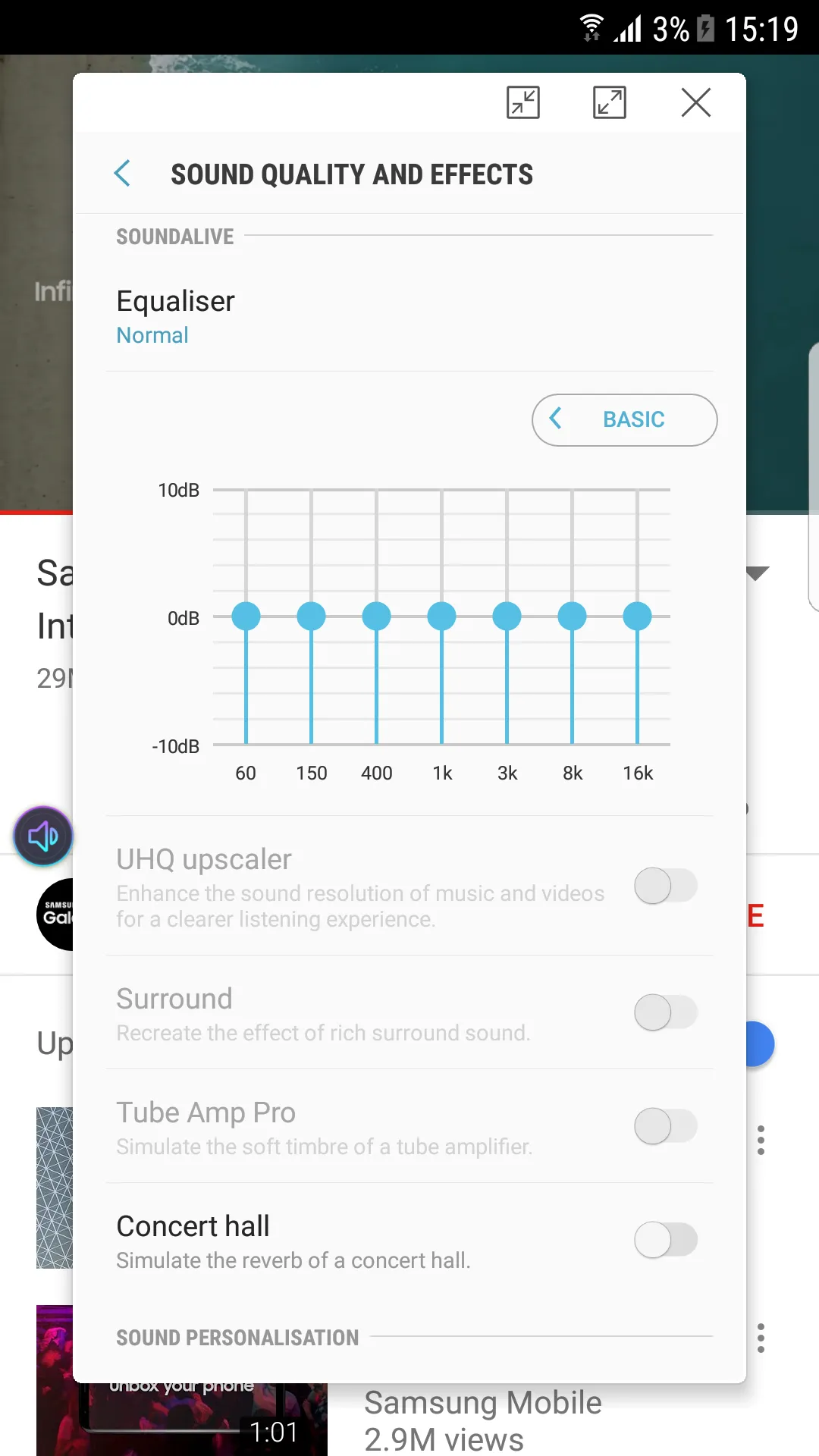
Open the equalizer, create a preset for your common scenario, and save it. Set a favorite media app and enable track skipping with volume keys if you want quick control from the side buttons.
FAQS
What is the primary purpose of this app?
This application primarily serves to provide advanced and granular control over your Android device’s audio settings, allowing for extensive customization of volumes, sound profiles, and output options beyond standard system capabilities.
Is Sound Assistant compatible with all Android devices?
While designed for Android, its full feature set is often best experienced on Samsung Galaxy devices, as it is developed by Samsung. Compatibility and specific features may vary on other Android brands.
Can I customize the volume panel’s appearance?
Yes, the app offers robust customization options for the volume panel. You can change its color, layout, and even how long it remains visible on your screen, tailoring it to your aesthetic preferences and usability needs.
Does this tool offer an equalizer?
Absolutely. Sound Assistant includes a comprehensive equalizer, allowing users to fine-tune various frequency bands and apply sound effects to enhance their audio playback, whether for music, podcasts, or videos.
Summarize
Discover Sound Assistant, the official Samsung app designed specifically for Galaxy smartphones. Tailored for users who value control over their audio experience, this app empowers you to manage sound settings intuitively and effectively. Enhance your listening experience with customizable volume control for individual applications and sound profiles that adapt to your daily routine.