SO Launcher
Personalization
2026-10-22
4.61MB
2.0
Android 4.0 and up
417
Screenshots
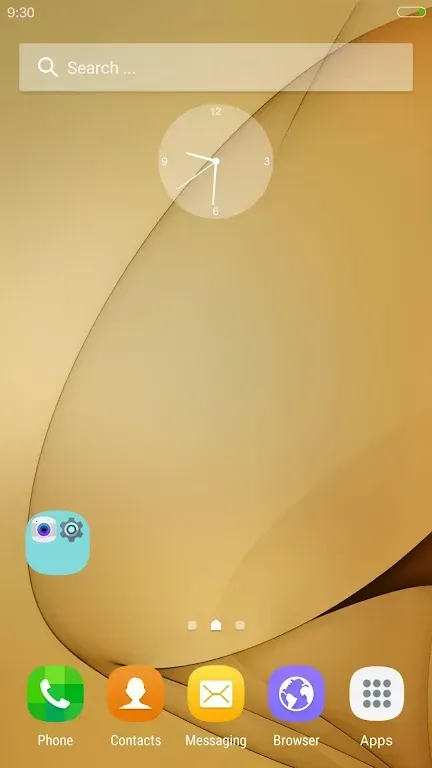
Introduction
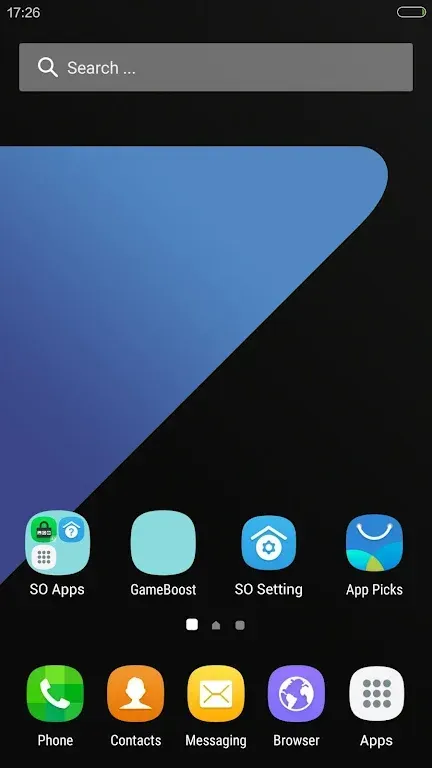
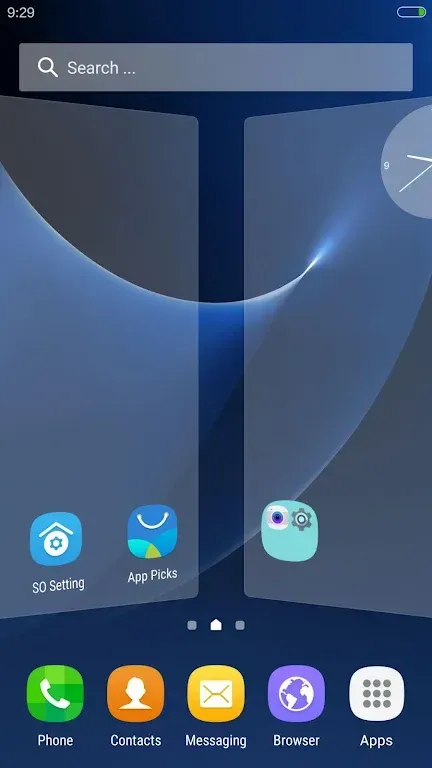
SO Launcher is a theme application designed for Android devices. It offers a wide array of customization tools, including an extensive collection of wallpapers, widgets, and icon packs. With a diverse range of styles available, users can easily find the perfect look to create a personalized home screen that reflects their own unique taste. The app also features performance optimization tools that reduce CPU usage and free up device memory, helping to extend battery life and ensure a smoother, more fluid user experience.
Features:
Convenience and Customization Features
SO Launcher integrates an intuitive sidebar, providing quick access to tools like Cleaner and Torch, which can be accessed from anywhere on your screen. This ensures swift navigation and enhanced multitasking capabilities. From managing app lists with advanced sorting features to hiding unused apps from the drawer, this app is engineered for precision. It also offers options to back up and restore settings, making transition between devices seamless. The app includes numerous gestures and dock icon gestures, adding an additional layer of efficiency to navigating your phone's interface.
Advanced Display and Notification Options
Enabling a translucent status and navigation bar, SO Launcher elevates the display aesthetics of devices running Android 4.4 or later, including Galaxy Note and S series. Its highly impressive notification system provides unread counts for SMS, emails, missed calls, and apps like WhatsApp. It also offers more than 200 customizable options, allowing you to finely tune every aspect of your launcher experience, from transition effects to UI size modes.
Highlights:
One of the most notable features of SO Launcher is its customization options. Users have access to a wide range of themes, wallpapers, widgets, and icon packs that they can use to personalize their home screen. Additionally, there are several transition effects available, which add some flair to navigating between screens.
Another advantage of using SO Launcher is its performance optimization capabilities. It helps improve battery life by reducing CPU usage and clearing up memory space on your device. This means that even older smartphones will run more smoothly with this launcher installed.
Pros and Cons:
Pros
Galaxy-inspired interface with smooth scrolling and transition effects
Strong customization across themes, icon packs, grid sizing, and drawer styles
App drawer organization tools, including sorting, folders, and app hiding
Sidebar utilities plus gesture controls (including dock gestures) for faster navigation
Unread count support for messages, email, calls, and WhatsApp
Backup, restore, and layout import options
Positioned as having no ads
Cons
Translucent status and navigation bar features depend on supported Android versions
The large set of settings can feel like a lot if you prefer minimal customization
Unread counts are focused on specific communication apps and categories, not described as universal
Conclusion:
SO Launcher is crafted to optimize your device's usability and visual performance. It extends the personalization capabilities of your Android phone, transforming the Galaxy S7 user interface into your own. This app provides both sophisticated design and functionality for users seeking a tailored experience without the distraction of ads.
-
Latest Updates
-
Featured Apps