WP Launcher (Windows Phone Style)
Personalization
2026-10-19
11.83MB
3.5.9
Android 4.0 and up
65
Screenshots
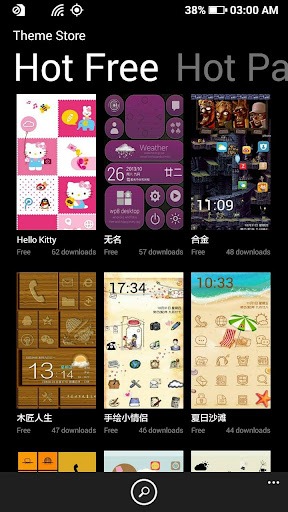
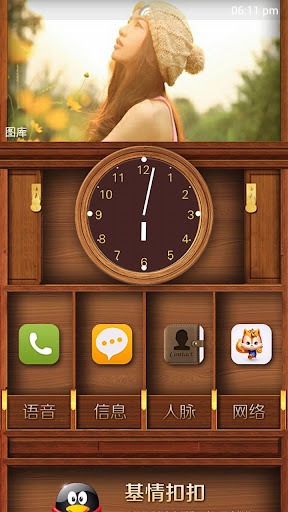
Introduction
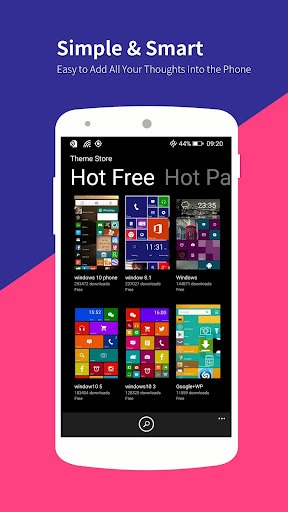
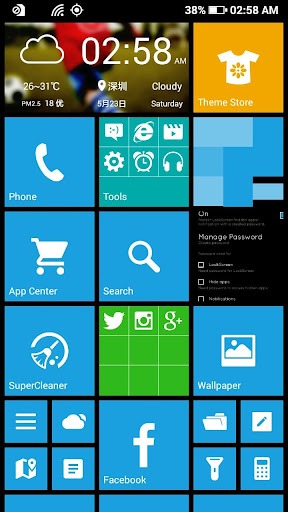
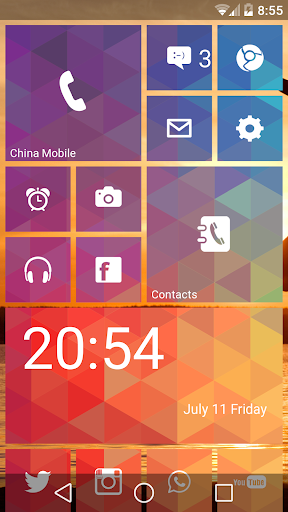
WP Launcher (Windows Phone Style) is a theming tool designed for Android devices, allowing users to experience the Windows Phone interface on their Android phones. It offers a wide range of personalization options, enabling users to choose which apps to add to the Start screen, as well as adjust the position and size of various elements. Users can also customize settings such as the interface's background color. The app provides a way to view all installed applications and search for them quickly by name. With its clean and minimalist interface, the app offers a visually pleasing experience.
Features:
WP Launcher
Bring a simple, uncluttered, and customizable Android experience to your smartphone, inspired by the dynamic Windows Phone interface.
Personalize your Start screen
which apps to add to the Start screen
tile position and size
primary interface color
custom background photo
decorative photo tiles
transparent tile borders
All your apps at your fingertips
View the list of installed apps, quickly search for them by name or package, and launch them with a simple tap.
A launcher tailored to your style
WP Launcher offers a clean, dynamic, and intuitive interface, designed to make your Home screen more personal and enjoyable to use every day.
Available languages
The interface is available in Italian and English.
Highlights:
The WP Launcher provides its users with several customization options such as changing the size of icons, adding widgets, and selecting different themes. It also has various live wallpapers that can be set according to personal preferences. Moreover, this app enables you to organize apps in folders for easy access.
One of the most significant features of WP Launcher is its ability to create shortcuts on the home screen. Users can add frequently used applications or contacts directly on the main screen by creating shortcuts. This feature saves time and effort while accessing essential files or people.
Pros and Cons:
Pros
Transforms your Android interface
Mimics the attractive Windows Phone interface well
Makes you appreciate WP more
Cons
Apps prove inconsistent with interface
Crashes from time to time
Fiddly at times (like the WP interface)
Conclusion:
Overall, WP Launcher (Windows Phone Style) is an excellent choice for those who want to personalize their phones’ appearance without compromising functionality. Its user-friendly interface makes it easy to use even for beginners. With numerous customization options, this app gives users complete control over how they want their device to look and function.
-
Latest Updates
-
Featured Apps