One Shade Pro
Personalization
2026-10-22
12.79MB
18.5.11
Android 5.0 and up
581
Screenshots
Introduction
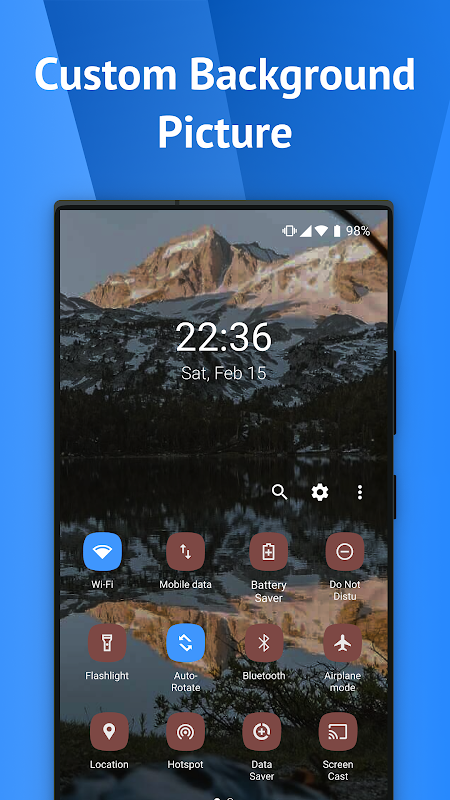
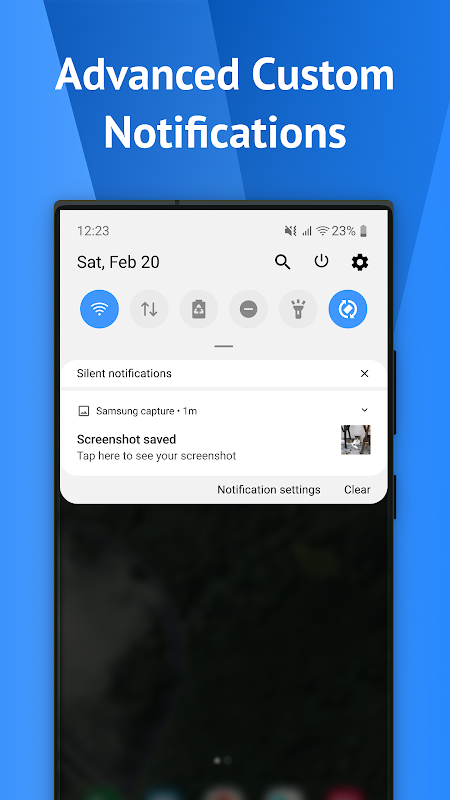
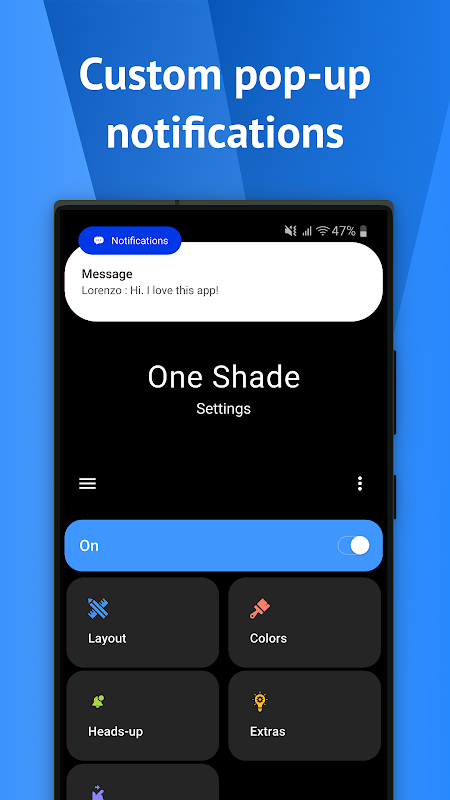
One Shade Pro is a theming app for Android devices that offers a fully customizable notification panel. Users can adjust the layout, select themes for notification cards, and even add background images to create a truly personalized interface. The app also groups notifications from the same application together, making them easier to manage. Additionally, it features a quick-reply function, allowing you to respond to messages directly from the notification panel without needing to open the original app—offering a high level of convenience.
Features:
Custom notification shade
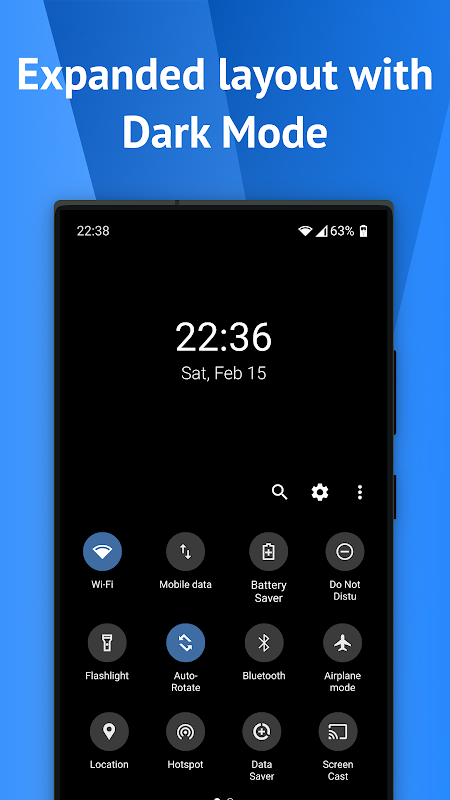
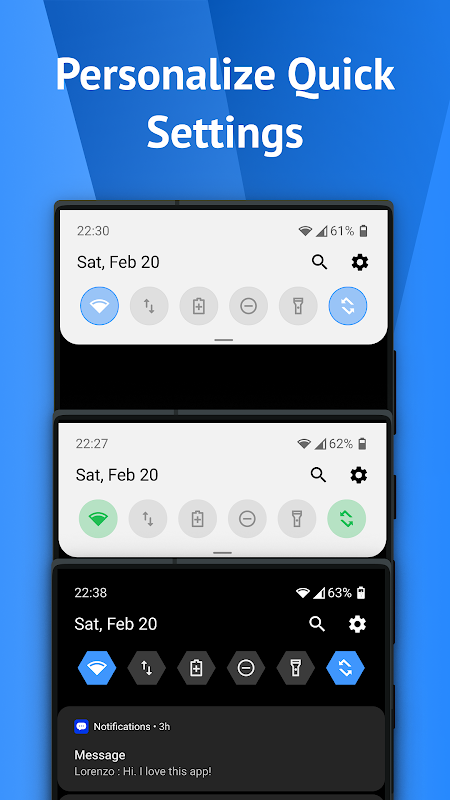
One Shade Pro replaces the system shade with a layout you can adjust. You can choose card themes such as light, colored, or dark, and add a background image to match your style. Alerts from the same app can be bundled together for easier review.
Quick settings control panel
Change panel and icon colors
Adjust brightness slider color
Show useful device info icons
Display your profile picture in the shade
Pick tile icon shapes like circle, square, or teardrop
Optional pro setting to change grid columns and rows
Actions and media controls
You can reply to messages directly from the shade. Notifications can be read, snoozed, or dismissed without opening apps. Music controls include scrubbing through a track from the notification and dynamic colors based on album art.
Accessibility and setup
To work properly, the app uses the AccessibilityService API and needs Accessibility Permission. It does not read sensitive content or collect personal data. Accessibility is used to recognize top screen touches for opening the shade and to toggle selected settings. Setup guidance is built in, and no root or a custom ROM is required. This applies on most devices and in the One Shade Pro latest version.
Pros and Cons:
Pros
Extensive control over colors, backgrounds, tile shapes, and layouts
Useful notification bundling, quick replies, and music controls
Configurable swipe areas improve one-handed access
Doesn’t require root access or a custom ROM
Cons
Occasional crashes and inconsistent shade replacement
Requires broad accessibility and notification permissions
Android 11-based styling may feel dated
Changelog:
What's new
Updated expanded WIFI menu design
Improved support for Android 13
Better explanation for location permission
Crash fixes
FAQs:
Q: Can I change themes to customize the notification shade's appearance?
A: This app offers a variety of themes to choose from, allowing you to personalize the notification shade to your liking.
Q: How does notification management work in the app?
A: It provides advanced notification management tools, including the ability to group notifications by app, set custom actions, and prioritize alerts.
Q: Can I create shortcuts to my favorite apps within the notification shade?
A: You can easily create shortcuts to your most-used apps directly in the notification shade, providing quick access.
Q: Can the notification background, colors, and transparency be modified?
A: It offers advanced customization options, allowing you to tailor the notification background, colors, and transparency to your preferences.
Conclusion:
With its focus on personalization and functionality, One Shade Pro stands out as a valuable tool for Android users looking to improve their notification management. The combination of advanced notifications, music controls, quick reply features, and customizable aesthetics makes it a versatile application. By downloading One Shade Pro, users can take control of their mobile experience and enjoy a tailored interface that meets their needs.
-
Latest Updates
-
Featured Apps