Smart Launcher 6
Personalization
2026-09-29
22.40MB
6.6build021
Android
383
Related Apps

Screenshots
Introduction
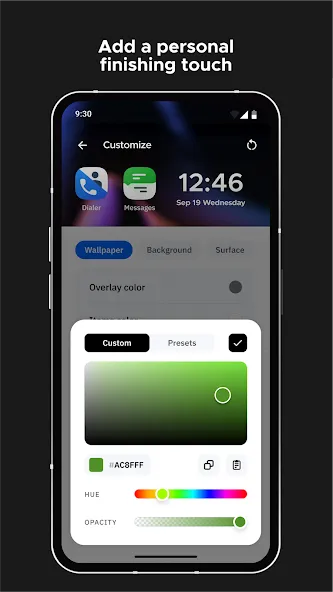
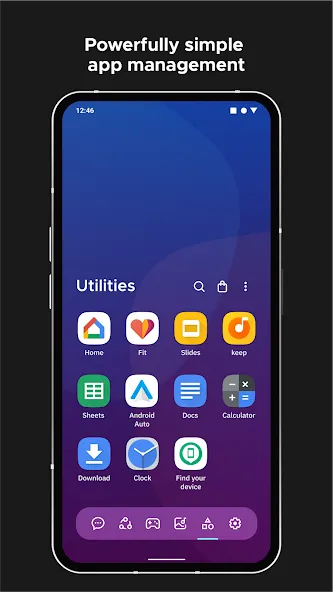
Smart Launcher 6 is a customization tool designed specifically for Android users. It enables users to organize their apps and apply various aesthetic enhancements to their phones. Thanks to its user-friendly interface, the app is easy to pick up and use immediately, requiring no prior experience. It offers powerful customization features, allowing users to change themes and icon packs, as well as adjust home screen layouts, font colors, and other personalized settings. The app boasts excellent compatibility, supporting a wide range of Android devices and applications. It is also regularly updated with new content to keep the experience fresh and engaging. Additionally, it ensures robust security to protect user privacy, making it a comprehensive and versatile application.
Features:
A wide range of selections in the launcher for users to personalize their device or home screens with innovative changes or interactions.
Beautiful icon packs with different wallpapers to choose from for free while packed with customizable colors and more to change users’ experiences.
Gridless interaction and app organization for users quickly set up their shortcuts or functions to have everything done with one finger.
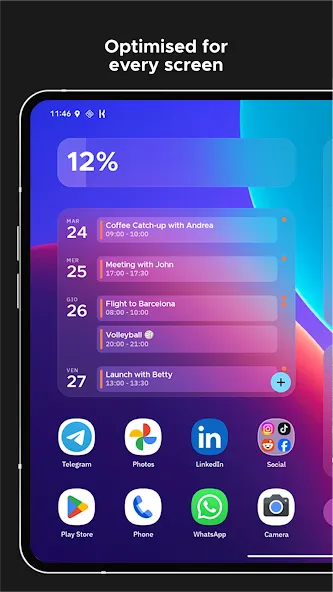
Set up the gridless widget with excellent customization in resizing and even stacking on each other to display the necessary information for users.
Create a new launcher with distinct and creative beauty while personalizing the apps neat to have quick access to anywhere on the device.
Highlights:
Save time: The system can identify to group apps of the same type.
Inspired by IOS: With a unique layout, you can use features quickly.
Clear and gentle home screen: The interface changes in a positive direction to give you an attractive experience
Convenient search: With just a few swipes, contacts, apps, or web results are clearly displayed.
All utilities are on the search bar: All useful features can be used in a single location.
Find thousands of impressive fonts: From a large interface, a suitable theme can be created.
Size creates feeling: You can change the position and characteristics of each thing displayed on the screen to get the most suitable feeling.
FAQs:
What is Smart Launcher 6?
Smart Launcher 6 is an Android launcher app that replaces your default home screen with a cleaner layout, smart app categorization, search tools, themes, gestures, and additional customization options.
What is Smart Launcher 6 used for?
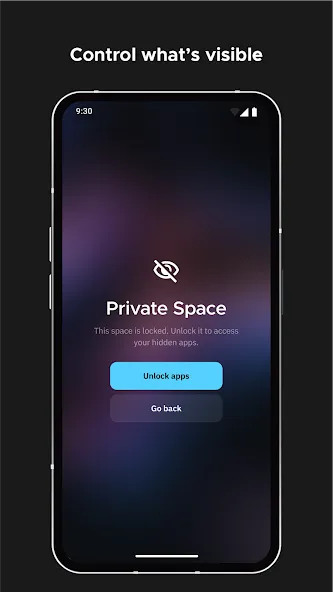
It is used to organize apps, customize your Android home screen, speed up navigation, hide specific apps, and apply icon packs, making daily phone use simpler and more organized.
Does Smart Launcher 6 support older Android phones?
This launcher is designed to be lightweight and can help older phones run more smoothly. Actual performance depends on the device model, Android version, storage space, and the number of apps running in the background.
Advantages and disadvantages:
Pros
Free to download
Sleek and clean interface
Innovative customizable layout
Automatically categorizes Apps
Customizable themes and widgets
Cons
Occasional crashes
Conclusion:
Smart Launcher 6 offers a wealth of high-potential tools and features designed to significantly enhance your Android smartphone experience. Download the Smart Launcher 6 APK to try out what is undoubtedly one of the most renowned launchers on the Android platform. Packed with functionality, the app boasts a beautiful, elegant, and customizable design. It is an outstanding launcher that continues to improve with every update.
-
Latest Updates
-
Featured Apps