Navigation Pro
Maps & Navigation
2026-10-09
9.14MB
13.10
Android
167
Screenshots


Introduction
Navigation Pro is a navigation app designed for Android devices. It allows users to store map data directly on their smartphones and link their phones to smartwatches, enabling them to view map information on their wearable devices. The app boasts powerful features, offering high-definition map displays and providing streamlined maps covering countries worldwide. These maps include a wealth of information—such as navigation routes and public transport locations—offering great convenience for travel.
Features:
clear display of maps in HD format
work with maps without Internet access (to do this, you must first save the maps to the device’s memory);
download maps from the app itself;
availability of compact maps for all countries of the world;
loading an arbitrary area for maps;
display of additional information on the map: navigation routes, objects (POIs), favorite locations, elevation lines, public transport stops, by type (for example, restaurants, parking lots, sports, tourist attractions) or by geographical coordinates;
search for addresses and objects (POI) without Internet access;
laying routes for any distance using Internet services;
laying routes for medium distances without Internet access.
Highlights:
car, bicycle, and pedestrian modes with features: – automatic switching to the day/night mode of drawing the map;
changes the map scale depending on the speed;
rotation of the map by compass or direction of movement;
use of voice commands (played by recorded or generated voices) when driving along the route;
warnings about exceeding the permissible speed limit.
Usage:
Install Samsung Gear and connect with your Gear smartwatch.
Install this "Navigation Pro" app on your watch.
Install "Navigation Pro" app on your phone.
Start "Navigation Pro" app on your phone.
Allow the app to read notifications. (Go to: Settings > Security > Notification Access and enable Navigation Pro).
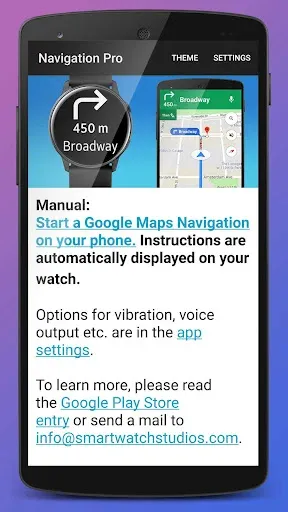
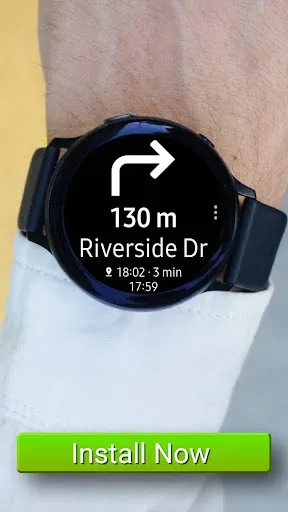
Start Google Maps Navigation and instructions will be pushed to your smartwatch.
Pros and Cons:
Pros
Strong Wear OS and Galaxy Watch integration for on-wrist navigation
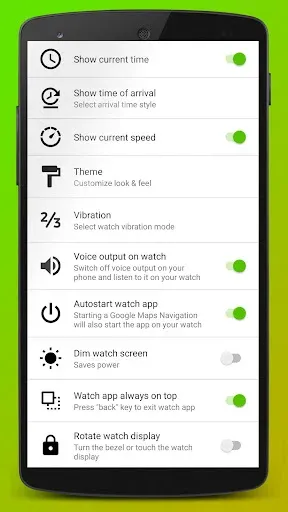
Autostart, voice navigation, and on-watch customization
102-language support for global users
Large and growing user base indicated by 1,000,000+ total downloads
Cons
Not standalone on Wear OS; requires a connected phone to function (Wear OS app is not standalone)
Requests multiple sensitive permissions (location, background, notifications) typical for navigation apps, which may require user awareness
Conclusion:
Unlike other apps, the app can store the maps in your smartphone's memory, and you can browse the map anytime you prefer, even without an internet connection. It will get auto-integrated with your handset's GPS and offer 100% accurate and authentic routing via audio and optical guidance for cars, bikes, cycles, and even tourists who have come to a new place for a holiday.
-
Latest Updates
-
Featured Apps