Mozilla Firefox
Tools
2026-10-16
595.87MB
157.0.1
Android 5.0 and up
92
Screenshots
Introduction
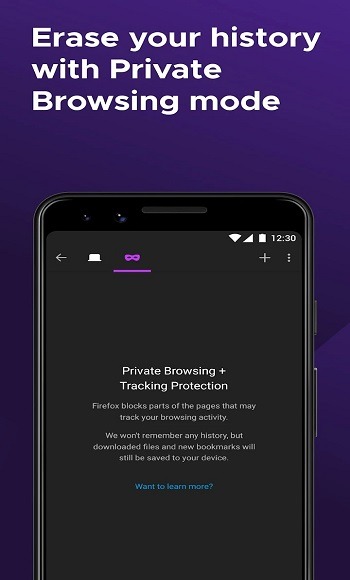
Mozilla Firefox is a browser for Android devices that offers a powerful feature set, ensuring a seamless web-browsing experience. It includes a private browsing mode with built-in tracking protection, allowing users to browse the web discreetly without leaving any traces. The browser also helps keep your phone secure by blocking various forms of malware and phishing attempts. With significantly enhanced performance and a very low memory footprint, it provides an optimized user experience.
Features:
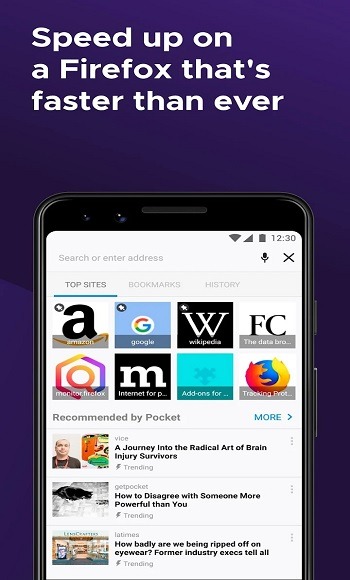
Extremely improved performance
Uses 30% less memory than Chrome
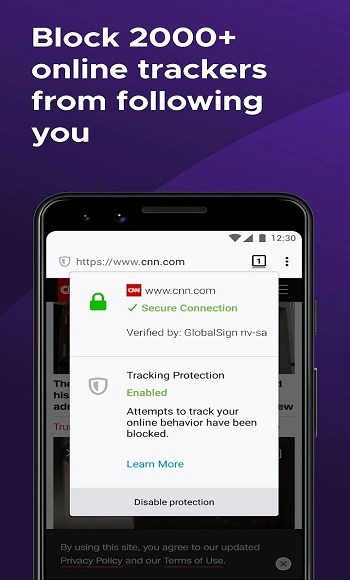
Truly Private Browsing with Tracking Protection
Souped-up Add-ons manager
Stronger phishing and malware protection
Improved download manager
Native looks for every system
Streamlined "Remember password" handling
Smart bookmarks
Places Organizer replaces the Bookmark Manager
Smart Location Bar learns how you browse
Tips and Tricks:
Open Mozilla Firefox, review the welcome screens, then choose your default search engine and where the address bar should appear for easier reach.
Sign in to your Mozilla Firefox account if you want sync, then select what to sync such as tabs, bookmarks, history, or logins.
Tap the menu, open the add ons section, and install extensions that match your needs, like content blockers or privacy tools.
Start a private tab when you want a separate session, and in settings enable a fingerprint, face, or PIN lock for private tabs if needed.
While browsing, use Reader Mode for long articles, try picture in picture for video, organize pages with tab groups, and pin important tabs for quick return.
Pros and Cons:
Pros
Offers smooth browsing performance with reduced memory usage
Blocks unwanted ads and trackers
Offers features like Enhanced Tracking Protection, DNS-over-HTTPS, and Facebook Container
Cons
Slower updates for some features compared to its competitors
FAQs:
Is Mozilla Firefox free to use on Android?
Yes, the browser is completely free to download and use on Android devices. It offers all its core features and functionalities without any subscription fees or hidden costs, making it accessible to everyone.
What makes Mozilla Firefox a privacy-focused browser?
It prioritizes privacy by including features like automatic tracker blocking, enhanced tracking protection, and a commitment to not selling user data. This ensures a more secure and private online experience for its users.
Can I use extensions with this browser on my phone?
Absolutely. The Android version supports a selection of popular extensions and add-ons, allowing you to enhance its functionality and customize your browsing experience further, just like on a desktop.
Does this solution offer an incognito mode?
Yes, it includes a Private Browsing mode that does not save your browsing history, cookies, or site data after you close the private tabs. This is ideal for sessions where you prefer not to leave a digital trace.
Conclusion:
The browser continues to evolve, introducing new security enhancements and customization options that cater to modern users. Those looking to switch from mainstream browsers will find that Mozilla Firefox offers a refreshing balance of control, speed, and privacy all without sacrificing functionality. If you're seeking a browsing experience that truly respects your data, this platform is worth exploring.
-
Latest Updates
-
Featured Apps