Messenger Lite
Social
2026-11-03
15.44MB
338.0.0.3.102
Android
254
Screenshots
Introduction
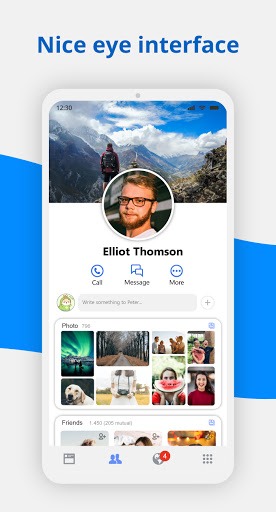
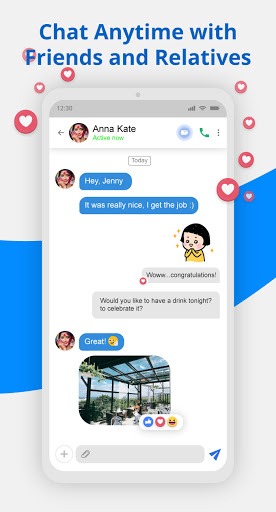
Messenger Lite is a powerful social messaging app. While offering a rich set of social features, it has been streamlined to have a small file size, making it easy to download. It remains fully functional even on 2G networks and consumes very little battery, allowing for extended use. The app enables users to send text, photos, links, and stickers to others, as well as engage in one-on-one voice and video calls. Its interface features a clean, simple layout, making it easy for users to start a conversation.
Features:
Reliable on slow or unstable networks
When your signal is weak or unstable, Messenger Lite app keeps messages moving with minimal delays. It loads recent chats without heavy media and retries gently when the network changes. As a result, you can continue conversations even when coverage is not steady.
Core chat tools that cover the basics
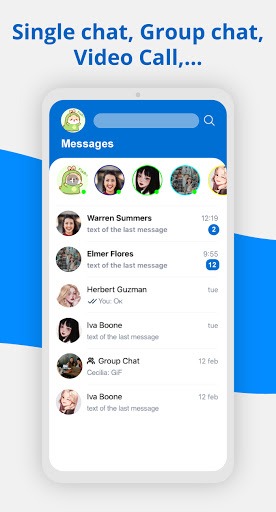
You can send 1:1 and group messages with text, photos, links, and stickers. Active status shows when you are available, which helps contacts reach you at the right time. The layout is simple, so starting or joining a chat takes only a few taps.
1:1 voice and video calls over Wi‑Fi
Messenger Lite supports free 1:1 voice and video calls over Wi‑Fi. Calls do not use mobile minutes and can run for long periods on a stable connection. For clearer audio and video, connect to reliable Wi‑Fi before you start. You can call contacts in other countries the same way as local calls.
Chat across Messenger, Facebook, and Facebook Lite
You can reach contacts who use Messenger, Facebook, or Facebook Lite, and your history stays in sync. This continuity means switching devices or apps does not break a conversation. Messages and calls you place in Messenger Lite appear alongside your history in the other apps.
Highlights:
Installs fast: The app is smaller, so it downloads quickly and uses less storage space.
Loads quickly: You can send text, photos and links to anyone who uses Messenger, Messenger Lite or Facebook Lite.
Uses less data: Be more efficient with your mobile data and save space for other apps. Using less data will save you more money.
Works on all networks: It's designed for 2G networks and areas with slow or unstable internet connections. If you don't have a connection, your messages will be delivered when you have signal.
Works on most Android phones: you can use it on almost any type of Android phone, new or old, including Gingerbread.
Pros and Cons:
Pros
Saves phone storage space
Uses much less data and battery
Functional even in 2G
Features all the main Messenger functions
Cons
Lacks extras - GIFs, stories
FAQs:
Can I make voice calls on Messenger Lite?
Yes, the app supports voice calls, but video calling is not available.
Does Messenger Lite require a lot of storage space?
No, the app is much smaller than the standard version, making it ideal for devices with limited storage.
Can I use Messenger Lite without a Facebook account?
Yes, you can log in using your phone number without needing a Facebook account.
Does Messenger Lite support sending media files?
Yes, you can send images and links, but some advanced features like Stories are not available.
Conclusion:
Messenger Lite is great. With its small size and even further simplified user interface, it still enables you to access all key features of the messaging app and stay in touch with other people using this software. Messenger Lite is a great choice for users looking for a fast, data-efficient messaging app that works smoothly even on low-end devices and weak networks.