KwaiCut
Entertainment
2026-09-25
196.06MB
7.47.0.747161
Android
231
Screenshots
Introduction
KwaiCut is a video editing app designed for Android devices. It offers a wide range of editing features, allowing users to precisely trim, crop, and splice video clips. Users can also tap and drag on the timeline to quickly arrange and adjust their footage. The app provides a rich selection of filters and advanced visual effects to help users create a unique video style. Free from complex techniques or tedious workflows, KwaiCut eliminates the steep learning curve, enabling even beginners to get started quickly.
Features:
Free, precise core editing
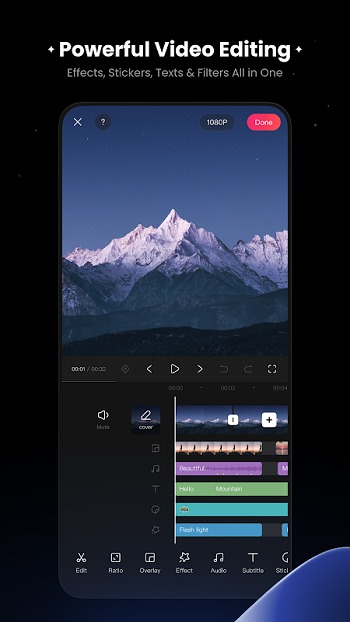
KwaiCut lets you trim, crop, split, and splice clips with accurate control. You can reverse a segment for a quick rewind effect and change playback speed for slow or fast motion. The timeline responds to taps and drags, so arranging and refining cuts stays quick on a phone screen.
High quality export options
When the edit is done, KwaiCut exports in multiple resolutions, including ultra high definition. Aspect ratio and size presets help fit common social video formats, reducing extra adjustments. This keeps your file ready for upload after export.
Audio tools for clear sound
You can apply built in noise reduction to reduce background sounds and make spoken parts easier to hear. A music and sound effects library offers several styles for different moods, and volume controls help balance tracks with voiceovers.
Subtitles and styled text
KwaiCut supports manual captioning so you can type and place text exactly where it is needed. There are many text styles and dynamic effects available, which makes it simple to match fonts and motion to the look of each clip.
Filters, effects, and creative assets
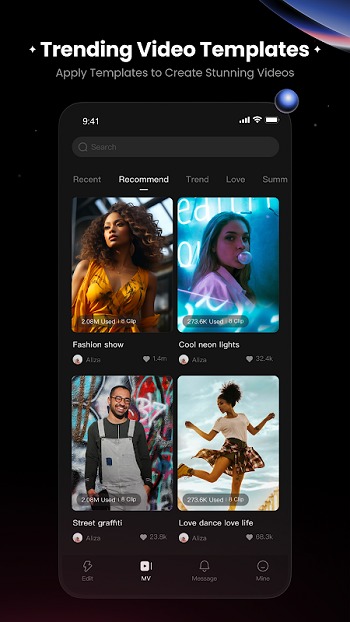
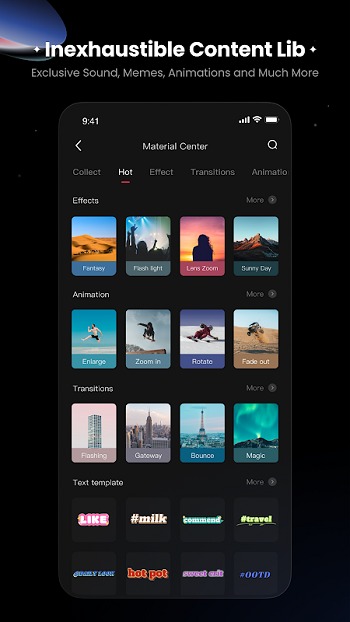
Beyond basic edits, KwaiCut includes adjustable filters and advanced visual effects to shape the look of your footage. You can add static and dynamic stickers, plus import your own assets for custom branding. The Inspiration Center provides one tap access to trending materials and templates to speed up a consistent style.
Highlights:
Precision editing tools and smart workflow
KwaiCut streamlines core tasks with frame accurate segmentation and straightforward controls so you cut where you need. Combine shots seamlessly, reorder scenes, and control playback direction or speed to match the mood. This mobile video editor exports quickly in multiple resolutions that work across major platforms.
Audio, subtitles, and cinematic effects
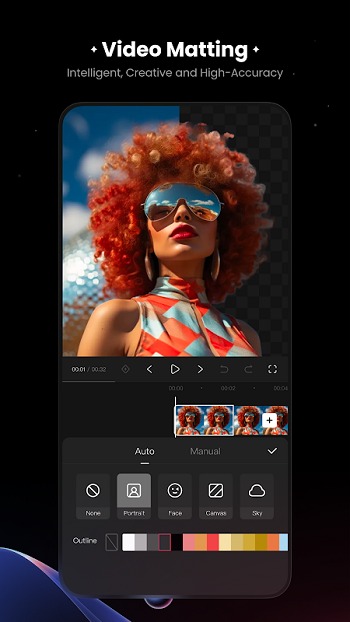
Clean up dialogue with built in noise reduction, then add music from a multi style sound library. Create subtitles with convenient tools and pick from hundreds of professional styles with dynamic effects. For visuals, apply movie grade filters, adjust intensity, and enrich scenes with static or animated stickers, including custom imports you can scale or reposition.
Pros and Cons:
Pros
Precise trimming, reversing, and speed controls
Noise reduction for speech-heavy videos
Adjustable filters and custom sticker imports
Multiple export resolution choices
Cons
Picture-in-picture layer handling may feel awkward
No apparent audio translation tool
Exact export limits aren't clearly specified
FAQs:
What is KwaiCut?
KwaiCut is an Android video editing app.
What is KwaiCut used for?
It is used to edit short videos on mobile devices, including trimming clips, adding music, subtitles, filters, stickers, and exporting content for social platforms.
Who should use KwaiCut?
It suits beginners, casual creators, students, and social media users who want quick edits without complex controls or professional workflows.
Does KwaiCut support subtitles and text?
Yes. Users can manually add and edit subtitles, choose from multiple text styles, and apply animated effects for better visibility.
What are the limitations of KwaiCut?
It lacks advanced professional tools such as detailed color grading, multi-layer timelines, and advanced audio mixing features.
Conclusion:
KwaiCut delivers a balanced mobile video editing experience built around simplicity and essential features. KwaiCut works well for users who want to create and refine short videos without relying on advanced editing techniques or technical controls. KwaiCut avoids the learning curve associated with more complex editors, making it suitable for casual creators and frequent social sharing. KwaiCut is best viewed as a practical, entry-level editing tool rather than a full production solution.