Koala Sampler
Entertainment
2026-10-23
54.50MB
1.4079
Android 6.0+
271
Screenshots
Introduction
Koala Sampler is a music creation tool designed for Android devices. It allows you to craft a wide variety of sound effects and comes equipped with a range of practical music-production features. You can sample up to 64 audio sources simultaneously, apply transformations to recorded sounds, and define custom pitch ranges for your audio tracks. The app enables you to record audio, create beats, and edit samples—all directly on your phone. It is secure, easy to pick up, and beginner-friendly, with an intuitive interface that clearly presents its various functions.
Features
Record and import sounds
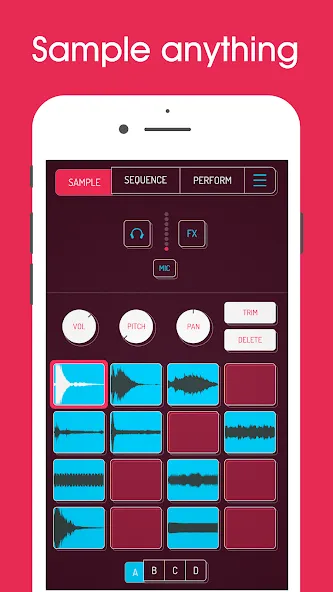
Koala Sampler lets you capture up to 64 samples with the phone microphone, so you can record voice, drum hits, room sounds, street noise, or short instrument parts. You can also import your own audio files when you already have loops, melodies, or sound packs prepared. This makes the Koala Sampler app useful as more than a recorder, because each sound can become part of a beat.
Build beats with a sequencer
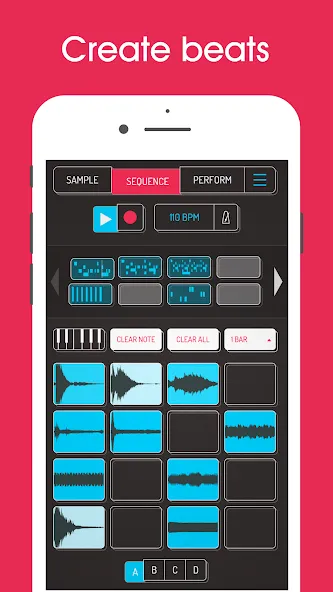
You can turn samples into rhythms with a high resolution sequencer that supports quick pattern creation. Koala Sampler also includes drag based sequence editing, quantize, swing, and note repeat, which help you adjust timing without moving through complex menus. In practice, this lets you sketch a drum pattern, shift the groove, and repeat notes in a way that feels close to playing the pads directly.
Edit samples in detail
After recording or importing a sound, you can shape it with controls such as trim, pan, pitch, volume, attack, release, and tone. Koala Sampler also supports reverse playback, looping, and one shot playback, so the same recording can be used in several ways. For example, a short vocal sound can become a hit, a loop, or a reversed texture depending on how you edit it.
Add effects while creating
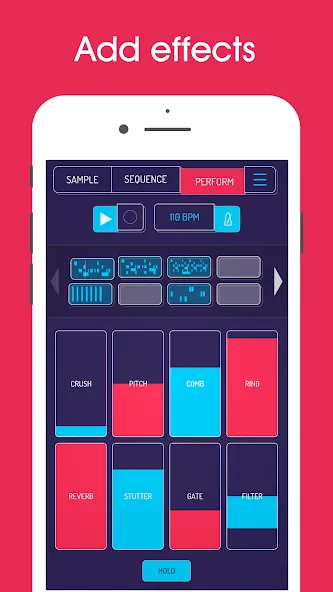
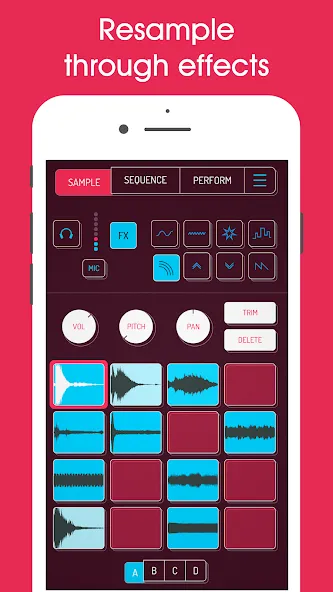
Koala Sampler includes microphone effects and DJ style mix effects for changing the character of your sounds. These include reverb, stutter, pitch shift, bit crusher, filters, delay, distortion, and compressor. Because these tools sit inside the app workflow, you can record a sound, apply effects, and hear how it fits with the beat before exporting the result.
Resample and use advanced tools
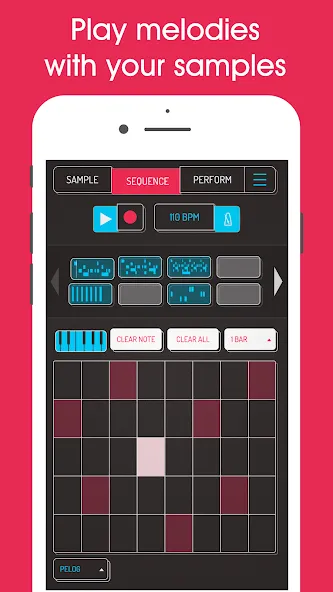
You can resample the app output into new samples, which allows layered loops, effect chains, and more experimental beat ideas. Koala Sampler Android also supports deeper tools such as MIDI control, keyboard mode with scales, Ableton Link jam support, stem separation, and optional Samurai features like timestretch, piano roll, and auto chop. These options give the app more depth when you want to move beyond basic beat sketches.
Tips
Keep enough free storage space
Update Android software when possible
Use clean download files
Restart your device if installation pauses
Close unused apps during setup
FAQS
What is Koala Sampler APK?
Koala Sampler is a mobile music production app for Android that lets you record sounds, create beats, edit samples, add effects, and export audio tracks directly from your phone or tablet.
How do I download Koala Sampler APK latest version?
To download Koala Sampler APK latest version, get the newest Android package from a reliable source, save the file to your device, then install it through your Downloads folder after allowing app installation permissions.
Is Koala Sampler APK safe for Android devices?
Koala Sampler APK can be safe when downloaded from a trusted source. Always check file permissions, keep your Android system updated, and avoid suspicious or modified packages.
What features does Koala Sampler APK offer?
Koala Sampler APK includes sound recording, sample editing, beat pads, pad sequencer, audio effects, resampling tools, MIDI support, and high-quality audio export for mobile music creators.
Can beginners use Koala Sampler APK?
Yes, Koala Sampler is beginner-friendly because it has an easy pad-based workflow, simple recording tools, and fast beat creation features while still offering advanced options for experienced users.
User comments
I love this app so much, and I would give it 5 stars if it weren't for this one weird bug that happens intermittently. Sometimes, when I open the app, the audio output just won't work at all regardless of the device I'm using. I've fully upgraded the app because it's just so feature-loaded and I adore the workflow of it, but this bug drives me crazy and completely kills my creative impulse when it happens!
Man, had this for some time and it was good from the get go, but I gotta say I bought their sample packs just to support., because they gave updates for free and now with the automation and pitching and stems, this is a knocked it out of the Park. thanks So Much to Elf Audio!
Great sampler, but add on cost creep ( you need to buy the two add-ons to get the best from it). but they should be charged and included up front like FL Studio. Really well executed software though and definitely worth the ~£11. Im not sure I would pay more if the price went up further. It would be nice if you could play head scan forwards on long samples within the sequencer and have it still play, also would be nice to lock sequence channels to avoid accidental moving on small phones.
Summarize
You can use your phone’s mic to record whatever you want with the Koala Sampler app. Users can also customize the sound of their music with effects. A simple and intuitive user interface makes it easy to record or play your amazing singing. It will take you only one simple step to successfully convert your voice to the desired sound.
-
Latest Updates
-
Featured Apps