Spotify: Music and Podcasts
Entertainment
2026-10-24
146.67MB
9.1.94.1929
Android 4.4+
277
Screenshots


Introduction
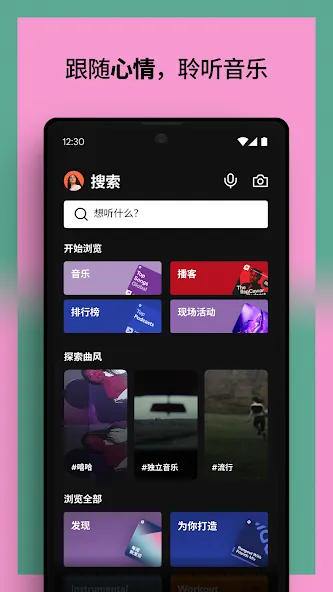
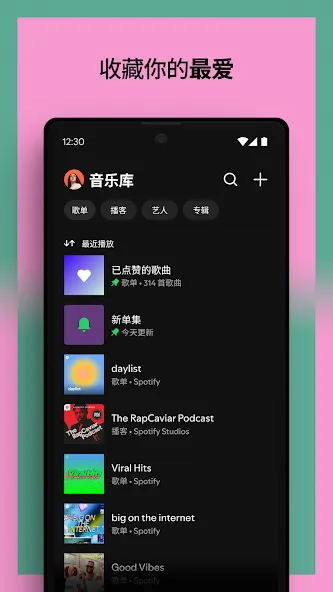
Spotify: Music and Podcasts is a music streaming platform for Android devices. You can browse through various songs and albums, and discover content based on your preferred genres. The app provides recommendations—including radio stations from the U.S. and Japan—tailored to your listening history. You can quickly search for music by lyrics or song titles, create your own playlists, and enjoy listening anytime. Your music library and playlists are linked to your account, allowing them to be synced across multiple devices. The platform offers excellent sound quality and supports offline listening.
Features
Music, podcasts, and audiobooks
Spotify lets you browse songs, albums, artist releases, genre pages, charts, and original podcasts. You can also explore audiobooks where they are offered. This makes it possible to switch between music and spoken audio without changing apps.
Personalized ways to discover audio
Spotify uses your listening activity to provide Daily Mixes and artist radio. In addition, you can browse curated playlists, new releases, local charts, and global charts. These options can help when you know the mood or genre you want but have not chosen a specific artist.
Search by title or lyric
You can search Spotify by song title, artist name, or album. If you only remember part of a song, lyric search can also help locate it. Search results let you open the track, artist page, album, or related content directly.
Playlists for saved listening
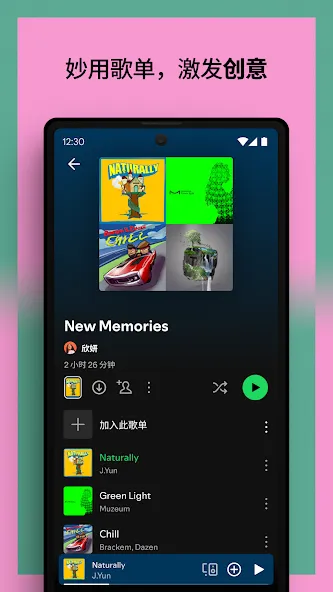
You can create playlists for activities such as studying, exercise, travel, or gatherings. Spotify also lets you save, share, and follow playlists made by other users or editors. Podcast episodes can be organized into playlists as well, which can be useful for keeping a listening queue.
Continue with the same account
Spotify keeps your library, playlists, and listening progress linked to your account. As a result, you can begin listening on an Android phone and continue on compatible tablets, speakers, TVs, cars, game consoles, Chromecast devices, Wear OS devices, or the web player. Availability depends on the device and its connection to your account.
Function
Play any song, any time on any device--mobile, tablet, or your computer
Download music for offline listening.
Enjoy amazing sound quality.
No ads – just uninterrupted music.
No commitment - cancel any time you like.
FAQS
How can I download music from Spotify: Music and Podcasts for offline listening?
This feature is available exclusively to Premium users. Open the album or playlist you wish to download, then tap the download arrow. Once the icon turns green, you can listen to the downloaded songs even without a Wi-Fi or mobile data connection.
Why are some songs unplayable or unavailable on Spotify: Music and Podcasts?
If a song appears greyed out, it may be due to regional or country-specific copyright restrictions, the artist having removed it from the platform, or specific content settings that prevent playback. You can go to "Settings" -> "Display" and enable the "Show unplayable songs" option to help identify which tracks cannot be played.
Why does Spotify: Music and Podcasts stop playing when I turn off my screen or switch to another app?
This can happen if Spotify: Music and Podcasts is restricted from running in the background. Please check your device settings and grant permission for Spotify: Music and Podcasts to run in the background. You should also disable any apps that automatically clear memory or terminate background processes.
User comments
If you don’t want to spend money, you can listen to plenty of songs online. While you can’t choose specific tracks or download them, and ads will pop up every few songs, it’s free—so those minor drawbacks don’t really matter.
Compared to domestic music platforms, Spotify is excellent. With a premium subscription, there are truly no ads (though even the free version, despite the ads, is still quite good). The sound quality is solid, and the interface is clean and smooth. A few downsides: some songs lack lyrics or translations, and you can’t play music on your phone and computer at the same time. Overall, though, it’s a fantastic service.
Although I’ve only been using Spotify for a few days, I have to say it’s significantly better than the music platforms we have here in China. I’m currently using the free version, but I might upgrade to a paid subscription later on. It would be even better if there were an option to remove specific items from the "Recently Played" list—I really hope the developers add a feature to delete entries from that section.
Summarize
Spotify: Music and Podcasts brings music and spoken-audio content together in a single listening environment built around playback control, discovery, and library management. Features such as personalized recommendations, queue tools, and offline listening (where available) support different routines, from quick sessions to longer listening habits.