Hide Apps
Personalization
2026-10-28
28.43MB
3.5.2_95bdbad81
Android
258
Screenshots


Introduction
Hide Apps is a highly practical application designed for hiding other apps. It features a user-friendly interface that allows for a quick start, with intuitive functions that deliver real value. Users can set up the app by registering an account and creating a password. It does not require root access and is compatible with the vast majority of Android devices. The app also supports sharing across multiple devices and managing several accounts. With robust security tools, it ensures the protection of user privacy and data. Furthermore, it has a small footprint—taking up minimal storage space—while maintaining stable and smooth performance. It even includes a powerful "calculator" interface that only reveals the app's true functionality when the correct password is entered.
Features:
Hide Apps from Your System Launcher
Import selected apps into App Hider, verify that they open correctly within the tool, and then remove the original apps from your home screen. Once done, these apps can only be launched via App Hider, ensuring they do not appear on your screen. If desired, you can also disable notifications for these hidden apps in the settings.
Clone Apps to Support Multiple Accounts
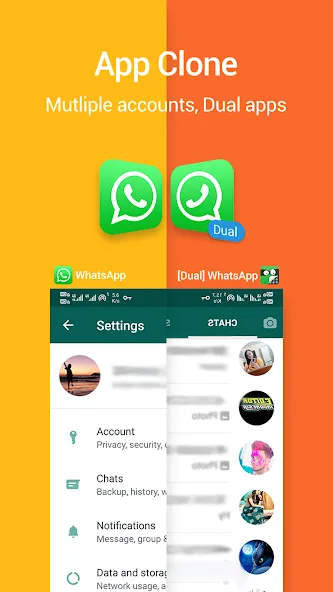
Create independent copies of supported social media and messaging apps—including popular platforms like WhatsApp, Instagram, Facebook Messenger, and Telegram. You can log in with a different account, allowing you to use two instances of an app simultaneously without the need for constant re-logging. Cloned versions operate independently, so you don’t need to keep the original apps. Please note that some 64-bit messaging apps may require additional support components to function.
Private Photos and Videos
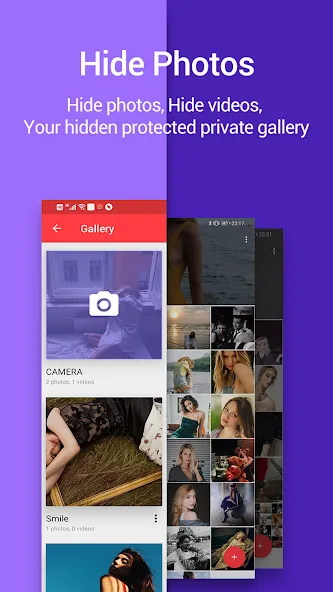
Import images and video clips into a hidden gallery.
View photos and play videos directly within App Hider. Imported files are kept separate from your system’s photo gallery.
Disguise App Hider as a Calculator
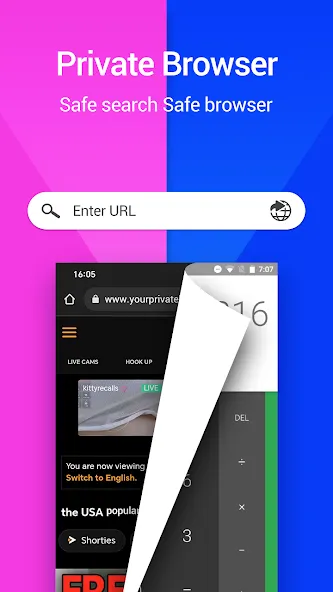
You can transform App Hider into a functional calculator to secure access. Simply set a passcode within the app; whenever you need to access your hidden apps, enter that passcode on the calculator screen. This provides an extra layer of privacy, especially when sharing a device with others.
Highlights:
Calculator Vault Protection
Hidden behind the interface of an ordinary calculator lies a secure vault. Enter your passcode to access your hidden apps; without the correct code, the vault remains locked.
Stealth Mode
Utilizing advanced concealment technology, Hide All keeps your apps completely discreet. Hidden apps do not appear in your list of recent tasks, making your private space even harder to detect.
App Lock and Access Control
Secure your hidden apps with a PIN or pattern lock. Only authorized users can access this private space, preventing privacy leaks and unauthorized use.
Calculator Icon Disguise
The app icon is designed to look exactly like a standard calculator. This clever disguise allows it to blend seamlessly with your other system apps, keeping your private space completely unnoticeable.
Smart Calculator Vault Design
The calculator vault provides an extra layer of security. It functions just like a real calculator while simultaneously keeping your hidden apps securely tucked away.
Simple and Easy to Use
Hide All is designed for everyone. You can hide apps with just a few taps—no complex setup required.
Lightweight and Reliable
This app hider runs efficiently without slowing down your device, ensuring a stable and secure private space.
FAQS:
How do I hide apps using Hide Apps?
Hide Apps clones selected applications into a hidden space and secures access via a calculator-style passcode interface.
Can Hide Apps run two accounts simultaneously?
Yes, Hide Apps allows cloned applications to run independently, enabling you to log into two different accounts on the same device.
Will hidden apps appear in the list of recently used apps?
No, apps running within the Hide Apps environment are hidden from the recent tasks screen to provide better privacy protection.
Advantages and disadvantages:
Pros
Removes selected apps from the launcher and settings
Password protects access to app management
Can conceal its own icon through XCalculator
Cons
Requires a rooted Android device
Conclusion:
Hide Apps offers a range of features that set it apart from similar products. You can clone apps—allowing you to use two instances of the same application simultaneously—or even disguise the app as a calculator, all to enhance your privacy. You can adjust which apps are hidden at any time, giving you greater control over your personal privacy. Download it now.
-
Latest Updates
-
Featured Apps