G-Meet Meeting Assistance
Social
2026-11-03
63.88MB
383.0.1007082291
Android
88
Screenshots



Introduction
G-Meet Meeting Assistance is a social application designed for the Android platform. Featuring a clean and intuitive interface, it allows users to get started quickly and easily. The app supports video calls with up to 30 participants simultaneously and enables interactive features such as Q&A sessions and polls. It offers highly practical tools—including speech-to-text conversion, real-time subtitling, and support for multiple languages—to meet diverse user needs. With excellent compatibility, it facilitates seamless, cross-regional access. The app receives regular updates to introduce new features and address any shortcomings, ensuring a consistently high-quality user experience. It serves as an essential, flexible tool for scheduling meetings and staying productive in a fast-paced environment.
Features:
Join from Anywhere
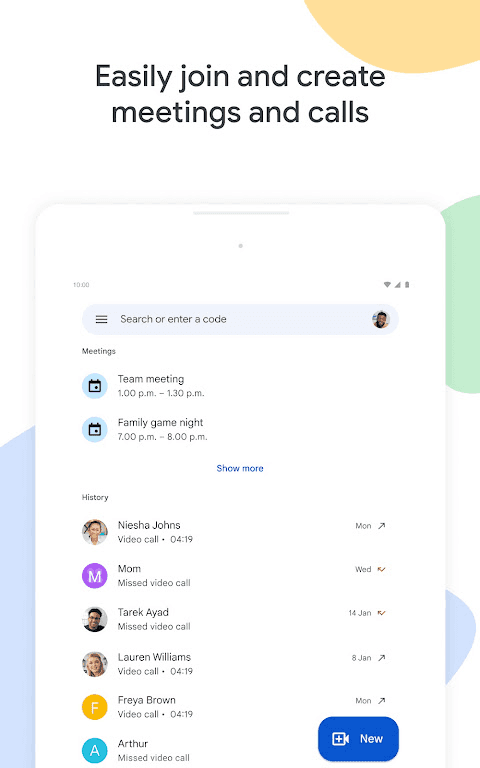
You can start or join meetings via Android or iOS apps, or through a modern web browser—no software installation required. Join via a link, a meeting code, or directly from Gmail or your calendar. For a dedicated, app-like experience on your computer, an optional desktop PWA (Progressive Web App) version is also available.
Clear Video and Audio
Enjoy video calls in up to 1080p resolution on compatible devices and networks. The system automatically adjusts for low-light conditions and suppresses background noise, ensuring you are heard clearly. On eligible plans, hosts can access "Studio Mode" and advanced audio and lighting settings for greater control over visual quality and clarity.
Cross-Language Communication
Real-time captions help participants follow the conversation as it happens. We offer translated captions in over 65 languages, facilitating global collaboration. Advanced features include note-taking, voice translation support, and automated summaries of action items, keeping everyone aligned on next steps.
Built for Collaboration
Share your screen—including documents or specific applications—during a call. Google Meet integrates with Docs, Sheets, and Slides, allowing you to present and discuss content seamlessly within your workflow. Every call includes a chat feature, while select plans offer additional tools such as polls, Q&A sessions, breakout rooms, and host controls.
Engagement and Shared Activities
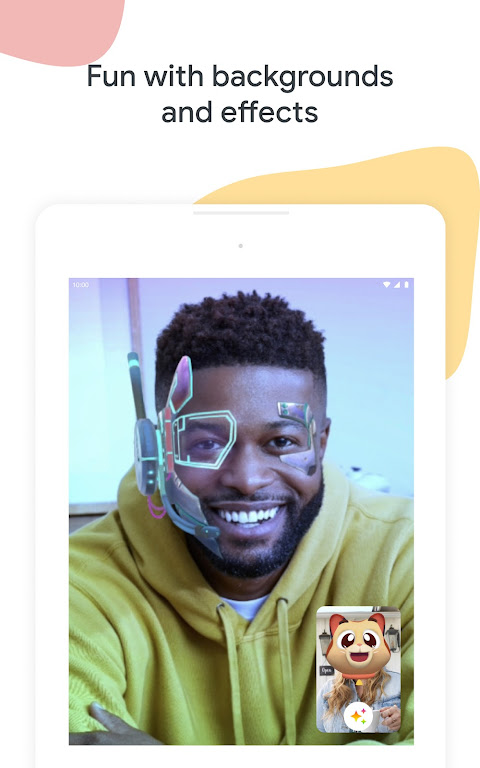
Keep meetings interactive with special effects, filters, custom backgrounds, and emojis. Through "shared experiences," participants can watch YouTube videos, listen to music, or play supported games together during a call.
Security and Scalability
Meetings are encrypted by default and include robust host controls and anti-abuse protections. Premium plans offer increased capacity and longer meeting durations, along with features like call recording and automated transcription.
Highlights:
Real-time translated captions support over 70 languages, providing subtitles in your preferred language so you can easily follow along with the conversation.
Use in-call chat to share ideas, ask questions, or provide feedback without interrupting the flow of the conversation.
Add a touch of interactive fun to your calls with in-call emojis, allowing you to express yourself seamlessly without breaking the conversation.
Collaborate by sharing photos, videos, presentations, and other visual content during a call—or simply share some great memories from your recent vacation.
When chatting with friends and family, use stackable effects—such as backgrounds, filters, and animations—to add a fun, personalized touch to your calls.
Enable "on-the-go" mode to switch to audio-only, featuring larger call controls that make it easier to manage your call while walking, driving, or using public transit, with fewer distractions.
High-quality video: Experience video resolution of up to 4K, ensuring you always look your best on camera.
FAQS:
What are the key benefits of using G-Meet Meeting Assistance?
It provides reliable, secure, and high-quality video conferencing capabilities, facilitating seamless communication and collaboration across various devices and locations.
How does G-Meet Meeting Assistance ensure the security of my meetings?
It employs robust encryption and security measures to protect your conversations and data from unauthorized access, thereby ensuring privacy and confidentiality.
Can I use G-Meet Meeting Assistance for large-scale meetings?
Yes, it supports large group meetings, making it suitable for webinars, training sessions, and virtual events that accommodate a large number of participants.
Advantages and disadvantages:
Pros
Different ways to join a meeting
Robust security features
Can use the same link infinitely
Duet AI integration
Cons
Time restrictions
Conclusion:
For individuals and organizations seeking efficient virtual communication solutions, G-Meet Meeting Assistance is increasingly becoming a popular choice. Its robust features, user-friendly design, and comprehensive security measures make it an indispensable tool in today’s fast-paced world. G-Meet Meeting Assistance offers a wealth of functionality designed to enhance collaboration and interaction, serving as a practical tool for connecting with others in both professional and personal settings.