EasyShare
Tools
2026-10-16
66.29MB
7.4.2.15_ex_gp
Android 5.0 and up
497
Screenshots
Introduction
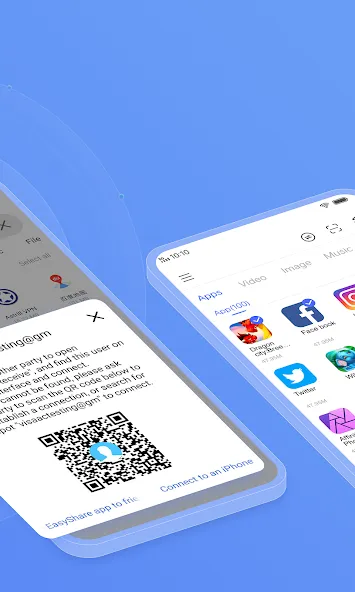
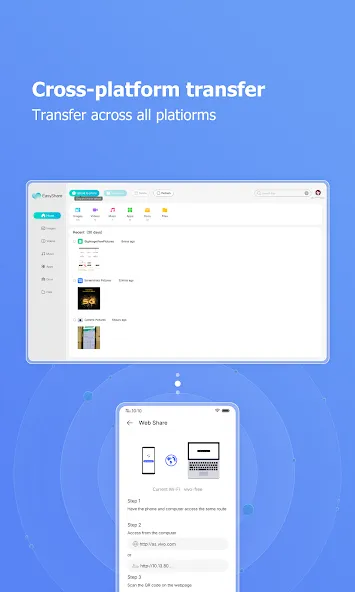
EasyShare is a file-transfer assistant designed for Android devices. It utilizes Wi-Fi Direct technology to establish a direct connection between devices, achieving transfer speeds up to 200 times faster than Bluetooth. You can share any type of file, anytime, anywhere. The app supports all file formats and features an intuitive, user-friendly interface that is easy to master. It enables offline sharing without consuming any mobile data, and incorporates a unique encrypted channel to ensure data security. To provide an immersive user experience, the app is completely ad-free and supports cross-platform sharing.
Features
Blazing Fast File Transfers
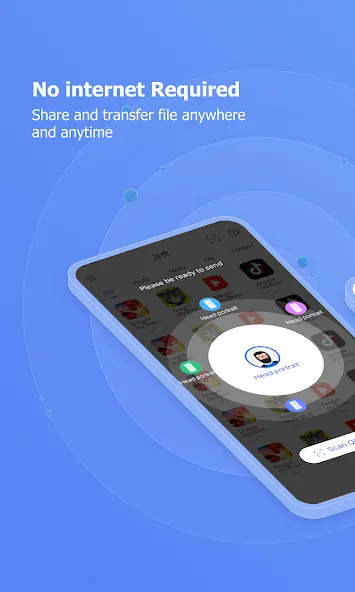
EasyShare utilizes Wi-Fi Direct technology to create a direct connection between devices, bypassing the need for an internet connection. This results in transfer speeds up to 200 times faster than Bluetooth, allowing you to share large files in seconds. Say goodbye to waiting endlessly for your files to transfer.
Share Anything, Anywhere, Anytime
Whether it’s photos from your latest vacation, important documents for work, or your favorite music playlist, EasyShare can handle it all. There are no file size limitations, so you can share even the largest videos without any hassle. It works seamlessly between Android phones, tablets, and even computers.
Intuitive and User-Friendly Interface
EasyShare boasts a clean and intuitive interface, making it incredibly easy to use, even for those who are not tech-savvy. The app guides you through the process step-by-step, ensuring a smooth and effortless file sharing experience. You’ll be sharing files like a pro in no time.
Offline Sharing, No Data Needed
One of the best features of EasyShare is its ability to transfer files without using any mobile data. This is perfect for situations where you have limited data or are in an area with poor connectivity. Share files freely without worrying about exceeding your data plan.
Secure and Private File Sharing
Your privacy is paramount. EasyShare ensures that your files are transferred securely and privately. The app uses encryption to protect your data during the transfer process, giving you peace of mind knowing that your information is safe.
Advantages and disadvantages
Pros
Transfer all kinds and size of files
Share data through wireless LAN or Bluetooth
Transferring speed of up to 40 MB per second
Ad-free and supports cross-platform sharing
Cons
No sync player feature
Music sharing fails to work at times
How to Use
Open EasyShare on both phones, then grant the requested permissions to allow nearby sharing and device discovery.
Tap Send on the sending phone and Receive on the receiving phone, then follow the prompts to connect through hotspot, local Wi Fi, or Bluetooth.
Select the files, photos, videos, apps, or documents you want to send. You can add multiple items and entire folders if needed.
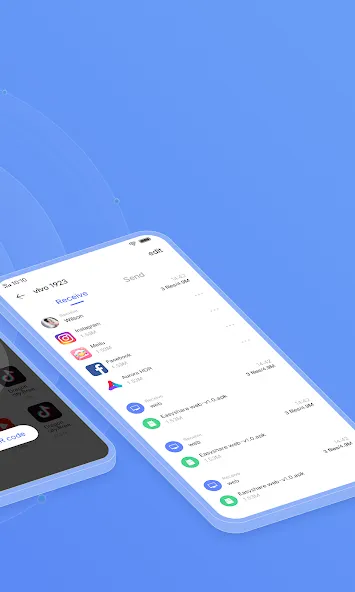
Confirm the incoming transfer on the receiving phone, then wait until the progress completes. Keep both devices nearby until the session finishes.
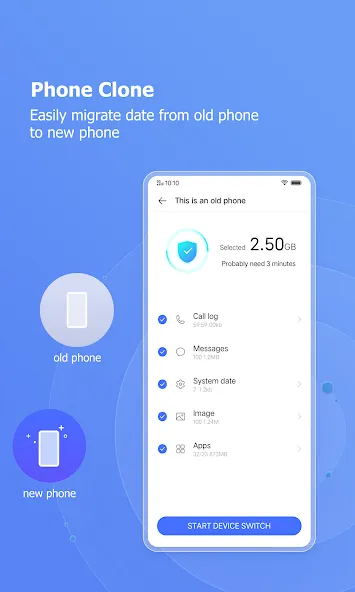
To clone a phone, choose Phone Clone on both devices, set one as the old phone and the other as the new phone, then start the migration. Note that app data may not move between different brands.
FAQS
How do we share data via the EasyShare app?
To start the file transfer simply select everything you want to send to another device. EasyShare is a great alternative to SHAREit, ShareMe, and Xender.
What kind of files can we transfer using this app?
MP4, JPEG, APK, and many more, you can freely share all sorts of files you have with any intended recipient.
Is it easy to share files via the EasyShare?
File sharing across various platforms can be done with a single tap. Simply through a wireless LAN or Bluetooth, you can transfer data as much as you like whenever and wherever you need so. No internet connection is required.
Can we share all kinds of data via this app?
Share or receive games, images, documents, videos, music, and everything you want most comfortably via this app. EasyShare is a great app for Android devices. If you want to know more about EasyShare then you may visit the developer’s website for more information.
Summarize
EasyShare is designed to help you send and receive files on Android quickly and without limits, whether you’re sharing photos, videos, documents, or full apps. It’s a practical tool for anyone who needs to transfer content between devices without cables, mobile data, or cloud services.
-
Latest Updates
-
Featured Apps