CameraFi Live
Entertainment
2026-09-26
103.52MB
1.36.26.0617
Android
472
Screenshots
Introduction
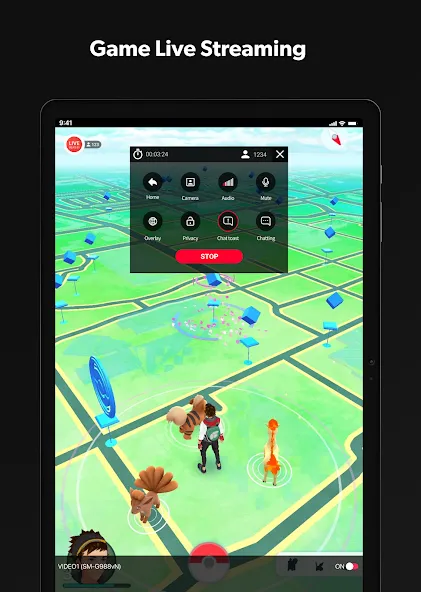
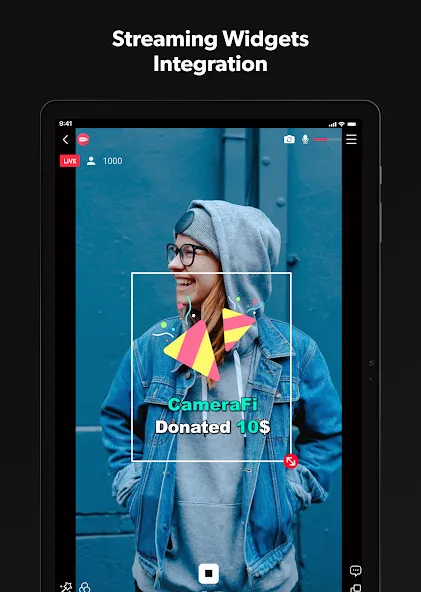
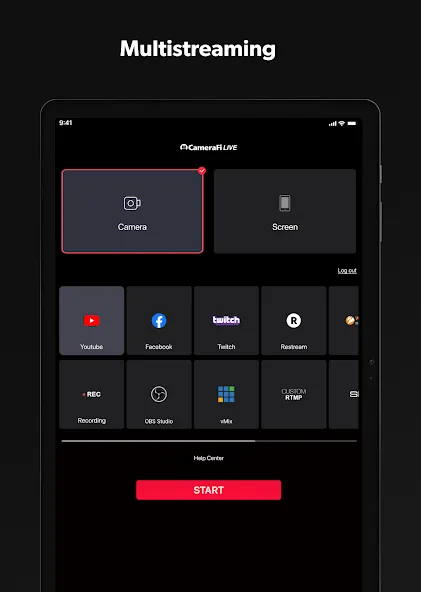
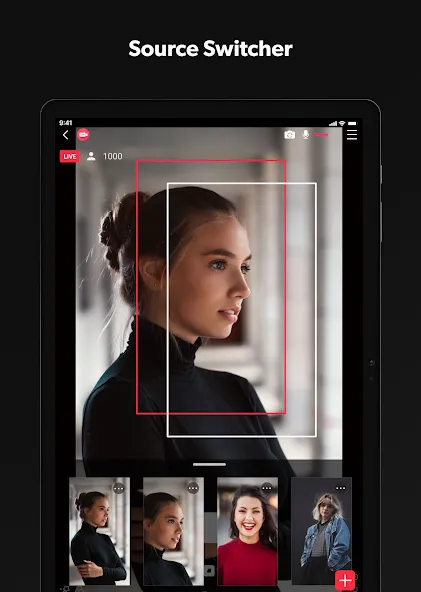
CameraFi Live is a live streaming app for Android devices that allows users to broadcast events—such as competitions—and moments from their daily lives. During a broadcast, users can freely overlay media elements like images, text, and videos. The app also displays chat messages, enabling real-time viewer interaction, and supports loading web sources. It offers various filters and dynamic effects. Featuring a user-friendly interface, it allows for a quick start to streaming with quality up to 1080P; it supports multi-platform broadcasting and connectivity with various external devices via USB. The app is free to use and includes built-in camera support and text overlay capabilities.
Function
Add images, text, video, or audio files during a stream for clear on screen information.
Show live chat on the video to follow viewer messages in real time.
Load web source overlays to display alerts from supported services.
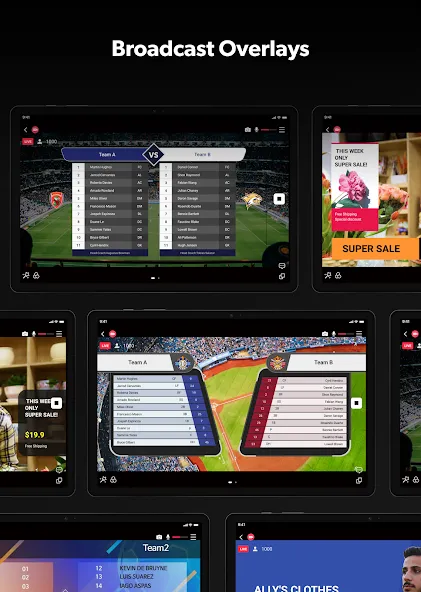
Apply video filters and motion effects, including scoreboards and news graphics.
Save overlay combinations as presets to speed up repeat productions.
Advantages and disadvantages
Pros
User-friendly interface for live streaming
Supports a wide range of video resolutions up to 1080p
Ability to stream to multiple platforms simultaneously
Offers customizable overlays and graphics for professional-looking broadcasts
Supports various external cameras and devices via USB
Cons
May require a high-speed internet connection for optimal performance
Limited functionality in the free version, with additional features locked behind a paywall
FAQS
Is the app free to use?
The app comes in two versions free and premium. Buying a premium version will remove ads and will get rid of the lousy watermark in your streamed videos.
What can we do with the CameraFi Live app?
Using your phone’s built-in camera, you can create multiple shots like you use several cameras. This function is great for the latest camera that boasts multiple camera lenses while live-streaming easily adds image/video/audio files and writes the text overlay as well.
What kind of filters and effects can we use theCameraFi Live app?
Use multiple video filters including Emboss, mosaic, and mono, making your live feed eye-catching. CameraFi Live also includes built-in motion effects. Motion effects include match scoreboards to headline news graphics that can be used in sports live-streaming and news reporting.
What are other advanced features of the CameraFi Live app?
Its advanced Picture in Picture mode allows you to share two video sources at the same time. With the PIP feature, your broadcast would look more engaging with a unique effect. Set up a live poll and work your opinions through the audience while your videos are streamed.
User comments
It's nice to try these app it's the have a canceling noice to live in cp and also I have requested these app I want to put a noice cancelling for the use mic and the game
The best live streaming app on any phone, iPhone or Android, by far! The amount of options and customizability are staggering! Not only does the external USB camera feature work incredibly well, you have full control over audio levels of your external cameras well. Not only that, you can stream with SRT on this app! I've tried prism live studio, larix broadcaster, and streamlabs. All of them are missing something. I don't say this lightly: this is the greatest live streaming app so far!
This is a nice app for streaming live youth sports to facebook, youtube, or a few other platforms. There are various overlays you can use to help jazz up your stream, and you can insert graphics too. The only issue we found is the scoreboard options are limited - there are only baseball and golf scoreboards. Need a hockey scoreboard that includes countdown timer, period marker, home team and score, away team and score and pick colors of the teams. Bonus would be to include a penalty countdown timer for each team.
Summarize
CameraFi Live is an incredibly practical app to broadcast any of your games or daily activities live without needing complicated apps or advanced knowledge. If you want to stream your games anytime, anywhere, just open this app and start broadcasting on your channel. Easy.