Apple Music
Entertainment
2026-08-31
94.98MB
6.5.2
Android 7.1+
363
Screenshots
Introduction
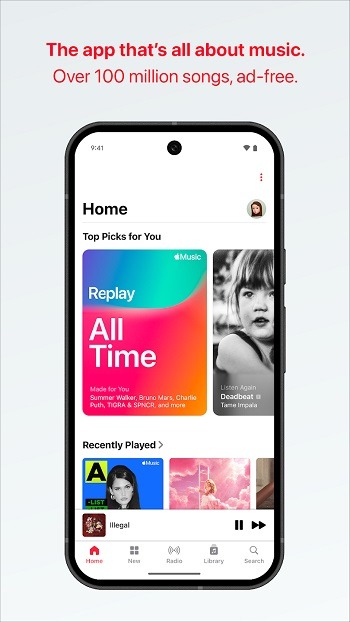
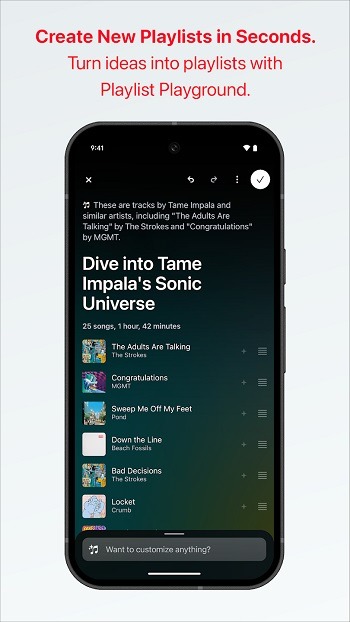
Apple Music is a music player app for Android devices. It offers users a vast music library covering various categories, allowing them to listen to songs according to their preferences. Users can also create their own playlists, adding their favorite tracks for repeated listening later. Users can also download songs for offline listening. The app recommends personalized content based on the user's listening history, suggesting music that the user might like.
Features:
Offline Listening: Download songs and listen offline anytime, anywhere.
High-Quality Audio: Experience music in high-quality sound.
Curated Playlists: Discover playlists curated by experts.
Personalized Recommendations: Get music suggestions based on your listening habits.
Exclusive Content: Access exclusive tracks and albums available only on the app
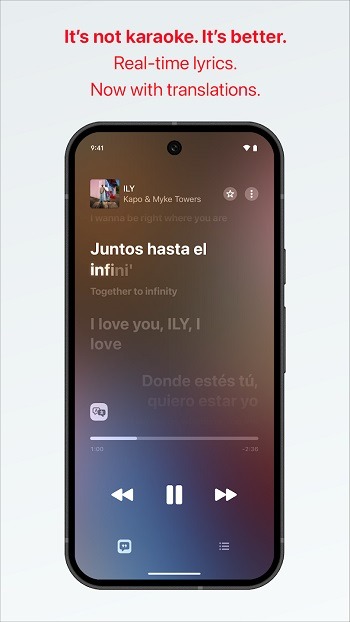
Lyrics Display: View synchronized lyrics while listening to your favorite songs.
Cross-Platform Sync: Sync your music across all your devices.
Highlights:
Log in to your account and enjoy your favorite content
When you enter the app and log in with your account, you can choose the best songs based on your tastes. This includes a host of playlists that mix your favorite tunes with similar ones, making it a great way to discover new music to add to your collection. Like its rivals, Apple Music constantly updates its track listing with new singles and album releases. If you like an artist, you can follow them and get updates and notifications when their new content is released.
Send music to other devices
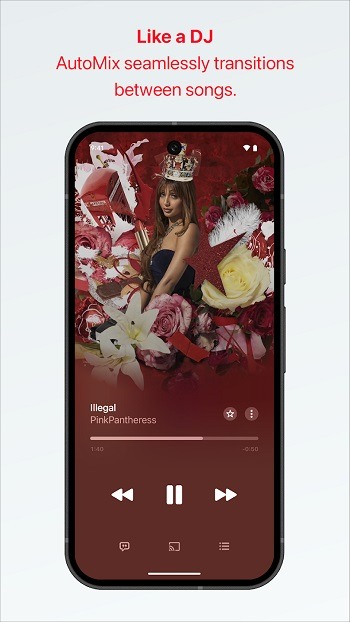
When you select a song, it will start playing automatically. As for the song controls, you can pause, change to the next song, or go back to the previous song. Apple Music syncs with other devices you can install this app on, like Apple products, including iPhones, iPads, and Macs, so you can send songs directly to other devices to continue playback there. You can also view the lyrics directly on your device and download songs to always be available, even when you have no Internet connection.
Enjoy a wide range of playlists to discover more music
So, in addition to playlists with all the songs you love, you can find others with the top tracks from each genre, your top-rated songs, the most-played songs, or your recent plays. There are also other general playlists you can check out, such as the most popular hits in your country or around the world. If you prefer, you can also create your own playlists to listen to them whenever you want.
Pros and Cons:
Pros
Over 100 million songs to enjoy
Has the ability to download songs
It allows you to create your own playlist
Listen to radio stations worldwide
Cons
It can take too long to stream music
FAQs:
What is Apple Music APK?
Apple Music APK is a music streaming app, usually searched by users who want songs, playlists, lyrics, and offline playback in one place.
What can you do with Apple Music APK?
You can stream music, browse albums and playlists, read synced lyrics, save tracks for offline listening, and use playback features such as Chromecast or Android Auto when supported.
Does Apple Music APK support high-quality audio?
Many listings mention lossless audio and Spatial Audio support, but results depend on your phone, headphones, app version, and regional feature availability.
What are the main downsides of Apple Music APK?
The biggest downsides are unstable updates, account and privacy concerns, possible feature failures, and uneven performance across different Android devices.
Who is Apple Music APK most useful for?
It suits Android users who listen for long hours, care about audio quality, use lyrics often, and want offline music for commuting, work, study, or travel.
Conclusion:
This experience is perfectly adapted to the operating logic of the Android system, supporting seamless synchronization of saved songs and playlists across different devices. Whether on a tablet, in-car system, or smartwatch, you can quickly access your music library. Apple Music's offline download function is also very practical, allowing users to smoothly play saved high-definition audio even without an internet connection, ensuring an uninterrupted music journey in any environment.
-
Latest Updates
-
Featured Apps