Anime Dekho
Entertainment
2026-09-20
3.69MB
2.0
Android 5.1+
131
Screenshots
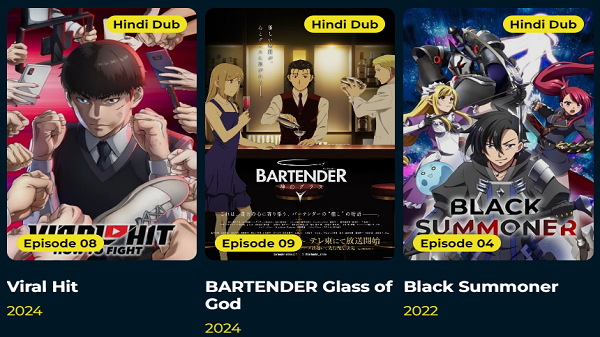
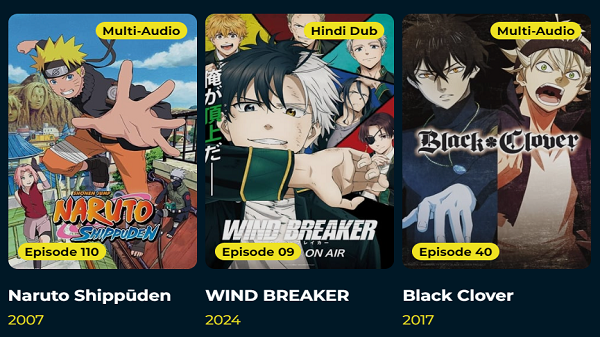
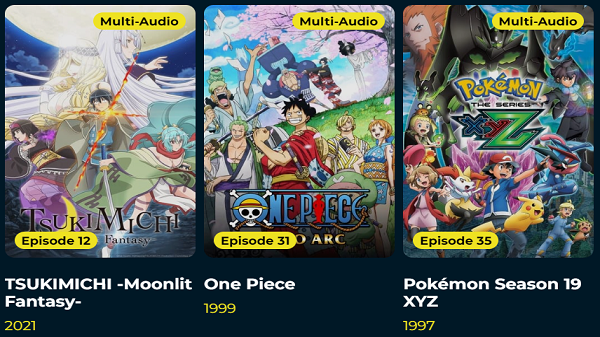
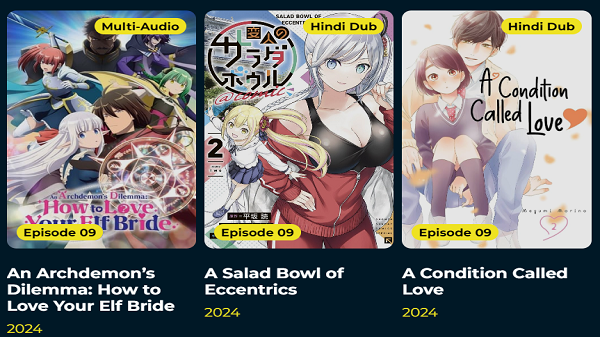
Introduction
Anime Dekho is an anime streaming app for Android devices that offers a vast library of content. It features a wide range of genres—such as romance, action, and adventure—organized into categories to help users quickly find their favorite shows. The app also highlights trending lists, keeping users informed about the latest and most popular anime. It supports multiple languages, including regional Indian languages, making it easy for audiences from diverse areas to enjoy the content. Additionally, the app is regularly updated with the latest episodes to satisfy users' demand for the newest anime releases.
Features:
Regional Dubbed Anime in One Place
One of the strongest reasons Anime Dekho APK attracts attention is the idea of having regional dubbed anime in one place. That may sound simple, but it solves a real problem for many viewers. People often know what kind of anime they want to watch, yet finding dubbed versions in familiar languages can take time. That search becomes even more frustrating when it means jumping between multiple apps or browsing through scattered sources.
Hindi Tamil and Telugu Support for Easier Viewing
Language is not a small detail in anime streaming. For many viewers, it is the factor that decides whether an app feels welcoming or distant. Anime Dekho APK stands out because it is associated with Hindi, Tamil, and Telugu dubbed content, which makes anime easier to enjoy for a large regional audience.
Simple Navigation for Faster Anime Discovery
A streaming app can have a large catalog, but that alone does not guarantee a good experience. If users cannot quickly find what they want, the library loses value. Anime Dekho APK is described as having a clean and simple interface, and this is one of the most practical reasons it stands out.
HD Playback That Feels Better on Mobile
Anime is a visual experience. Bright colors, expressive character animation, detailed backgrounds, and fast action scenes all depend on playback quality. That is why HD streaming support remains an important part of Anime Dekho APK’s appeal.
Frequent Updates for Ongoing Anime Series
Anime fans often build routines around their favorite series. They follow new episodes, look for recent additions, and return to the same app because they expect fresh content. Anime Dekho APK is repeatedly described as receiving regular updates, and this helps explain why users may keep coming back.
Usage:
Browse the home screen: The first screen shows you trending anime, popular picks, and top-rated titles. Scroll through to get a quick feel for what’s currently popular.
Pick a genre: Tap the genre filter at the top or find the category section. Choose a genre that fits your mood — action, fantasy, comedy, romance, horror, or any other available category.
Search for a specific title: If you already have something in mind, tap the search icon and type the name. Results show immediately and include both movies and series.
Read the title detail page: Tap any title to open its detail page. Read the story overview, check the genre tags, see the episode count or runtime, and look at the rating before deciding.
Save to your watchlist: If a title looks interesting but you’re not ready to watch right now, tap the save button to add it to your favorites list. Come back to it whenever you’re ready.
Discover new titles regularly: The trending and popular sections update as new titles get added or climb in ratings. Check these sections every few days to catch new releases or rising picks.
Tips and Tricks:
Use Genre Filters Every Session
Don’t just browse the general trending list every time you open the app. Rotate through different genres deliberately. Spend one session in action, the next in romance or fantasy. Genre-based browsing exposes you to titles the general trending list might never surface.
Follow Trending Anime Weekly
Trending sections change as new episodes release and new seasons begin. Check the trending page at least once a week during active anime seasons (January, April, July, October) to stay current with what other fans are watching right now.
Build Your Watchlist Aggressively
Save more titles than you think you’ll actually watch. A bigger favorites list gives you options. When you finish one show and aren’t sure what to watch next, your list becomes a personal recommendation engine. You curated it yourself based on what caught your eye — it’ll serve you better than any algorithm.
Browse Anime Movies and Series Separately
Movies and series require different time commitments. If you only have 90 minutes on a weekend, you want anime movies. If you’re ready for a longer journey, you want a series. Browsing them separately keeps your expectations in line with your available time.
Check Ratings Before Committing
Every title detail page shows a rating score. Before starting any series longer than 12 episodes, check the rating. High-rated series are almost always worth the time investment. Lower-rated picks can still be good, but the rating helps you set the right expectations before episode one.
Come Back After Seasonal Updates
Anime has four main seasonal release windows per year. After each new season begins, return to the app and check the new additions. Seasonal anime discovery is one of the most exciting parts of being an anime fan — and the app makes it easy to track what just arrived.
Conclusion:
After looking at its identity, features, and viewing appeal, Anime Dekho APK stands out as a practical anime streaming app for Android users who want comfort and convenience more than complexity. Its biggest strength is clear: it helps make anime easier to enjoy in familiar regional languages, while also supporting a simple mobile-friendly experience.