4G LTE Only Mode
Tools
2026-10-22
11.52MB
2.8.8
Android 4.4 and up
67
Screenshots
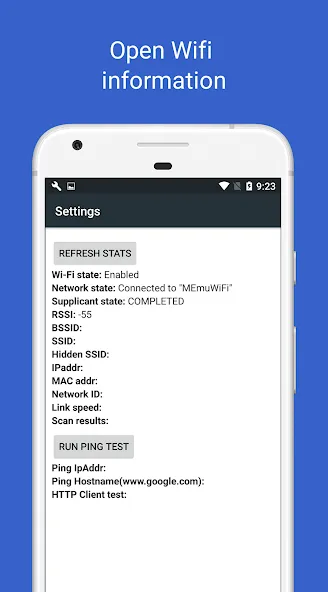
Introduction
4G LTE Only Mode is a network connectivity tool designed for Android devices. It features a user-friendly interface, allowing users to get started quickly and easily. By using this app, users can optimize network settings and enhance device performance, ensuring a high-speed internet connection. The software offers a comprehensive suite of features and advanced optimization tools, enabling effective management of your device. It also boasts excellent compatibility, supporting a wide range of Android phones and network signals. With built-in speed testing tools and support for various network types, it provides a complete solution for an improved online experience.
Features:
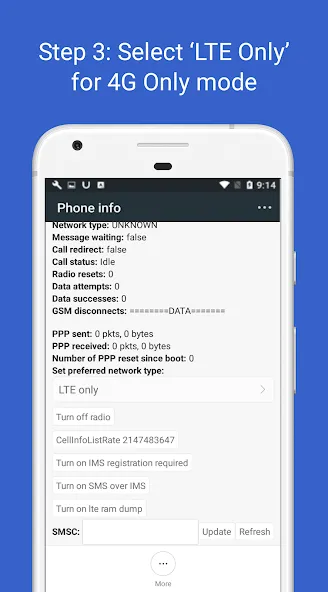
Allows you to lock your device to a specific network type. Users can choose between 4G, 3G, and 2G modes, ensuring a consistent connection to their preferred network and preventing interruptions—a particularly useful feature in urban areas where network signals often fluctuate.
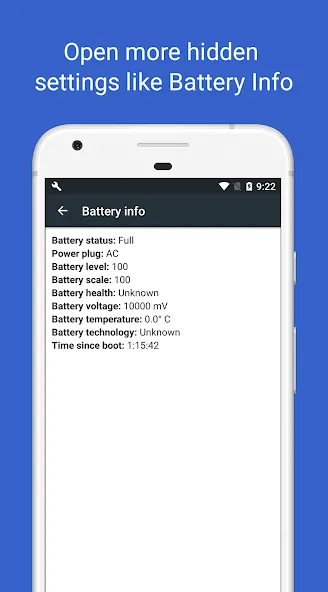
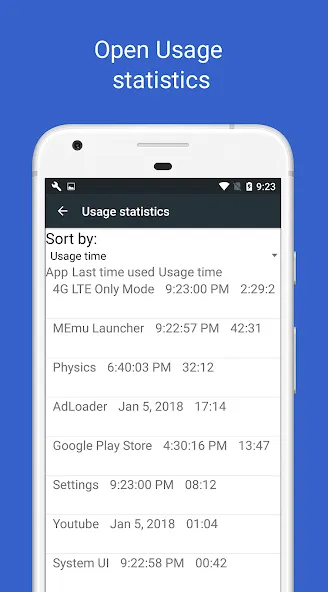
Provides access to hidden settings not typically found in standard device menus. This includes a notification log, which allows users to efficiently review past notifications, as well as detailed battery information for monitoring power consumption.
Includes a built-in network speed test tool. Users can measure the speed of their current connection—whether it’s 2G, 3G, 4G, or Wi-Fi—to determine if they are receiving the optimal network performance from their mobile carrier.
Retrieves information about your SIM card and phone. This feature provides comprehensive details regarding the installed SIM card, including carrier information and related settings. Users can also easily access device information to view core specifications and configurations. Such detailed data is invaluable for troubleshooting and optimizing device performance.
Features a clean, user-friendly interface that makes navigating through various settings and options simple. Even those with limited technical expertise can benefit, as the app streamlines the process of adjusting network settings and accessing hidden features.
Empowers users to take control of their network preferences, ensuring a stable and reliable connection. This is especially important for users who rely on mobile data for work, streaming, or other essential activities.
Highlights:
Lock to 4G: Users can lock to 4G when you get free LTE data transmission, effectively avoiding unnecessary 3G usage fees.
Optimize your plan: The system helps optimize your mobile plan by using the most cost-effective mobile networks available.
Prevent unexpected bills: The application will prevent unexpected bills from automatic network switching that can cost you an unnecessary amount of money.
Stop automatic switching: The application will stop automatically switching between 4G/3G/2G networks and maintain a stable connection.
Lock preferred network: The system locks your preferred network and maintains the connection exactly where you want without interruption.
Perfect for users: The application is perfect for users with specific data plans that need stable, reliable network performance throughout the day.
FAQS:
Does 4G LTE Only Mode require root access to run?
This app does not require root access, making it accessible to a wider range of users.
Can I use it to save battery life?
Yes, forcing your device to connect exclusively to 4G or LTE networks can help save battery, as the device will no longer constantly search for other types of networks.
Can I undo the changes I’ve made?
You can undo the changes by opening the app and selecting the default network mode.
Advantages and disadvantages:
Pros
Exposes LTE-only, WCDMA-only, and GSM-only modes
Can stop unwanted switching between 3G and 4G
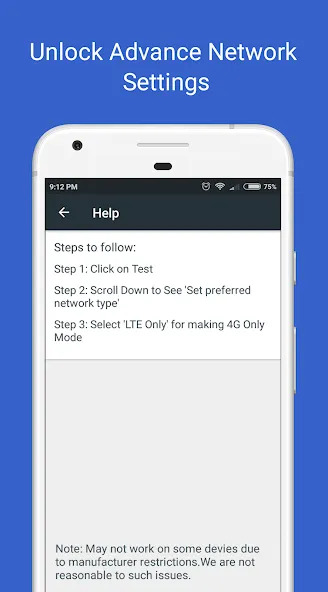
Includes a clear tutorial
Cons
LTE-only mode may block incoming and outgoing calls
Summarize:
In short, thanks to its straightforward setup process and comprehensive features, 4G LTE Only Mode allows even novice users to easily enjoy faster internet speeds—without needing to worry about technical details like network types or signal strength. If you require better mobile network coverage and are looking for a reliable way to get the most out of your data usage, then 4G LTE Only Mode is the perfect choice for you!
-
Latest Updates
-
Featured Apps