WhatsApp Delta
Social
2026-10-21
80.00MB
2.24.11.79
Android 4.2 and up
549
Screenshots
Introduction
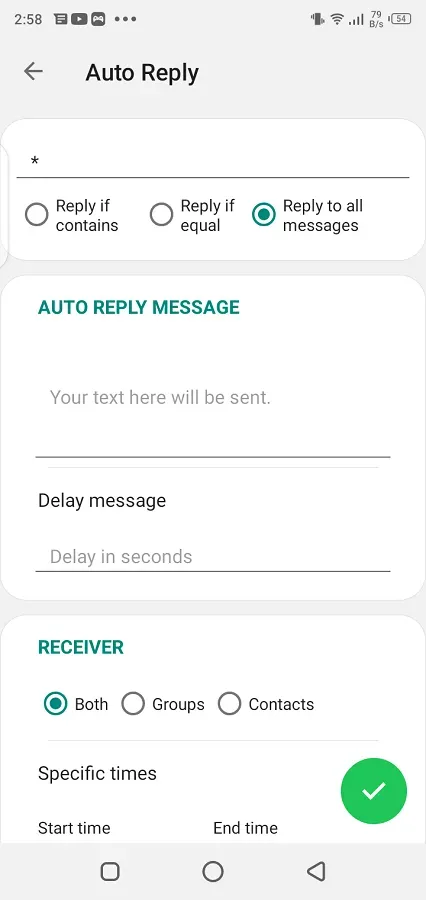
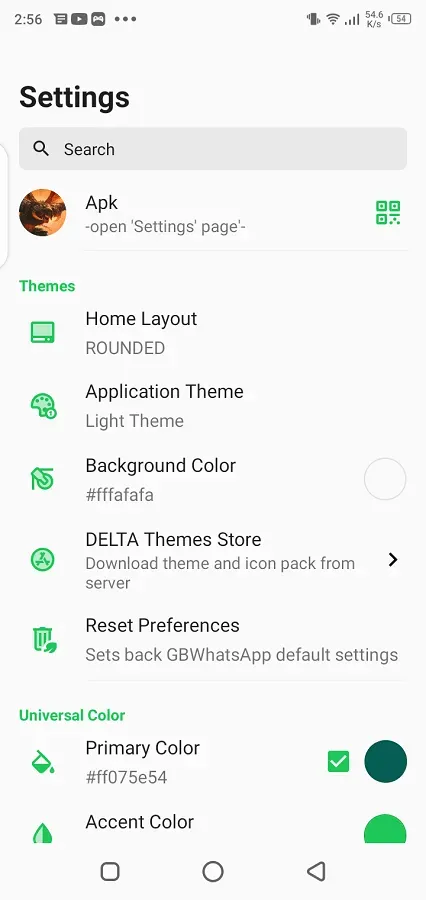
WhatsApp Delta is a social messaging platform designed for Android devices. It offers extensive customization options, allowing you to personalize the app’s interface—including icons, themes, styles, and backgrounds—to suit your preferences. The app features an anti-delete function, enabling you to view messages that have been deleted by the sender. You can also save your contacts' status updates to view them at any time, or back up your favorite statuses. For times when you are too busy to respond promptly, the app provides an automated reply feature. This version introduces several powerful enhancements, such as the ability to seamlessly switch between light and dark modes and support for sending video files as large as 700MB.
Features
Customize your Screen
The great enhancement here is that it enables you to change your app screen in any way you want. Now you are free to change the theme, font size, font style, and background while adding your photo, icons, notification bar, and everything you think should be changed.
Read Deleted Messages
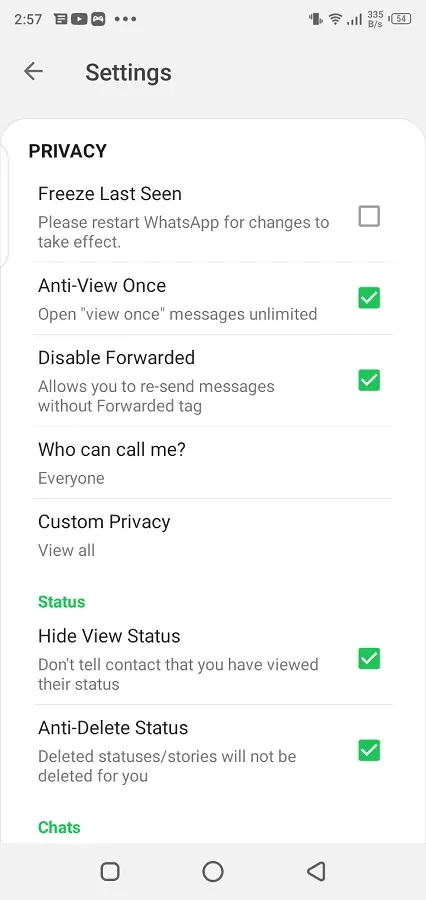
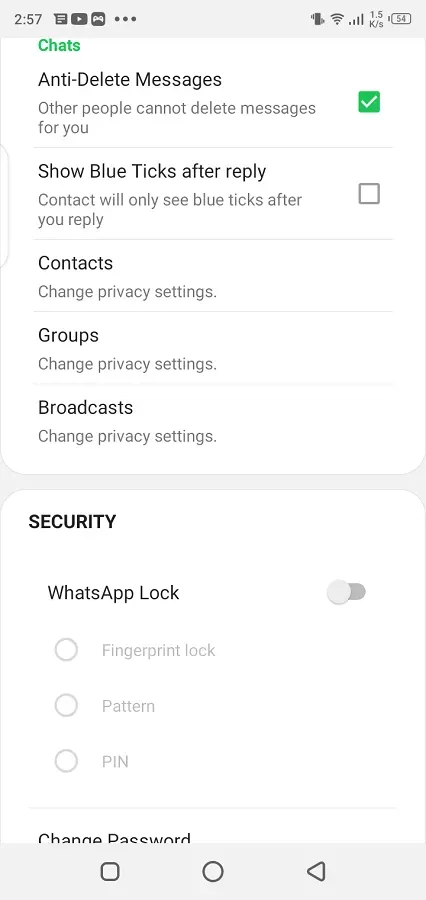
We feel a lot of irritation when we watch ‘the message was deleted’ on the chat screen. On the Delta version, the Anti-revoke feature is enabled allowing you to read the messages even deleted by the sender and satisfy your curiosity.
Anti Status Deleted
The innovative feature saves the status uploaded by your contacts and allows you to watch the status anytime you want or for free. It makes you relax, and you need not go hurriedly to watch the status before it is deleted from the status screen. In addition, the status downloader is also available to store your favorite status on your device and use it for any other social media platform.
Reply automatically
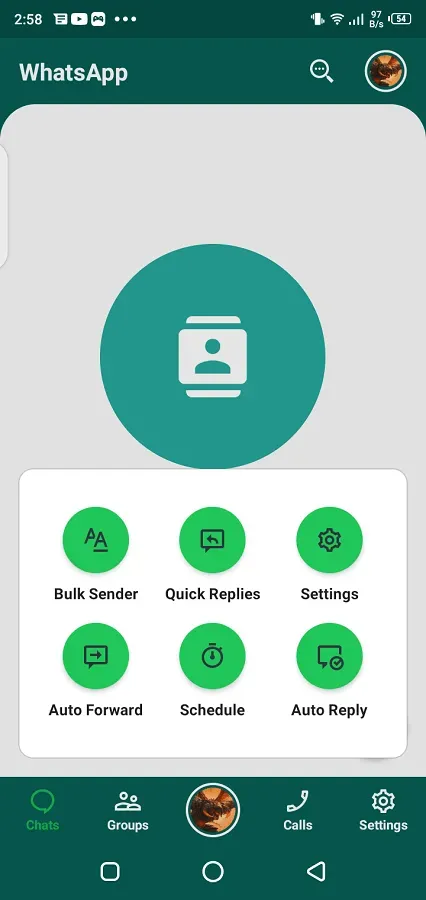
If you are busy and can’t attend call or reply to messages to your loved ones on time. Here is the best solution, simply compose some messages according to your commonly faced situations and enable the Auto-reply option from the app settings. It will reply to your messages automatically without your interference. Likewise, the Message Scheduler option helps you to send your best wishes or other important messages on time without interruption. You need to compose a message, set a date and time, and the message was sent on time.
Update Log
Do not disturb Mode/ Flight Mode added.
Add dark mode.
Send videos of up to 700MB.
Different text fonts.
Different aesthetic themes.
Control who can see your status
Multiple languages support
Advantages and disadvantages
Pros
Built-in app locker
Auto reply support
Schedule messages for your loved ones to deliver on time
Response your messages via emojis
Cons
Violate terms of policies of the official app
Maybe banned by the official app
FAQS
Is WhatsApp Delta APK safe to use?
Yes, WhatsApp Delta APK is entirely secure as long as you get the file from a reliable source like w7ghost. Despite rumors claiming it carries viruses or malware, the package is clean, thoroughly tested, and completely safe to install.
Is WhatsApp Delta free to use?
Yes, WhatsApp Delta is 100% free and completely safe. You can easily download it directly from w7ghost. Be cautious and avoid fraudulent sites that try to charge you money for this application.
Will Using WhatsApp Delta Lead to a Ban?
The newest WhatsApp Delta APK includes an anti-block feature designed to prevent detection. It's important to note that.
Summarize
Whatsapp Delta is the copy of official whatsapp with more unique features that are not available in standard whatsapp so you have a list of new and modified features in your communication app these features give you a stable and charming whatsapp experience.