Video Star Pro
Entertainment
2026-07-25
113.43MB
3.9.8
Android
395
Screenshots
Introduction
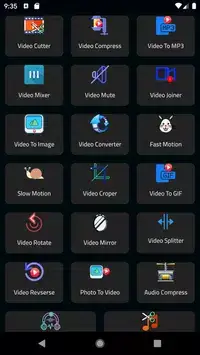
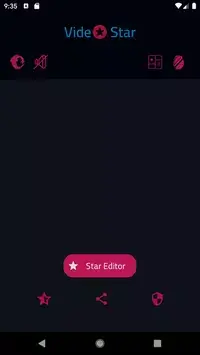
Video Star Pro is a video editing application that allows users to quickly edit, create, and upload their videos. Its rich resource library eliminates the need for users to search for video elements themselves; almost any effect or material you want can be found within this app. It's also feature-rich, offering multi-layered timelines, chroma keying, masking, overlaying, and blending. Users can add background music and sound effects, and these functions are very easy to use, allowing even a child to easily create a cool video.
Features:
Multi layer timeline and precise clip editing
Video Star Pro provides a multi layer timeline with zoom for frame by frame control. You can trim, split, splice, and merge clips to build a complete sequence. It also includes transitions between shots and speed control to create fast or slow motion where needed.
Chroma key, masks, overlays, and blending
Green screen chroma key to combine and replace backgrounds.
Mask types including linear, mirror, radial, rectangle, and oval.
Picture in picture plus overlay options such as opacity and blending.
Blending modes like Multiply, Screen, Soft Light, Hard Light, and Color Burn.
Music and audio tools
For sound control, you can add background tracks or effects, extract audio from a video file, and place music markers to align cuts with the beat. These tools help keep edits in time with the soundtrack.
Text, filters, canvas, and export
You can add text with fonts, color, opacity, shadow, and stroke. Adjustable filters and video adjustments cover brightness, contrast, saturation, hue, color temperature, and vignetting. Canvas settings offer common aspect ratios for social posts. To finish your edit, export to the gallery at 720p or 1080p without a watermark and rename projects for easy tracking.
Highlights:
The video editor for all
Despite its many features, editing using Video Star Pro is really easy. In fact, the app is really popular not only among teens but as well as little kids! Adding all of those awesome transitions and effects are really easy and can be done with just a few, simple clicks. The app will let you play and experiment on your videos as much as you want and therefore also allows you to make any kind of video. From self-shot videos to fan-made music videos of your favorite artists, all of those can be made using Video Star Pro.
Be a star with Video Star Pro
You can upload your Video Star Pro-made videos to all of your social media accounts! To make things better, direct uploading and sharing on YouTube is also allowed in this app. It is a very good video editing tool that does not take away the fun by making editing a very complicated activity. You get to enjoy making videos at your own pace and taste.
Pros and Cons:
Pros
Initially free to use
Produces high quality video
Search for other user videos
Perfect for sharing on social media
Cons
Have to buy all the extra features
Cannot remove audio from video clips
Lack of support options
User Reviews:
i've been editing since 2020. i was doing content type video then i started on another popular app called VN, editing fortnite etc. after that i moved to alight motion and that's when i learned how to truly edit. these are steps all editors take and that's why people that don't take these steps are confused by the interface and just how apps are set up. after editing on video star i really understood how smooth this app was compared to others, shakes and almost evrything is close to ae (maybe this is a stretch) But i still do have some eh about the app. i hate the text i can't even describe how horrid it is. it's difficult to make good text. there's not enough options or accessibility to people who may be newer to editing. if you guys made your text more like alight motion i think this would seriously be the best editing app on the app store. i'm not a app maker so js look at what people can do with there text like i dream of that i sleep and dead serious dream of it. please PLEASE PLEASE try to make it better i mean anything. also the coloring is HORRENDOUS. and i mean horrible. like disgusting. there's no way there's no other options to make good cc
Conclusion:
Video Star Pro is a popular, effects-driven editor app especially loved by creators who do speed edits, faster exports and short social media clips. It's rich in creative tool gallery and otherresources, but you have to pay to unlock full access and to spend a little time learning its layered working because in ”Pro”, it'll automatically do many of the works like syncing & fixings.
-
Latest Updates
-
Featured Apps