Sleep as Android
Lifestyle
2026-10-05
48.98MB
20260901
Android
537
Screenshots
Introduction
Sleep as Android is a sleep companion app for the Android platform. It features advanced alarm functions, allowing users to customize ringtones and utilize tools like snoring monitoring to track their physical condition. Users can personalize their wake-up or activity times using custom ringtones and alerts. The app helps improve sleep quality by analyzing rest data and offering tailored solutions based on user needs. It also records nighttime sounds, giving users insight into their sleep habits. Compatible with a wide range of devices, the app allows users to set their own music playlists as alarm tones and features a user-friendly interface that is easy to navigate. Alongside proper rest and nutrition, it is essential to prioritize sleep quality.
Features:
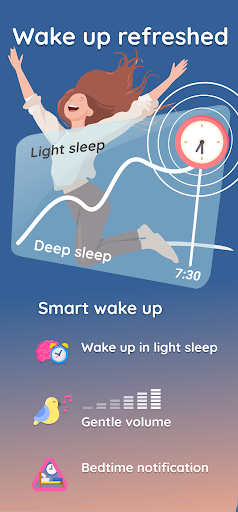
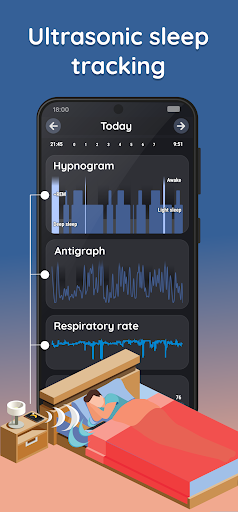
Sleep cycle tracking and smart wake-up
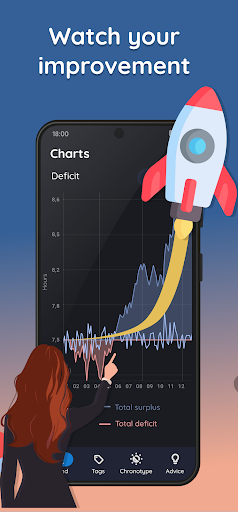
Sleep history charts
Statistics on sleep deficit, deep sleep, and snoring
Social sharing (Facebook, Twitter)
Gentle-volume alarms with natural sounds (birds, ocean waves, storms, etc.)
Alarm music playlists
Nature sound lullabies and binaural beats to help you fall asleep quickly
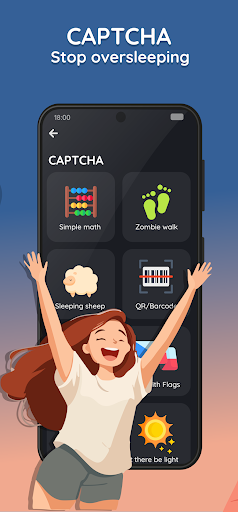
Never worry about oversleeping again with wake-up verification tasks (math problems, counting sheep, shaking the phone, scanning a bathroom QR code or NFC tag, etc.)
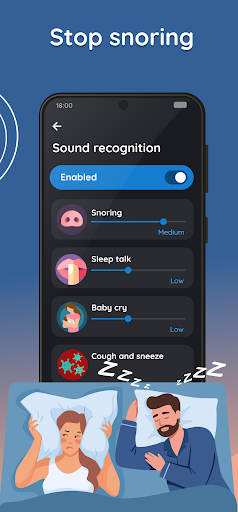
Sleep-talking recording, snoring detection, and anti-snoring features
Jet lag prevention
Highlights:
Modern alarm clock
Sleep indicator measurement
Bedtime reminder
Snoring detection
Breathing rate measurement
Whale sounds and flowing streams ringtones
Custom ringtone support
Wearable device integration
Sleep metrics scoreboard
Health status monitoring
FAQs:
What is Sleep as Android?
Sleep as Android is a sleep aid tool with features that far surpass those of most traditional alarm clocks.
Is the Sleep as Android smart alarm clock free?
Yes, Sleep as Android can be downloaded for free from this website and installed on Android devices.
User comments:
I am very satisfied with the experience; the smart alarm makes getting up in the morning no longer a struggle. Plus, there’s a radio alarm feature, so I can wake up to different music every day. I ran into a few issues with the app, but the developer carefully reviewed the logs and provided a solution. It definitely deserves a perfect score!
I only realized I snore at night after using this; it’s a fantastic sleep-tracking app.
An excellent app. There’s a setting to keep the screen from locking during sleep tracking, and the alarm requires unlocking the phone to turn it off in the morning; if the screen locks normally, the power-saving interface used during sleep tracking is very helpful.
A great user experience! It even helps track physical condition. What does the red color indicate in sleep tracking mode—the part below the deep sleep section? Whenever that red color appears, I wake up feeling exhausted and experience heart discomfort.
Conclusion:
If you are looking for an app that helps you wake up on time while monitoring your physical condition in real-time, Sleep as Android is the perfect choice. It uses advanced AI technology to track and analyze your breathing patterns during sleep. With regular updates on your sleep status and insightful evaluation charts that ensure you receive relevant, timely advice, Sleep as Android is sure to meet your needs—download it today and give it a try.