Infinite Painter
Lifestyle
2026-10-09
134.45MB
7.2.11
Android
590
Screenshots
Introduction
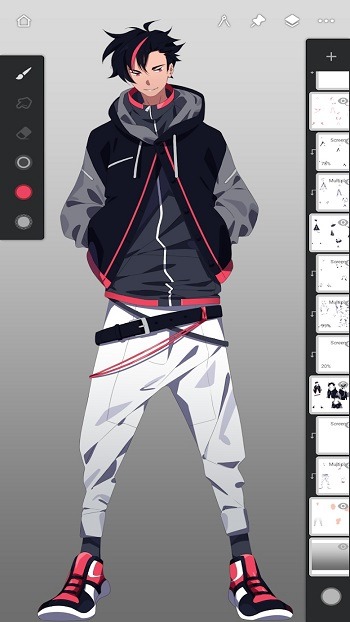
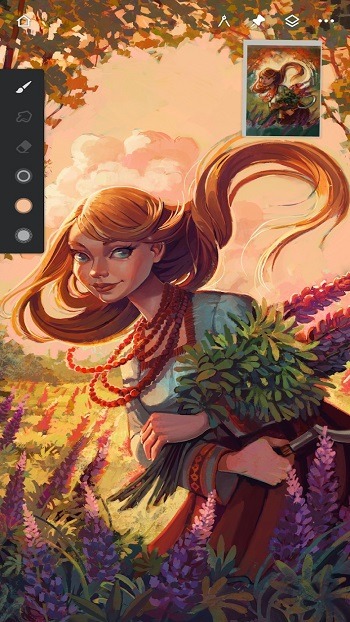
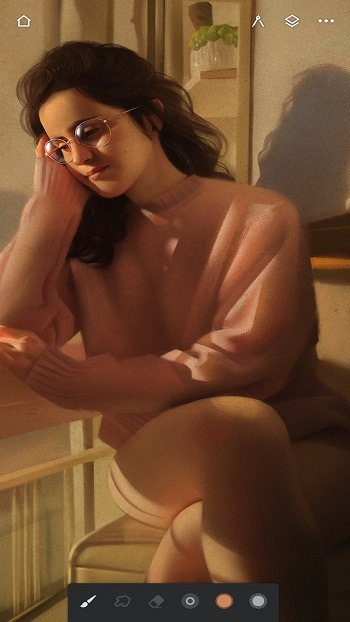
Infinite Painter is a powerful painting application that enables users to create stunning artwork right on their mobile devices. It offers a vast array of painting tools, including hundreds of brushes with extensive customizable parameters, allowing users to fine-tune settings to achieve their desired effects. Users can also customize the interface layout and configure gesture controls to streamline their creative workflow. Additionally, the app supports importing assets from the device and offers a variety of formats for exporting finished works.
Features:
Brush engine and control
Infinite Painter includes hundreds of built in brushes with deep settings. Strokes feel natural on the canvas, and you can fine tune shape, texture, and dynamics. On supported Android devices, the Infinite Painter APK recognizes pressure and tilt for accurate lines and shading. You can also import or export custom brushes and organize them into sets.
Workspace and gestures
You can keep the screen clean and adjust panels to match your flow. Assign different actions to finger input and your stylus. Dock brush settings for quick edits and use the eyedropper at a tap. Rotate or flip the canvas with simple gestures, expand or collapse layers, and group related layers when projects grow.
Guides and perspective
When you need precision, symmetry modes support simple or complex patterns with radial or kaleidoscope options. Guides and shapes help you draw straight lines and curves, and pausing can snap a sketch into a clean shape. Perspective tools include multiple guides, isometric layouts, and the ability to drag rectangles or circles that fit the scene.
Editing and workflow
Selection and masking tools let you target parts of the image, and transformations can affect single or multiple layers. Fill tools cover gradients and patterns with live tolerance control. A canvas preview can flip or show grayscale to check proportions. You can record a timelapse, import from photos or camera, and export JPG, PNG, WEBP, PSD, ZIP, or project files.
Highlights:
Create fantastic artwork with various painting tools, such as brushes and pencils.
Access a wide variety of textures to enrich your paintings.
Utilize layers for complex compositions or blending effects.
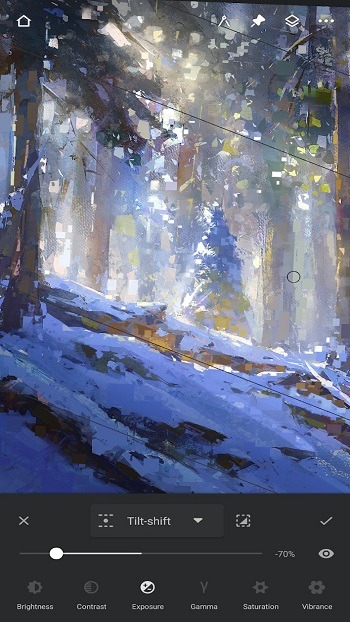
Transform photos into artwork using various filters and adjustments available in the App.
Use symmetry mode to draw perfect symmetrical patterns quickly on both sides simultaneously.
Make use of perspective grids while drawing 3D images from multiple angles accurately.
Work offline without any internet connection required for usage.
Pros and Cons:
Pros
Highly customizable brushes with import and export support
Clean workspace with configurable stylus and finger controls
Strong perspective, symmetry, masking, and layer tools
Layered PSD import and export
Support for multiple reference images and timelapse recording
Cons
Free tier is limited to three layers
Maximum Pro layer count varies by canvas and device
Occasional unresponsive tools and crashes have been reported
FAQs:
What is Infinite Painter?
Infinite Painter is a digital painting app designed for mobile devices that offers advanced tools for sketching, drawing, and creating art with customizable brushes and layers.
Can I use Infinite Painter without a stylus?
Yes, Infinite Painter works with touch controls, but it’s optimized for stylus devices to take advantage of pressure and tilt sensitivity for more natural strokes.
Does Infinite Painter support layers and masks?
Absolutely, it features full layer support, including grouping, masks, clipping masks, and blend modes, allowing detailed editing and complex compositions.
Can I export my artwork from Infinite Painter?
You can export your creations in various formats like JPG, PNG, layered PSD files, and even ZIP archives, making it easy to share or continue editing elsewhere.
Is Infinite Painter suitable for beginners?
Yes, the app offers an intuitive interface and helpful features that work well for beginners, while also including professional-grade tools that appeal to experienced artists.
Conclusion:
Infinite Painter offers a powerful yet accessible platform for digital artists, combining an intuitive interface with professional-grade tools. Its extensive brush customization, smart editing features, and flexible export options make it suitable for both beginners and experienced creators.