Seesaw
Education
2026-09-22
48.65MB
10.143.0
Android 7.0+
60
Screenshots
Introduction
Seesaw is a highly useful educational app that bridges the gap between educators and parents, effectively fostering children's learning. It enables teachers to deliver high-quality instruction while allowing students to choose their own learning methods. Teachers can assign activities to the entire class or group students to provide differentiated assignments. The app offers over 1,600 lessons complete with detailed lesson plans to facilitate teaching. Additionally, with built-in translation support for more than 100 languages, it is widely used around the world.
Features:
Enable teachers to deliver high-quality, standards-aligned instruction that encourages student voice and choice
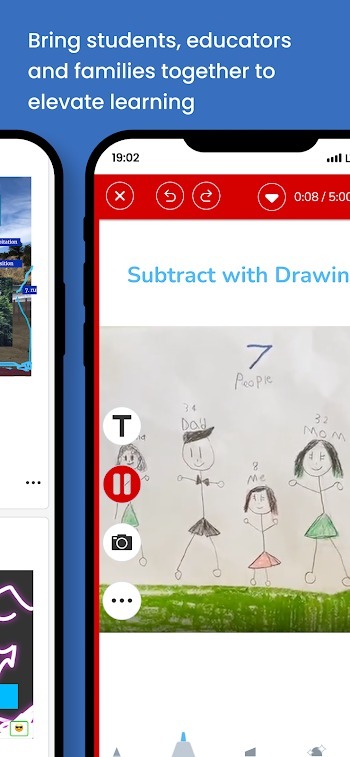
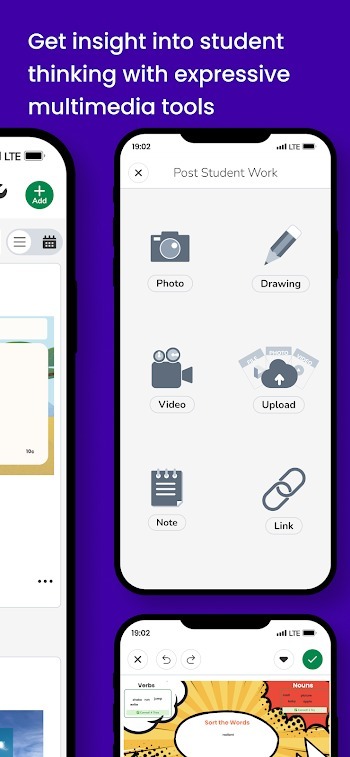
Multimodal tools make learning accessible and engaging. Tools include video, voice, screen recording, photos, drawing, labeling and more!
Present to Class mode designed for front of class modeling, whole class instruction and discussions
Assign activities to all students for center/stations work or whole class independent work. Use student groups to easily differentiate assignments
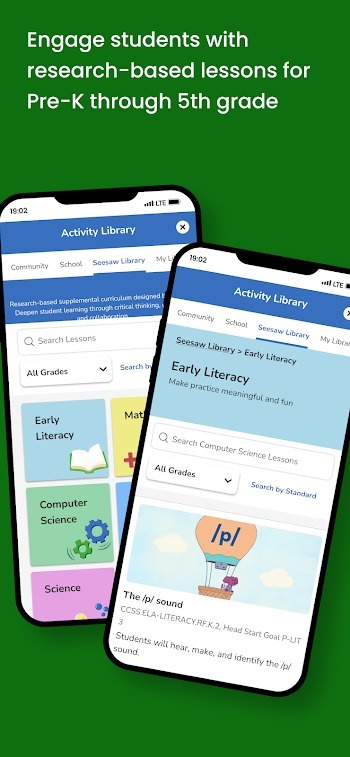
Over 1600 research-based and ready-to-teach lessons created by Seesaw’s curriculum experts with whole group instruction videos, 1:1 or small group practice activities and formative assessments. Includes robust lesson plans to support teacher implementation.
100k ready-to-assign activities created by our community of educators and 1600+ ready-to-teach scaffolded lessons
Highlights:
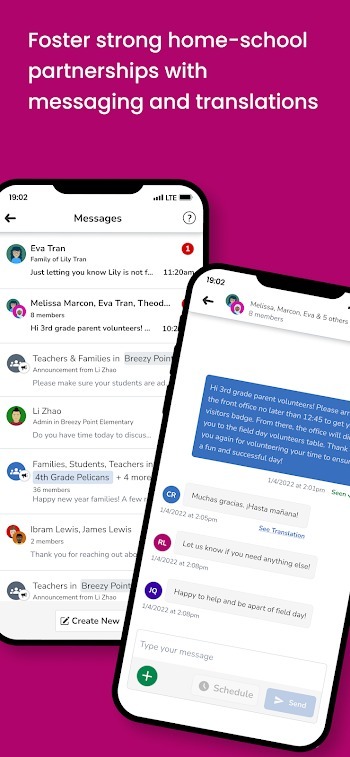
Engage families as partners in the learning process through inclusive two-way communication through portfolios and messages
Provide a window into the classroom and insight into their child's progress with frequent sharing of student posts and assignments
Robust messaging with built-in translation into over 100 home languages
Message Progress Reports to families to keep them informed
FAQs:
What is Seesaw?
Seesaw is a learning platform app for elementary students that helps them create digital portfolios, complete assignments, and stay connected with teachers and families.
How do teachers use Seesaw in the classroom?
Teachers use Seesaw to assign standards-based activities, give feedback, track student progress, and communicate directly with families.
Can families view their child’s work on Seesaw?
Yes, families can see their child’s posts, view teacher comments, and receive updates through the app’s messaging and portfolio features.
Is Seesaw suitable for at-home learning?
Definitely. Seesaw works well for remote or hybrid learning because it allows students to submit work from home and stay in touch with teachers.
What devices support Seesaw?
Seesaw runs on Android (version 7.0 or higher) and is also available on iOS and web browsers, making it accessible on phones, tablets, and computers.
Conclusion:
With features such as real-time notifications, the ability to leave comments on student work, and the option to share learning moments, Seesaw fosters a collaborative environment between home and school. The program supports a variety of multimedia formats, enabling parents to see their child's work in diverse ways. Overall, this app acts as a bridge between parents and educators, promoting a supportive learning community.
-
Latest Updates
-
Featured Apps