Ridmik Keyboard (Bangla)
Social
2026-10-20
49.24MB
19.0.0
Android 5.0 and up
218
Screenshots
Introduction
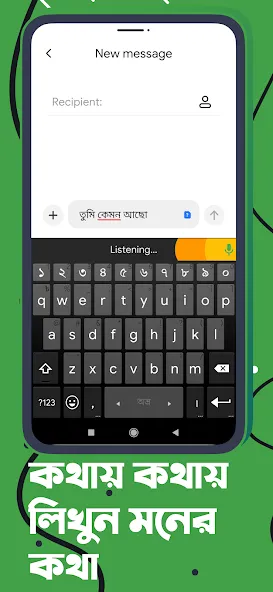
Ridmik Keyboard (Bangla) is an intelligent language input method. Featuring a highly user-friendly interface, it allows users to get started quickly with typing in various languages. The app supports multiple input modes and offers an excellent layout that balances aesthetic appeal with reliable functionality. It boasts strong compatibility, making it suitable for a wide range of Android devices and user groups. By supporting numerous languages, it caters to the diverse needs of its users. The keyboard provides personalized input styles, precise suggestions, and error correction, while also offering recommendations tailored to individual usage habits—all designed to make your conversations smoother and more seamless.
Features:
Flexible Bengali Layouts
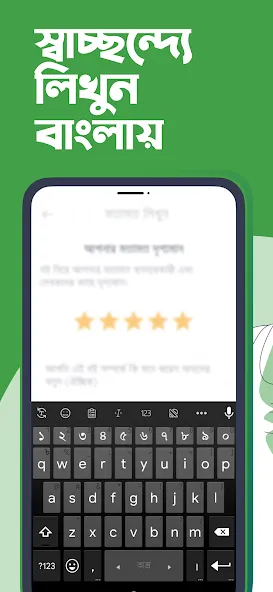
Supports an Avro-style phonetic input method, while also offering "National" and "Probhat" layouts for those who prefer traditional key arrangements. You can choose the layout that best suits your typing habits and switch between them easily at any time.
Privacy-Focused Design
Your input data is never collected or transmitted. The app learns typing suggestions directly on your device and stores word frequency data locally. Furthermore, every permission request is explained within the app, ensuring you can make informed choices.
Voice Input Support
The voice dictation feature utilizes Google’s speech services to convert your voice into text in supported languages—perfect for hands-free typing or quick note-taking. You can also switch back to manual typing instantly.
Smart Input Tools
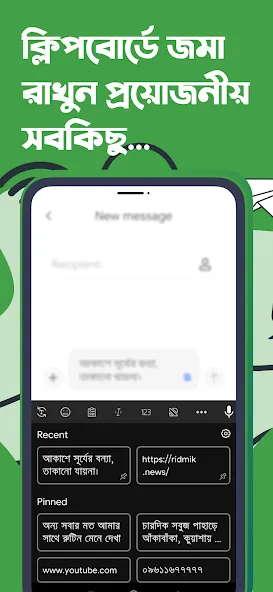
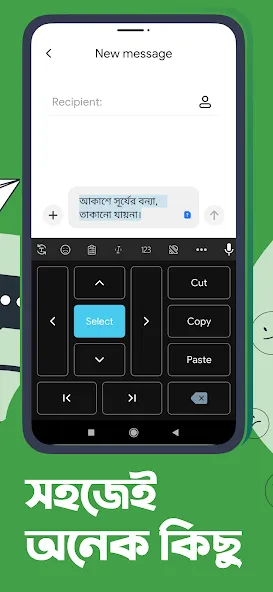
Includes word and emoji suggestions, a user-defined dictionary, and a clipboard that stores your recently copied content. Additionally, handy text-editing tools make it easy to select text, move the cursor, and correct errors.
Tailored to You
Personalize your experience by choosing themes from the theme store, adjusting the keyboard height for both portrait and landscape modes, or adding a dedicated number row (available in large or small sizes). You can also use a dedicated numeric keypad or control the cursor by dragging across the spacebar for precise editing.
Multilingual Input
Ridmik Keyboard comes with built-in support for Bengali and English. You can also add Arabic and Chakma via language plugins. This makes it simple to switch between languages—and scripts—while chatting or writing.
Highlights:
Bengali Phonetic Keyboard: You get a phonetic keyboard featuring a standard Bengali layout, making it easy to type words. The app also supports Arabic and Chakma.
English-to-Bengali Keyboard: You can also use an English-to-Bengali keyboard, which allows you to type accurate Bengali words using the Latin (Roman) script.
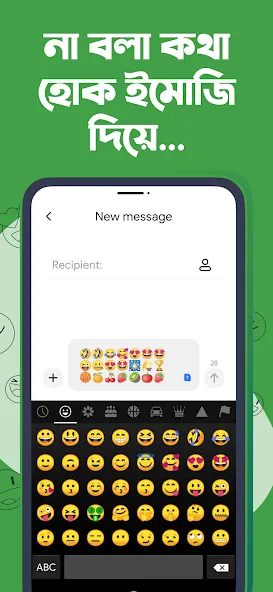
Extensive Emoji Collection: The keyboard includes over 500 emojis across various categories, helping you communicate more effectively and express your emotions with ease.
Beautiful Themes: The app offers over 15 stunning themes inspired by Bengali culture, alongside standard light and dark color schemes.
Customizable Keyboard Layout: You can easily customize your keyboard layout—for instance, by adjusting key sizes. Using intuitive drag-and-pinch gestures, you can reposition any keyboard element or resize it to your preference.
Copy and Save: You can save an unlimited number of words and sentences within the app. Pin your most important sentences to keep them easily accessible whenever you need to paste them elsewhere. You can also store sensitive information, such as passwords and IDs, keeping everything you need in one convenient place.
User-Friendly: The interface is clean, intuitive, and distinct from other keyboard apps. It features Bengali voice input and supports both the National and Probhot keyboard layouts, ensuring a seamless typing experience—unlike many standard keyboards that simply arrange keys in alphabetical order.
FAQs:
Where is the Enter key?
If you see an emoji icon or any other key instead of the Enter key, please press the Shift key.
How do I enable the number row?
Go to keyboard settings, select Appearance & Layout, and then choose Enable number row.
How do I adjust the keyboard height?
Go to keyboard settings, select Appearance & Layout, and then choose Enable keyboard resizing. Afterward, adjust the Keyboard height scale.
Advantages and disadvantages:
Pros
Multiple Bangla input styles, including phonetic Avro-style typing and layout options like Jatiyo and Probhat
Predictive suggestions, including emoji appearing in suggestions
Strong customization with themes and a built-in theme builder (including photo-based custom themes)
Useful extras like an optional number row, keyboard height controls, cursor movement via the space key, a clipboard, and quick text editing options
Cons
The app includes ads and offers in-app purchases
Summarize:
In short, if you are looking for a reliable and efficient Bengali input method for your Android device, Ridmik Keyboard (Bangla) is definitely worth a try. Its powerful features and ease of use have made it the top choice for millions of users worldwide who need to communicate effectively in Bengali.
-
Latest Updates
-
Featured Apps