iCall iOS 16 – Phone 14 Call
Social
2026-10-20
8.17MB
1.0
Android 6.0 and up
505
Screenshots
Introduction
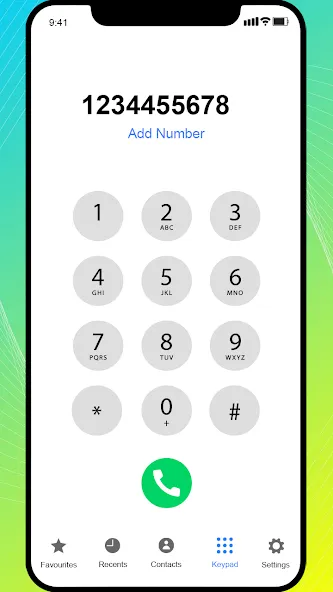
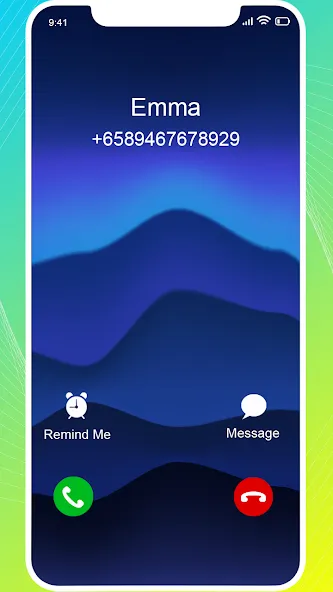
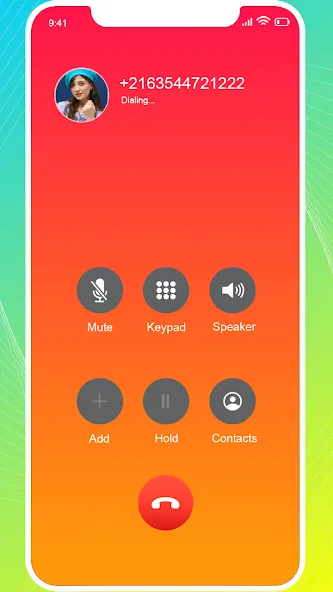
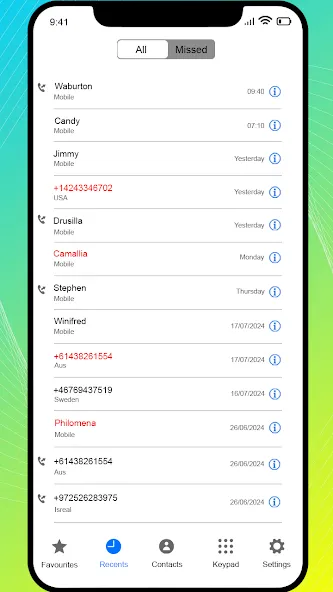
iCall iOS 16 – Phone 14 Call is a dialer app designed for the Android operating system. It features a highly intuitive interface, allowing users to get started immediately—no prior experience required. The app streamlines contact management by offering organized categories and a "favorites" feature; simply enter a keyword to quickly locate any contact. It also includes robust customization options: you can set a custom background for the dial pad, personalize the app’s appearance, and assign unique symbols or images to individual contacts to make them easier to find. Furthermore, it provides a clear, seamless calling experience and supports advanced features such as call forwarding.
Features:
Easily Access Your Contacts and Call History
Once the app is installed, you can grant it permission to access your device's contacts. All your contacts will then be synced to the app, saving you the time and effort of entering phone numbers one by one. You’ll be able to use the app’s features faster and more easily than ever before. It also ensures that your call history is replicated and updated quickly and accurately.
Effortlessly Customize Your Contact List
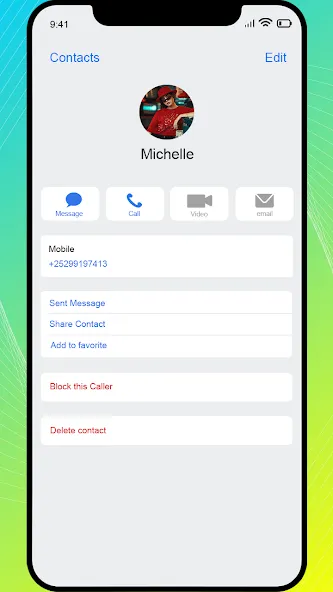
Manage your contacts with ease using a variety of practical, intuitive tools. You can mark frequently contacted people as favorites or organize them into groups for quick access. Get creative by adding icons—like stars or hearts—next to your contacts' names; these eye-catching symbols make it simple to spot the people who matter most to you in your list. You can also assign photos to your contacts—either by uploading them from your device or taking a new picture—to make them stand out. Add fun photos of friends to keep things lighthearted, or include a heartwarming snapshot of a loved one.
A Calling App with an iPhone-Style Interface and Features
Even if you’re using an Android device, this app lets you experience the calling and contact features of an iPhone. It mirrors the interface of the iPhone 14 and includes full functionality for making calls, initiating FaceTime sessions, and sending text messages or emails. Everything runs smoothly, offering an experience virtually identical to using the native calling tools on an iPhone. The app supports multiple languages and is designed for simplicity, making everything more convenient than ever. Take a break and enjoy a better way to manage your calls.
Highlights:
DanaIntuitive and easy-to-use interface
DanaInterface and features similar to the iOS dialer
DanaIncoming call blocking
DanaAdd, edit, and delete contacts
DanaCustomize incoming call wallpapers to suit your personal preference
DanaFlashlight activation during calls
DanaBlock nuisance phone numbers
DanaManage favorite contacts: quickly call friends and family, and easily add numbers to your favorites
DanaManage recent calls and missed calls
DanaManage contacts
FAQs:
What is iCall iOS 16 – Phone 14 Call?
It is a phone application designed for Android devices.
What features does iCall iOS 16 – Phone 14 Call offer?
Key features include adding, editing, and deleting contacts, as well as managing call history.
Is it safe to download iCall iOS 16 – Phone 14 Call?
You should download it from a trusted source—such as this website—to ensure it is safe and reliable.
Advantages and disadvantages:
Pros
iOS-style incoming call interface with a "slide to answer" feature
Includes favorites, contact search, call history, and number blocking
Incoming call themes offer useful visual customization options
Cons
Contains ads
Summarize:
All in all, if you are looking for a reliable and feature-rich Android dialer app, then iCall iOS 16 – Phone 14 Call is definitely worth a try. With its intuitive design and powerful features, it is sure to become one of your go-to apps for staying in touch with others.
-
Latest Updates
-
Featured Apps